Creating Hollywood-Style Shots from Home: Jer at EccentrismArt on Using Viggle for Indie Filmmaking
Viggle
Creating Hollywood-Style Shots from Home: Jer at EccentrismArt on Using Viggle for Indie Filmmaking#
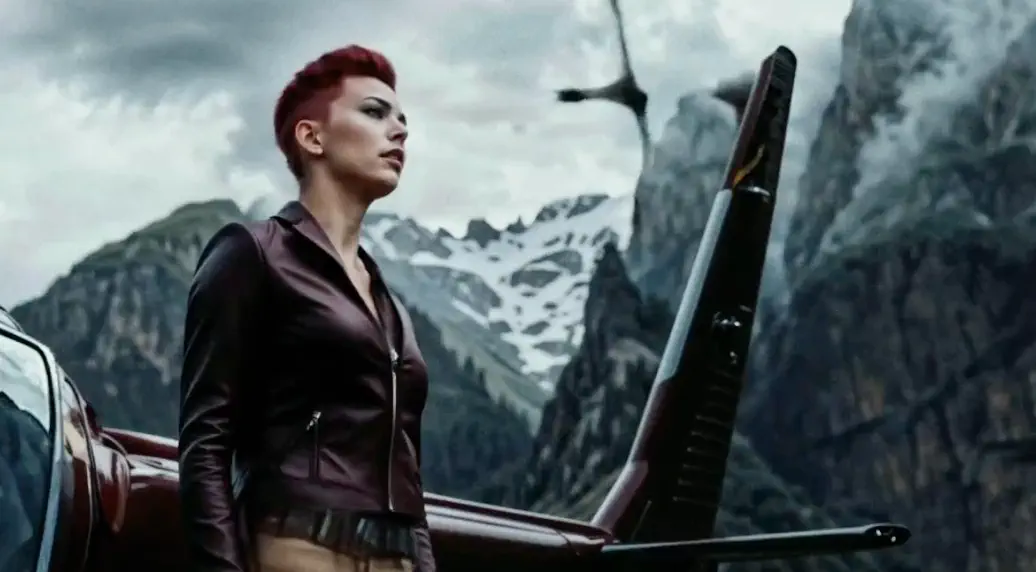
Source: Jer at EccentrismArt's X
Follow Jer at EccentrismArt at X.
Viggle: Hi Jer, thanks for joining us! Could you tell us a bit about your background and what led you to filmmaking?
Jer: Thanks for having me! I’ve been making movies since I was a teenager. My brother and I essentially created our own little film school—funding our short films, paying for actors, and even going all out with helicopter shots. Eventually, we took our work to film festivals, but then life got busy. Work, family, and everything else took priority. I’ve always had a background in computer graphics, drawing, and Photoshop, which kept my creative side alive even when I couldn’t actively make films.
When AI started emerging, I realized I could start creating again, but this time from my own home. It’s tiring, especially since I work on projects at night after putting my kids to bed, but it’s rewarding. With the time constraints, most of my projects are short clips, around 30 seconds to a minute. But finally, I get to bring to life the ideas I’ve had for years.
Viggle: That’s incredible that AI empowered you pick up creative projects! So what drew you to Viggle, and what’s your experience been like?
Jer: I was immediately fascinated by Viggle because it’s one of the only tools that lets you capture full-body motion, not just facial expressions or lip-sync. With Viggle, I can do mocap, act out the scenes myself, and create shots that other tools simply can’t handle without expensive equipment. I’m talking about wide shots, characters walking down streets, or even scenes where someone’s descending from a helicopter.
I started using Viggle on my phone, but I’ve gradually moved to the web version as I’ve gotten deeper into the workflow. Recently, I’ve been exploring other AI tools too, but Viggle remains a cornerstone for my work, especially when I want consistency in character movement.
Viggle: Could you take us through your workflow on a recent project?
Source: Jer at EccentrismArt's X
Jer: Absolutely! One of my recent projects is a concept where a zombie virus is taking over a town, and the characters are fighting to stop the spread. Here’s the process:
- Concept: It all starts with the story—this one’s about a zombie virus spreading across a town.
- Mocap: For the zombie chase scenes, I used stock footage of someone running, and then recorded a side view of myself fake-running for added realism. At one point, I almost bought a treadmill just for these shots!
- Backdrop Creation: I used MidJourney to create ultra-wide images that became my scene backdrops.
- Upscaling: I rely on Magnific AI to upscale these images and keep the quality high.
- Compositing: I bring everything into Adobe Premiere, using greenscreen keying to blend and layer the elements.
- Final Touches: I use Topaz for extra detailing and add shadow elements for depth.
Viggle’s consistency is a game-changer. With image-to-video tools, you basically end up with inconsistencies in character appearance, but Viggle keeps my characters looking cohesive throughout the entire piece.
Viggle: That’s quite a detailed setup! What other tools do you use alongside Viggle?
Jer: Viggle is definitely my main tool, but I also use:
- Domo/Kaiber/Krea: These add unique stylistic touches or work for specific scenes.
- Remine: This helps refine facial details, especially lips, and does a better job than other tools in that area.
- Runway Act One: It’s great for documentary-style clips, although it’s limited in flexibility.
Viggle: What’s your ultimate goal with AI and filmmaking?
Jer: Ultimately, I’d love to make a feature-length film. It feels like a massive undertaking, but this era of AI makes it feel achievable. I have some concerns about the growing overlap between AI and reality, especially as these tools get more sophisticated. And there’s the issue of content saturation—with everyone able to create, it could lead to a flood of similar content. But I think, in the end, storytelling will prevail. AI helps with visuals, but it’s the narrative that will keep people watching.
Viggle: That’s an exciting vision! What’s on your wishlist for future Viggle features?
Jer: I’d love to see higher texture fidelity with more advanced upscaling. Integrating lip dubbing would also be incredible—it would open up a lot more expression for characters. Another feature that would be fantastic is a preview option for selecting different outcomes, something like a generative character output where I can fine-tune details like shadows and hair. Viggle’s mocap is incredible, but these additional options would take it even further.
Viggle: Great insights, Jer. Thanks for sharing your journey with us. We can’t wait to see what you create next!
Jer: Thanks for having me! Viggle has already changed the way I approach my projects. It’s exciting to be part of a tool that’s democratizing animation for creators everywhere. Looking forward to more!
Join our creator program to enjoy Pro features and the latest product updates!
Reach out to us at [email protected].