
Viggle vs Luma AI
Luma AI is often used for generative scene output. Viggle is built around controllable character motion and repeatable creator pipelines.
- Motion control is built-in: Mix = one photo + one video/template input
- JST-1 (Viggle) is a self-developed video-3D foundation model with physics understanding for controllable motion
- Controllable video generation keeps character performance direction consistent
- Character consistency helps preserve the same look across multiple clips
- Full body swap replaces face + body motion together (not face-only overlays) for stronger motion-controlled output
- Character Refine outputs 5-angle refs to keep identity faithful when you iterate on motion
- Multi-Track editor: track characters, swap multiple subjects, and replace objects (up to 7) in one timeline
- 8,000+ templates + free to use (up to 5 free videos/day) for faster creator iteration loops
- Text-to-video for fast concept-level scene generation
- Image-to-video to animate a still into a short scene
- Start/end frame control to guide transitions more explicitly
- Video extension workflows for continuing an existing clip
- Strong fit for cinematic ideation and visual atmosphere exploration
- Character reference options can help keep identity more consistent across generations
- Output is primarily generation-first rather than motion-control-first character transfer
- Less oriented around meme/template publishing cadence compared to template-heavy creator stacks
Why Choose Viggle
Scene-first versus character-first
Luma is often picked for scene generation and atmosphere exploration. Viggle is picked when the character performance is the product. Mix gives you motion transfer with one photo + one video or template, and JST-1 is a self-developed video-3D foundation model that understands physics, so motion control is more predictable when the movement gets difficult.
Repeatability under content pressure
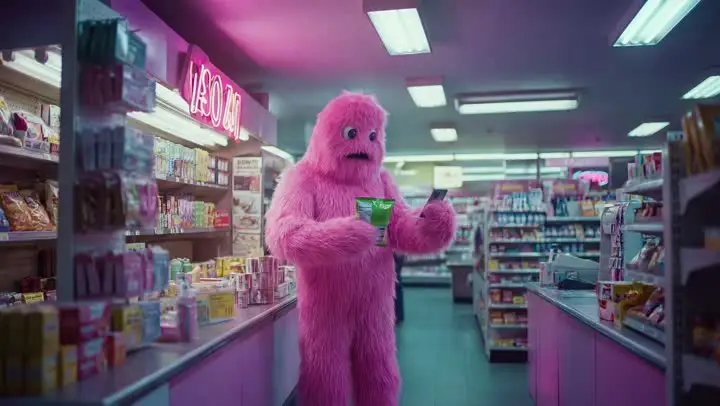
When you are posting often, you need the same character to stay the same character. Viggle leans into character consistency and full body swap so both face and body motion read as one performer. Character Refine (5-angle references) helps keep identity fidelity across reruns so you spend less time chasing continuity.
Workflow composition
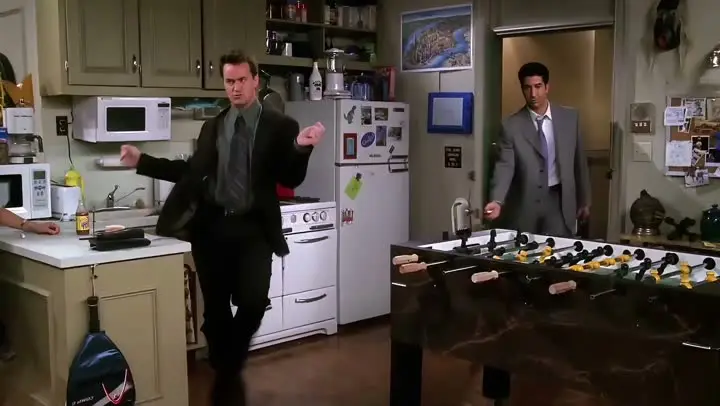
A practical stack is: use scene tools for ideation, then route character execution through Viggle. Multi-Track lets you fix timing and swaps and even replace objects on a timeline (up to 7 characters or objects), and Mic and Rap cover voice-driven performance styles when you need talking, singing, or lyric clips. With 8,000+ templates and free sign-up (up to 5 videos per day), you can test more ideas without turning every change into a full rebuild.
Feature-by-Feature: Viggle vs Luma AI
| Feature | Viggle | Luma AI |
|---|---|---|
| Core Technology | ||
| Generation bias · Viggle-luma-ai | ✅ JST-1 3D model | ⚠️ Non-JST-1 stack |
| Control layer · Viggle-luma-ai | ✅ Motion-control-first | ⚠️ Mixed control depth |
| Identity hold · Viggle-luma-ai | ✅ Character consistency + Refine | ⚠️ Can drift on reruns |
| Pipeline fit · Viggle-luma-ai | ✅ Creator execution | ✅ Ideation/generation |
| Character & Motion | ||
| Motion input · Viggle-luma-ai | ✅ Mix: photo+video/template | ⚠️ Transfer depth varies |
| Action stability · Viggle-luma-ai | ✅ Stable on hard motion | ⚠️ May need extra retries |
| Body replacement · Viggle-luma-ai | ✅ Full body swap | ⚠️ Capability varies |
| Live integration · Viggle-luma-ai | ✅ Viggle LIVE (1-2s) | ⚠️ Platform-dependent |
| Content Creation | ||
| Template readiness · Viggle-luma-ai | ✅ 8,000+ templates | ⚠️ Template depth varies |
| Voice features · Viggle-luma-ai | ✅ Mic + Rap | ⚠️ Product-dependent |
| Edit correction · Viggle-luma-ai | ✅ Multi-Track (up to 7) | ⚠️ More rerender loops |
| Distribution speed · Viggle-luma-ai | ✅ Meme/social/short-form fit | ⚠️ Depends on workflow |
| Speed, Price & Access | ||
| Variant time · Viggle-luma-ai | ✅ Fast variant cycles | ⚠️ Varies by load/mode |
| Entry access · Viggle-luma-ai | ✅ Up to 5 free videos/day | ⚠️ Free limits vary |
| Retry burden · Viggle-luma-ai | ✅ Lower rerender waste | ⚠️ Iteration cost can rise |
| Device footprint · Viggle-luma-ai | ✅ Web + iOS + Android | ⚠️ Coverage differs by plan |
Viggle vs Luma AI - Which Fits Your Workflow
Choose Luma AI if…
- You prioritize scene-first visual generation
- You want cinematic mood exploration
- You focus on concept-first image/video ideation
- You value atmosphere-led creative development
- You prefer scene generation over performer transfer
Choose Viggle if…
- You focus on controllable motion transfer with Mix (photo + video/template) over Luma AI
- You value JST-1 video-3D, physics-aware control for motion reliability over Luma AI
- You prefer character consistency across repeated variants over Luma AI
- You choose full body swap (face + body motion) over Luma AI
- You prioritize Character Refine (5-angle references) for identity stability over Luma AI
- You want Multi-Track edits: tracking, swaps, object replacement (up to 7) over Luma AI
- You build around Mic/Rap voice-driven talking, singing, and lyric workflows over Luma AI
- You optimize for creator-speed iteration with 8,000+ templates and free daily usage over Luma AI
- You want a single platform with multiple generation models — Nano Banana Pro, Seedream, and Veo 3.1 for text-to-image and text-to-video alongside motion control
Frequently Asked Questions
Is Viggle vs Luma AI a direct one-to-one comparison?
Which side is stronger for motion transfer in Viggle vs Luma AI?
When should I choose Luma AI instead of Viggle?
Can I use Viggle and Luma AI together?
Does Viggle support full-body character workflows?
Is Viggle beginner-friendly for this workflow?
Can I start Viggle vs Luma AI tests on a free plan?
What is the fastest way to decide in Viggle vs Luma AI?
Ready to try Viggle?
Ready for Better Motion Control?
Try Viggle Free.
Controllable character motion, 8,000+ templates, free to use.