
Viggle vs Magic Hour
Magic Hour is an all-in-one AI video toolkit (text-to-video, image-to-video, lip sync, face swap, API). Viggle is built for controllable character motion and repeatable creator performance.
- Mix: motion control and character swap from one photo + one video/template input
- JST-1 is a self-developed video-3D foundation model that understands physics
- Full body swap replaces face AND body motion for real performance-style clips
- Character consistency keeps the same persona stable across repeated outputs
- Character Refine generates 5-angle images to improve identity fidelity
- Multi-Track editor supports multi-person swap + object selection/replacement (up to 7)
- Mic supports voice-to-motion + voice clone for talking/singing clips (creator performance, not dubbing-only)
- 8,000+ templates and free to use (up to 5 free videos/day) for creator iteration loops
- Text-to-video and image-to-video creation inside a single toolkit
- Video-to-video style workflows for quick re-looks
- Lip sync tool: upload a video, add audio, generate synced output
- Face swap for photo and video (web + API options)
- Tool library approach (multiple generators and utilities in one place)
- Frontier-model access is marketed across several tools (model availability can vary)
- Developer API with SDK support for automation and integration
- Pricing via plans/credits with different output tiers (plan dependent)
Why Choose Viggle
Motion control is the product
Magic Hour is a broad AI video toolkit. Viggle is built around controllable character motion as a repeatable workflow: Mix (photo + motion source) paired with JST-1 (video-3D, physics-aware) so performance output is easier to reproduce across variants.
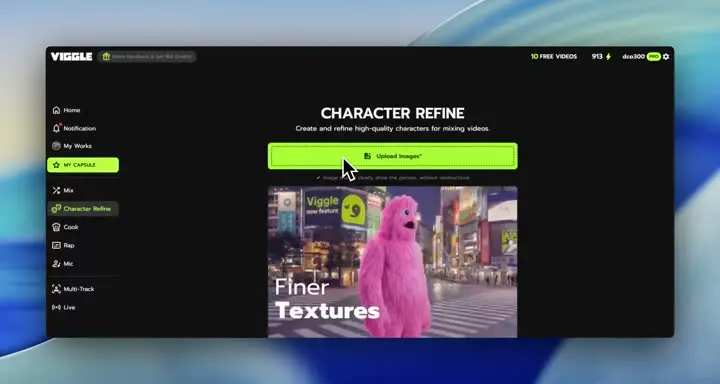
Identity stability for creator variants
When you publish multiple hooks, the real challenge is keeping the same character recognizable while changing motion. Viggle focuses on character consistency plus Character Refine (5-angle references) to help keep identity tight across reruns and edits.
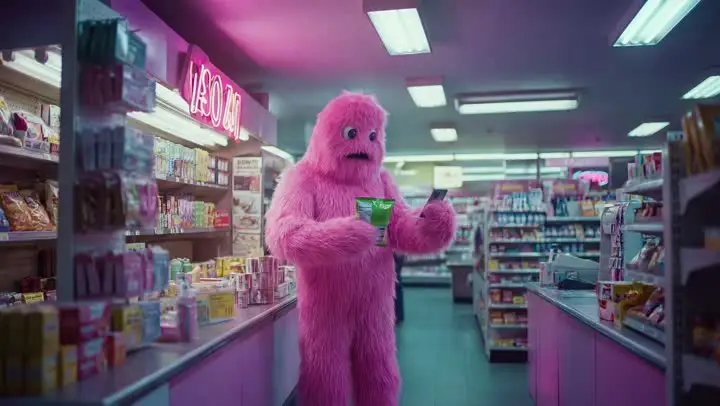
Ship faster with creator tooling
Viggle is optimized for creator iteration loops: 8,000+ templates, Multi-Track timeline edits (up to 7 characters/objects), and performance-style voice workflows (Mic/Rap). If you want to move from idea → publishable variants quickly, the workflow is purpose-built.

Feature-by-Feature: Viggle vs Magic Hour
| Feature | Viggle | Magic Hour |
|---|---|---|
| Core Technology | ||
| Workflow focus | ✅ Motion-control-first creator workflow | ✅ Multi-tool AI video suite |
| Motion control depth | ✅ Mix + JST-1 workflow | ⚠️ Tool/model dependent |
| Automation & scaling | ✅ App-first creation for fast iteration | ✅ API + SDK oriented options |
| Best for | ✅ Repeatable character performance | ✅ Broad generation utilities |
| Character & Motion | ||
| Motion transfer | ✅ Mix: photo+video/template | ⚠️ Depends on selected tool/model |
| Identity stability | ✅ Character consistency + Refine | ⚠️ Can vary across generations/tools |
| Full-body performance | ✅ Full body swap | ⚠️ Not the primary focus |
| Face workflows | ✅ Character-first creator output | ✅ Face swap + talking/lip-sync style tools |
| Content Creation | ||
| Creator-ready output | ✅ Motion-first creator performance clips | ✅ Core offering |
| Image-to-video | ✅ Character performance via Mix | ✅ Core offering |
| Voice & lip sync workflows | ✅ Mic performance workflows | ✅ Lip sync tool available |
| Face swap | ✅ Full body swap (performance-first) | ✅ Face swap photo/video tooling |
| Speed, Price & Access | ||
| Iteration loop | ✅ Templates + Multi-Track edits | ⚠️ Depends on tool + reruns |
| Free path | ✅ Up to 5 free videos/day | ⚠️ Plan/credit limits vary |
| Scaling production | ✅ Creator-speed variants | ✅ API/batch-friendly options |
| Pick when | ✅ You need controllable motion | ✅ You need a broad toolkit |
Viggle vs Magic Hour - Which Fits Your Workflow
Choose Magic Hour if…
- You want an all-in-one AI video toolkit in one place
- You prioritize text-to-video and image-to-video experimentation
- You need lip sync and face swap tools for quick edits
- You want API access for automation or integrations
- You prefer switching tools/models based on the task
Choose Viggle if…
- You focus on controllable motion transfer with Mix (photo + video/template) over Magic Hour
- You value JST-1 video-3D, physics-aware control for motion reliability over Magic Hour
- You prefer character consistency across repeated variants over Magic Hour
- You choose full body swap (face + body motion) over Magic Hour
- You prioritize Character Refine (5-angle references) for identity stability over Magic Hour
- You want Multi-Track edits: tracking, swaps, object replacement (up to 7) over Magic Hour
- You build around Mic/Rap voice-driven talking, singing, and lyric workflows over Magic Hour
- You optimize for creator-speed iteration with 8,000+ templates and free daily usage over Magic Hour
- You want a single platform with multiple generation models — Nano Banana Pro, Seedream, and Veo 3.1 for text-to-image and text-to-video alongside motion control
Frequently Asked Questions
Is Viggle vs Magic Hour a direct one-to-one comparison?
Which is better for motion transfer in Viggle vs Magic Hour?
When should I choose Magic Hour instead of Viggle?
Does Magic Hour support lip sync and face swap?
Does Viggle support full-body character workflows?
Can I use Viggle and Magic Hour together?
Can I start Viggle vs Magic Hour tests on a free plan?
What is the fastest way to decide in Viggle vs Magic Hour?
Ready to try Viggle?
Ready for Better Motion Control?
Try Viggle Free.
Controllable character motion, 8,000+ templates, free to use.