
Viggle vs Sora
Sora is often explored for broad video generation. Viggle is purpose-built for controllable character performance and creator iteration loops.
- Mix is motion control first: one photo + one video/template input
- JST-1 self-developed video-3D foundation model (physics-aware movement)
- Controllable video generation keeps character performance consistent across retries
- Character consistency helps keep one recognizable persona across edits
- Full body swap: swap the whole performer (face + body motion), not a sticker-face overlay
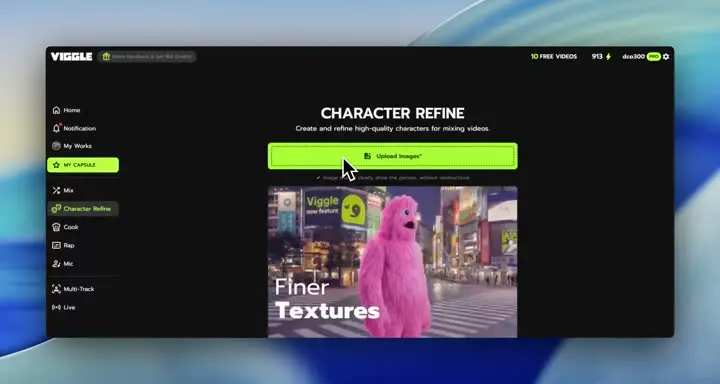
- Character Refine = 5-angle refs that boost identity quality before you push more variants
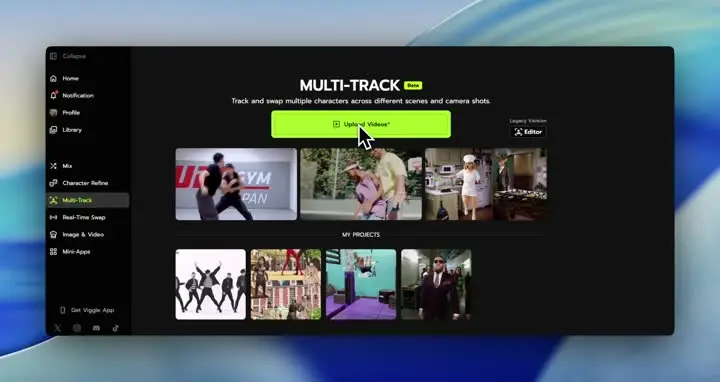
- Multi-Track lets you fix timing, swaps, and object selections in-app (up to 7 characters/objects)
- Mic + Rap cover voice-to-motion and lyric performance, and you can start free (up to 5 videos/day)
- Text-to-video generation for concept and story exploration
- Storyboard-style controls for planning scenes over a timeline
- Good for experimenting with cinematic ideas and narrative beats
- Prompt-led outputs are powerful but can require iteration for consistency
- Not centered on photo + reference motion transfer as the primary workflow
- Character identity can vary across long variant chains
- Less template-first for high-frequency social publishing workflows
- Best used as an ideation layer when you do not need strict motion control
Why Choose Viggle
General capability vs creator utility
Big model demos can look amazing, but creators still need control. If you want a specific character to move a specific way, Viggle is more direct: Mix uses one photo plus one motion source, and JST-1 is a physics-aware video-3D foundation model built for controllable video generation. That is what makes outputs repeatable instead of try again and hope.
Why controllability wins in production
Production is about throughput. Character consistency, full body swap (face + body motion), and Character Refine (5-angle references) reduce the number of reruns you need to get a clean take. When you are shipping multiple variants, controllable motion usually beats chasing a single perfect one-off clip.
How teams combine tools
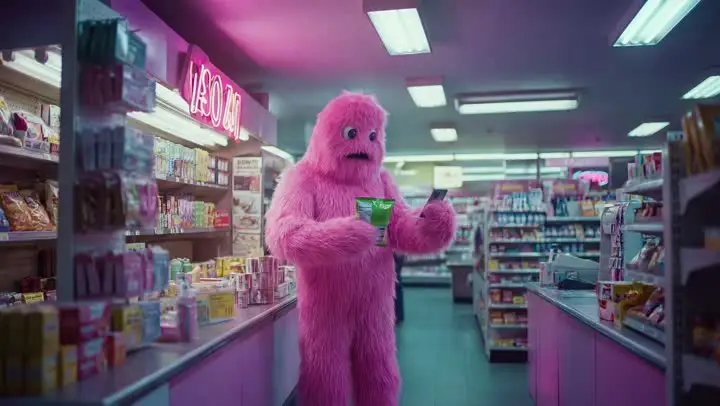
A common workflow is: use general generators for broad ideation, then use Viggle for the character performance layer you need to keep stable. Multi-Track helps you correct timing, swaps, and object edits (up to 7) without restarting, and Viggle LIVE is there when you want real-time webcam character swap from one image with 1-2s latency for streaming-style content. It is a very creator-shaped pipeline.
Feature-by-Feature: Viggle vs Sora
| Feature | Viggle | Sora |
|---|---|---|
| Core Technology | ||
| Model orientation · Viggle-sora | ✅ JST-1 3D model | ⚠️ Non-JST-1 stack |
| Control focus · Viggle-sora | ✅ Motion-control-first | ⚠️ Mixed control depth |
| Identity continuity · Viggle-sora | ✅ Character consistency + Refine | ⚠️ Can drift on reruns |
| Use-case fit · Viggle-sora | ✅ Creator execution | ✅ Ideation/generation |
| Character & Motion | ||
| Transfer setup · Viggle-sora | ✅ Mix: photo+video/template | ⚠️ Not transfer-first |
| Action reliability · Viggle-sora | ✅ Stable on hard motion | ⚠️ May need extra retries |
| Character integrity · Viggle-sora | ✅ Full body swap | ⚠️ Capability varies |
| Live option · Viggle-sora | ✅ Viggle LIVE (1-2s) | ⚠️ Platform-dependent |
| Content Creation | ||
| Template utility · Viggle-sora | ✅ 8,000+ templates | ⚠️ Template depth varies |
| Performance audio · Viggle-sora | ✅ Mic + Rap | ⚠️ Product-dependent |
| Correction path · Viggle-sora | ✅ Multi-Track (up to 7) | ⚠️ More rerender loops |
| Creator fit · Viggle-sora | ✅ Meme/social/short-form fit | ⚠️ Depends on workflow |
| Speed, Price & Access | ||
| Output speed · Viggle-sora | ✅ Fast variant cycles | ⚠️ Varies by load/mode |
| Free start · Viggle-sora | ✅ Up to 5 free videos/day | ⚠️ Free limits vary |
| Rerender pressure · Viggle-sora | ✅ Lower rerender waste | ⚠️ Iteration cost can rise |
| Platform support · Viggle-sora | ✅ Web + iOS + Android | ⚠️ Coverage differs by plan |
Viggle vs Sora - Which Fits Your Workflow
Choose Sora if…
- You prioritize frontier model ideation
- You want storyboard-driven concept exploration
- You focus on research-style video prototyping
- You value narrative concept generation
- You prefer model-capability exploration
Choose Viggle if…
- You focus on controllable motion transfer with Mix (photo + video/template) over Sora
- You value JST-1 video-3D, physics-aware control for motion reliability over Sora
- You prefer character consistency across repeated variants over Sora
- You choose full body swap (face + body motion) over Sora
- You prioritize Character Refine (5-angle references) for identity stability over Sora
- You want Multi-Track edits: tracking, swaps, object replacement (up to 7) over Sora
- You build around Mic/Rap voice-driven talking, singing, and lyric workflows over Sora
- You optimize for creator-speed iteration with 8,000+ templates and free daily usage over Sora
- You want a single platform with multiple generation models — Nano Banana Pro, Seedream, and Veo 3.1 for text-to-image and text-to-video alongside motion control
Frequently Asked Questions
Is Viggle vs Sora a direct one-to-one comparison?
Which side is stronger for motion transfer in Viggle vs Sora?
When should I choose Sora instead of Viggle?
Can I use Viggle and Sora together?
Does Viggle support full-body character workflows?
Is Viggle beginner-friendly for this workflow?
Can I start Viggle vs Sora tests on a free plan?
What is the fastest way to decide in Viggle vs Sora?
Ready to try Viggle?
Ready for Better Motion Control?
Try Viggle Free.
Controllable character motion, 8,000+ templates, free to use.