How to Create a Full Storytelling Series Using AI Image-to-Video Tools
Viggle
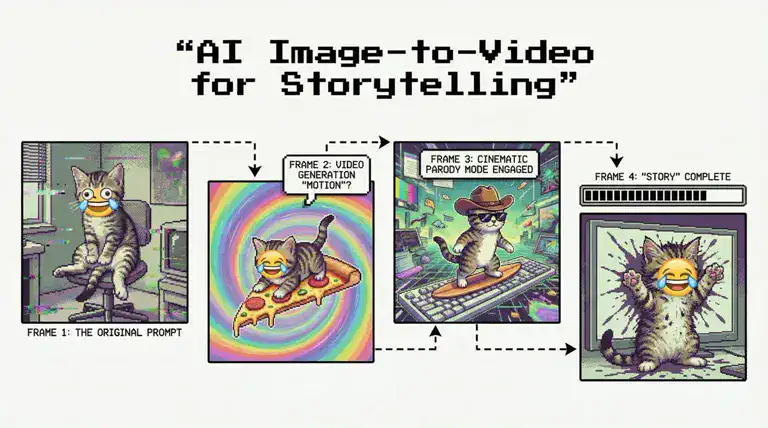
How to Create a Full Storytelling Series Using AI Image-to-Video Tools#
If you've been scrolling lately, you might have definitely seen those AI cat story videos. Cats turning into superheroes, arguing for no reason, or doing things that make zero sense yet somehow attract millions of views.
Chaotic, random, and oddly addictive. And that's exactly why story-based AI videos are trending. But the tricky part is keeping everything consistent from one episode to the next.
That's where Viggle makes things easy for creators with its physics-based motion and character-consistent generation. It makes the episodes feel connected, so your character doesn't suddenly change faces or move in a completely different style.
In this blog, we'll walk through how you can use Viggle to build a full storytelling series. You will also learn how to plan episodes, maintain consistent motion, and shape a storyline that actually keeps viewers coming back for the next part.
So, let's get started!
What Makes a Good AI Storytelling Series?#
People don't just watch because the visuals look cool. They stay because the story feels connected, the characters feel familiar, and every episode adds something new. Here are the 4 core elements that are necessary to get there:
Consistent Characters#
Consistent characters mean the same character looks, behaves, and feels the same across all episodes. This includes:
- Facial features
- Clothing style
- Color palette
- Personality and expressions
- Motion/style of movement
When this stays stable, viewers instantly recognise the character, even if the setting changes. And this familiarity builds a "series" feeling. Inconsistency, on the other hand, breaks immersion (like when a character suddenly looks different in the next episode).
Narrative Structure#
A narrative structure is simply the shape of your story showing how it begins, what conflict it shows, and how it resolves. For example, look at this video by "Jnr AI Videos" showing the story of a hungry dog.
It opens with a hungry dog wandering through the streets. Then:
- The conflict appears when people shoo him away; he's helpless and alone.
- Then comes the turning point: a kind-hearted man offers him a job in the fields.
- The resolution? The dog earns money, buys food, and feeds his puppies.
It's simple, emotional, and linear, yet it feels like a full story. This is exactly what keeps viewers watching until the end and wanting a "Part 2."
Visual Continuity#
Visual continuity makes your episodes look like they belong together. To make sure it reflects in your videos, here are a few things to keep in mind:
| Element | What to Focus On |
|---|---|
| Lighting | Keep lighting style similar across episodes (daylight, soft light, moody, etc.) |
| Color Tones | Stick to one color palette (warm, cool, pastel, cinematic) |
| Art Style | Choose one style (realistic, animated, or painted) and use it throughout. |
| Camera Perspective | Maintain similar framing (close-ups, mid-shots, or wide views) unless the story needs a shift. |
All in all, consistent visuals create immersion. It makes your audience feel like they're watching chapters from the same world, not disconnected clips.
Emotional Engagement#
Emotional engagement is the "why" behind a viewer staying until the end. You see, people may come for the visuals, but they stay for the feelings…cute, sad, hopeful, funny, or dramatic. Take this video by "Gingerkittyz" as an example that shows the story of an old lady and a kitten.
| Story Moment | Emotion It Creates | Why It Works |
|---|---|---|
| The kitten used to live on the street | Empathy | Viewers instantly feel bad for the kitten and connect with its struggle. |
| A kind old lady adopts the kitten | Warmth & Hope | A positive turn in the story that makes viewers feel relieved and happy. |
| The lady suffers a heart attack | Shock & Emotional Tension | Introduces conflict and raises the stakes, keeping viewers hooked. |
| The kitten calls an ambulance and stays with her | Loyalty & Connection | Shows the bond between them, ending on a touching and memorable note. |
This emotional arc makes the video memorable. When viewers actually feel something, they're more likely to follow the series and wait for future episodes.
What Images Do You Need to Start a Story Series?#
Now that you know the key elements of a good AI storytelling series, the next step is choosing the right images. So before you start generating motions, make sure you have these three image types ready:
Character Photos#
Character photos are the core of your story. These are the images you'll use repeatedly across episodes, so they need to show your character clearly with a full body, a clean background, and recognizable features.
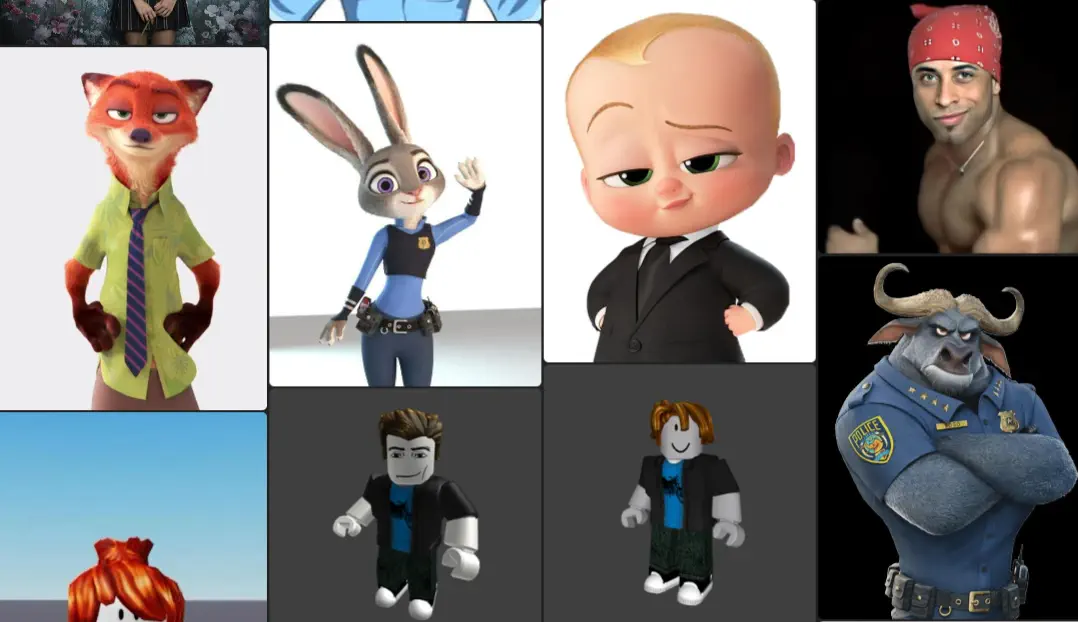
For example, look at these characters, and you'll notice how each character has:
- A distinct face shape
- A unique style (cartoon, 3D, Roblox, realistic, etc.)
- A strong personality is visible through their expression or pose
This is exactly what you need to look for. Once you lock this in, it becomes much easier to maintain consistency throughout the series.
Background Frames#
Background frames are the images that represent the world your character lives in. They help you build visual continuity and make your story feel grounded. They're also useful when you want to show progression, like moving from home to street to workplace across episodes.
Scene-Specific Variations#
Sometimes you need different versions of your character for different moments to prevent repetitive visuals. In fact, this is exactly how Mr. WAS built his 5-episode AI series using Viggle.
He didn't rely on one static character image but created specific variations for close-ups, emotional shots, and different actions. In his story, he explains how Viggle handled these moments, especially when he needed detailed facial mapping. Read the full breakdown here.
How Does Image-to-Video AI Build a Story Sequence?#
Once you have your characters and scenes ready, the next step is understanding how image-to-video tools actually turn these still images into a continuous story. The process is actually simple, but each part plays a role in making the final series feel connected and smooth.
Motion Linking#
Motion linking allows your character to move naturally from one shot to the next. The AI takes a reference motion and maps it onto your character image so the movement feels continuous instead of random. Basically, motion linking works as the backbone of any storytelling sequence.
Scene Generation#
Once the motion is set, the AI blends it into your chosen background to generate the scene. This makes your character feel like they exist in that environment, and it builds visual context around the movement created earlier. That's how the world of your story starts taking shape.
Character Continuity#
After the scene is generated, the AI ensures that your character stays consistent across episodes. It carries forward the same appearance, style, proportions, and motion pattern so your character feels stable even as the scenes change.
Timeline-Based Transitions#
Timeline-based transitions help your story move forward without feeling disconnected. The AI takes the final moment of one scene and uses it as the starting point for the next part. To understand this better, let's look at the puppy story example we saw earlier:
| Scene 1 Ending | How AI Uses It | Scene 2 Beginning | Why It Works |
|---|---|---|---|
| Puppy walks away after earning money | Picks up the same walking motion | Puppy approaches a shop | Movement stays consistent |
| Bright field setting | Matches lighting/mood | Similar daylight tone at the shop | No sudden visual shift |
| Emotion: relief | Carries emotional tone | Puppy buying food | Feels like a real continuation |
That's how timeline transitions turn individual clips into one smooth sequence. This helps viewers stay immersed in the story rather than jumping between unrelated moments.
How to Use Viggle to Create a Storytelling Series?#
The easiest way to turn a single character into a full series is to make the AI understand your world, and Viggle does most of that heavy lifting for you. Here's a simple step-by-step guide to help get started with your first storytelling series:
- Create your Viggle AI account with email, Google, or Apple ID. If you already have an account, click "Sign In" in the top-right corner and continue.
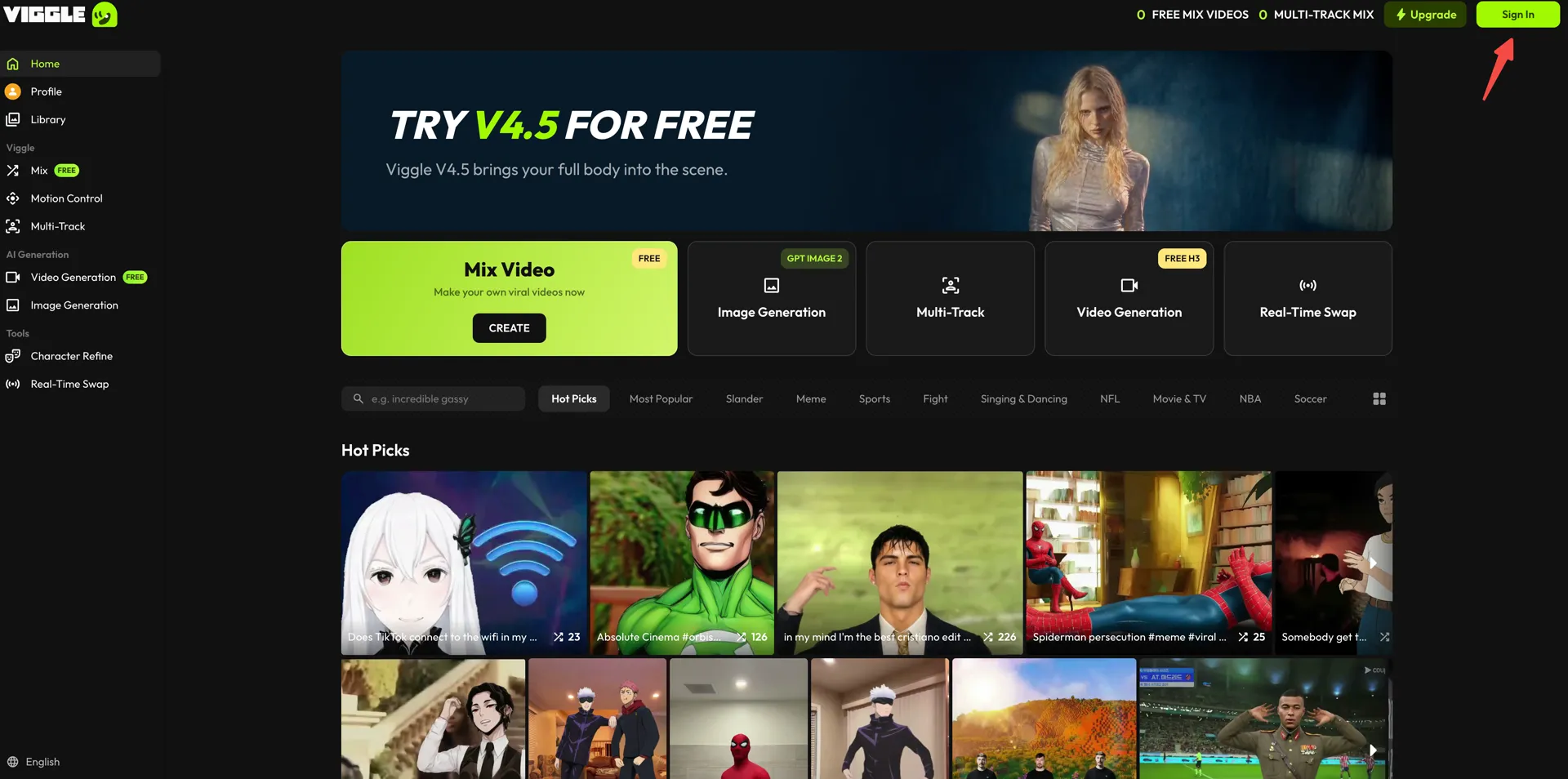
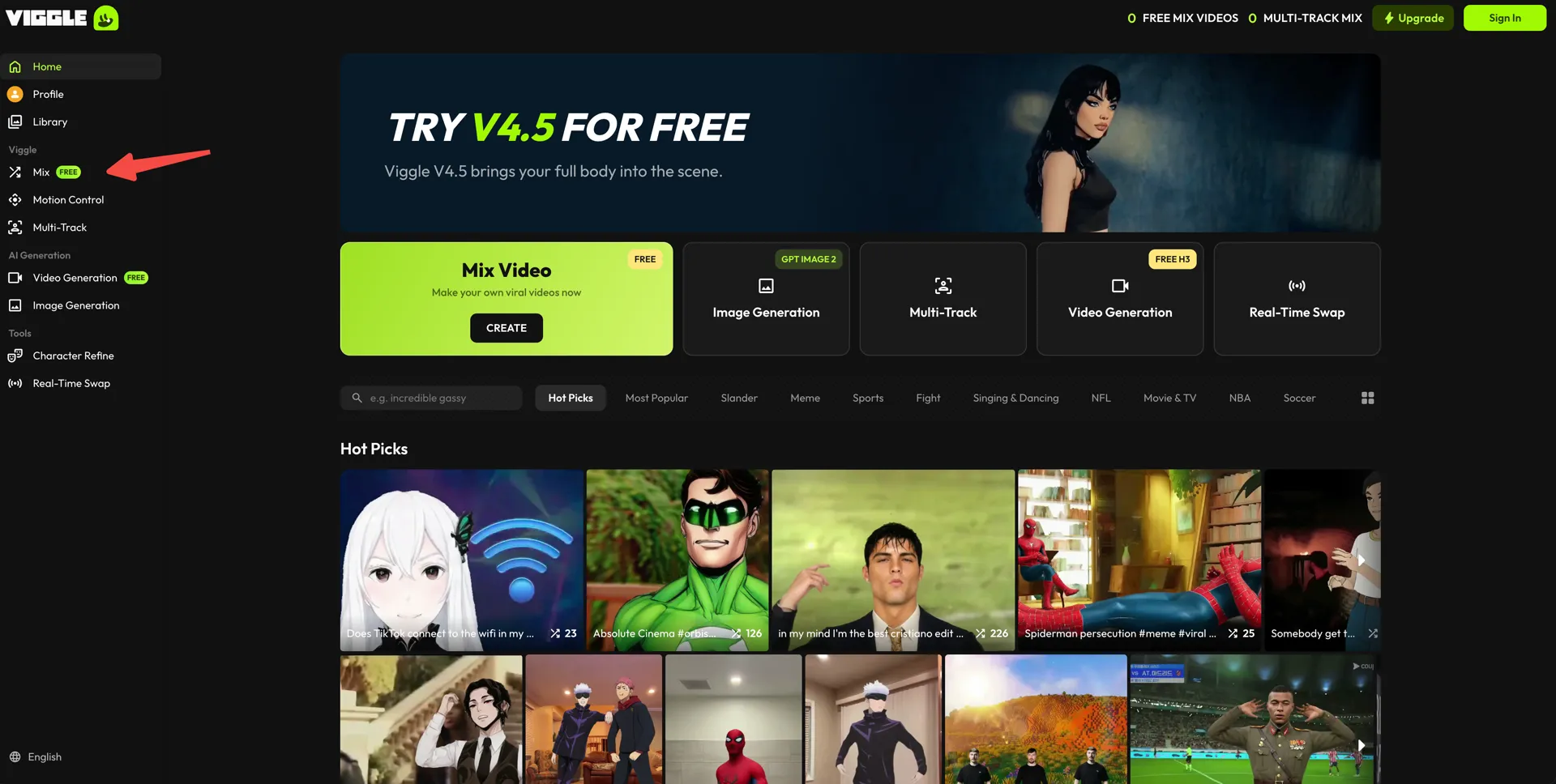
Next, open the "Mix" workspace from the left sidebar — this is where each episode gets built.
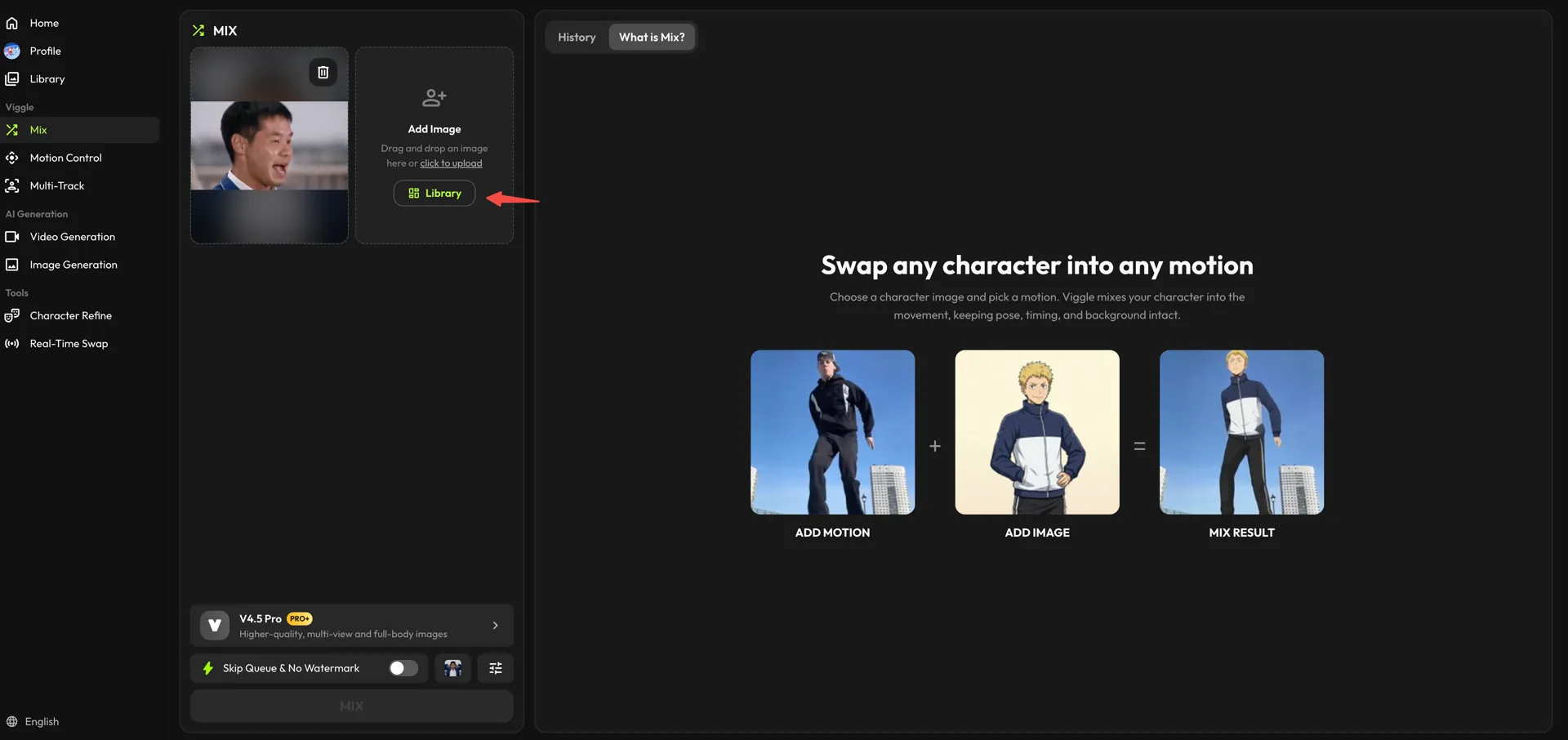
- In the "Add Motion" card, choose the movement for the scene. Press "Library" for a preset, drag your own clip in, or use "click to upload."
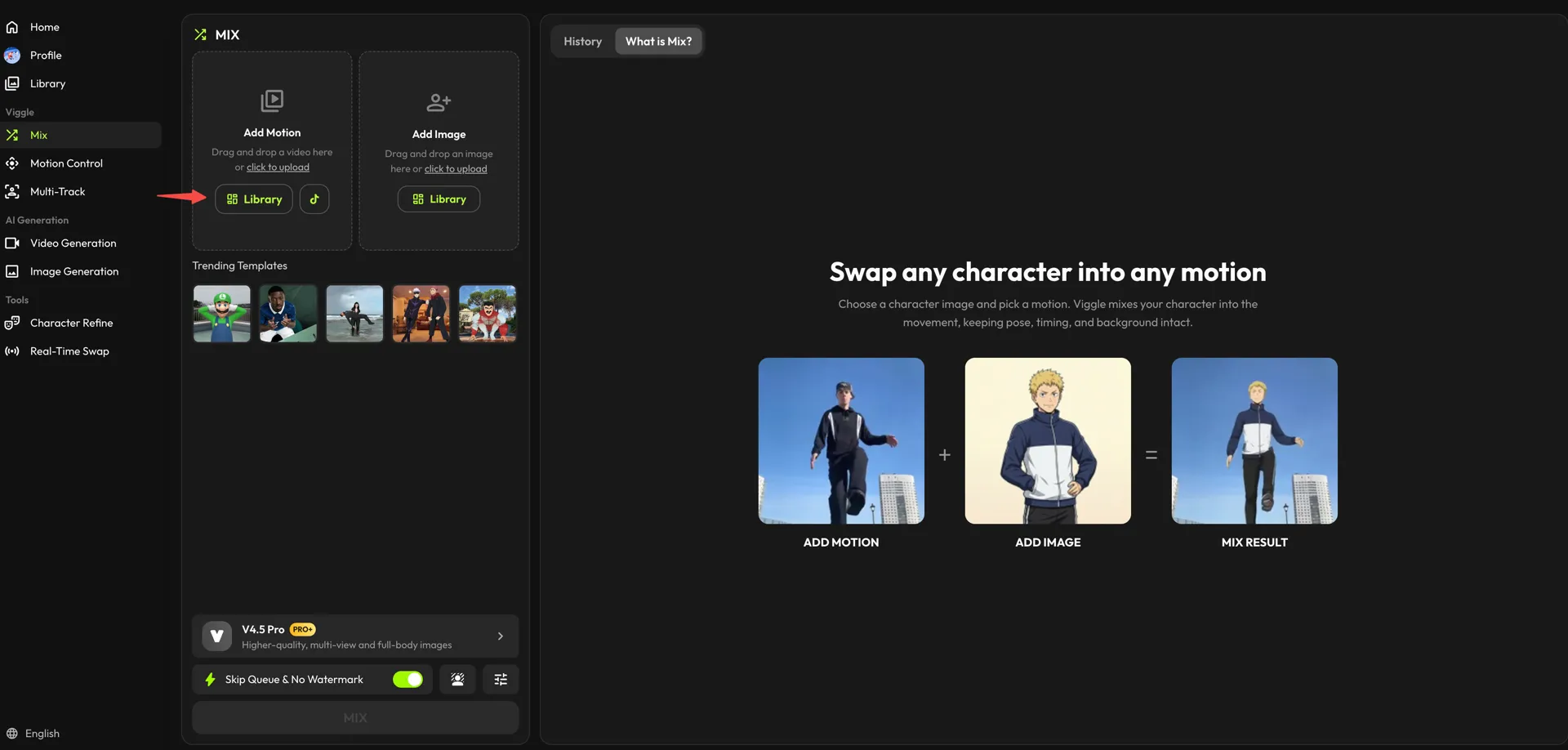
- Repeat the step in the "Add Image" card for your lead character. Pick a built-in character from the "Library," or upload your own image. Reusing the same image across episodes is what keeps the character consistent.
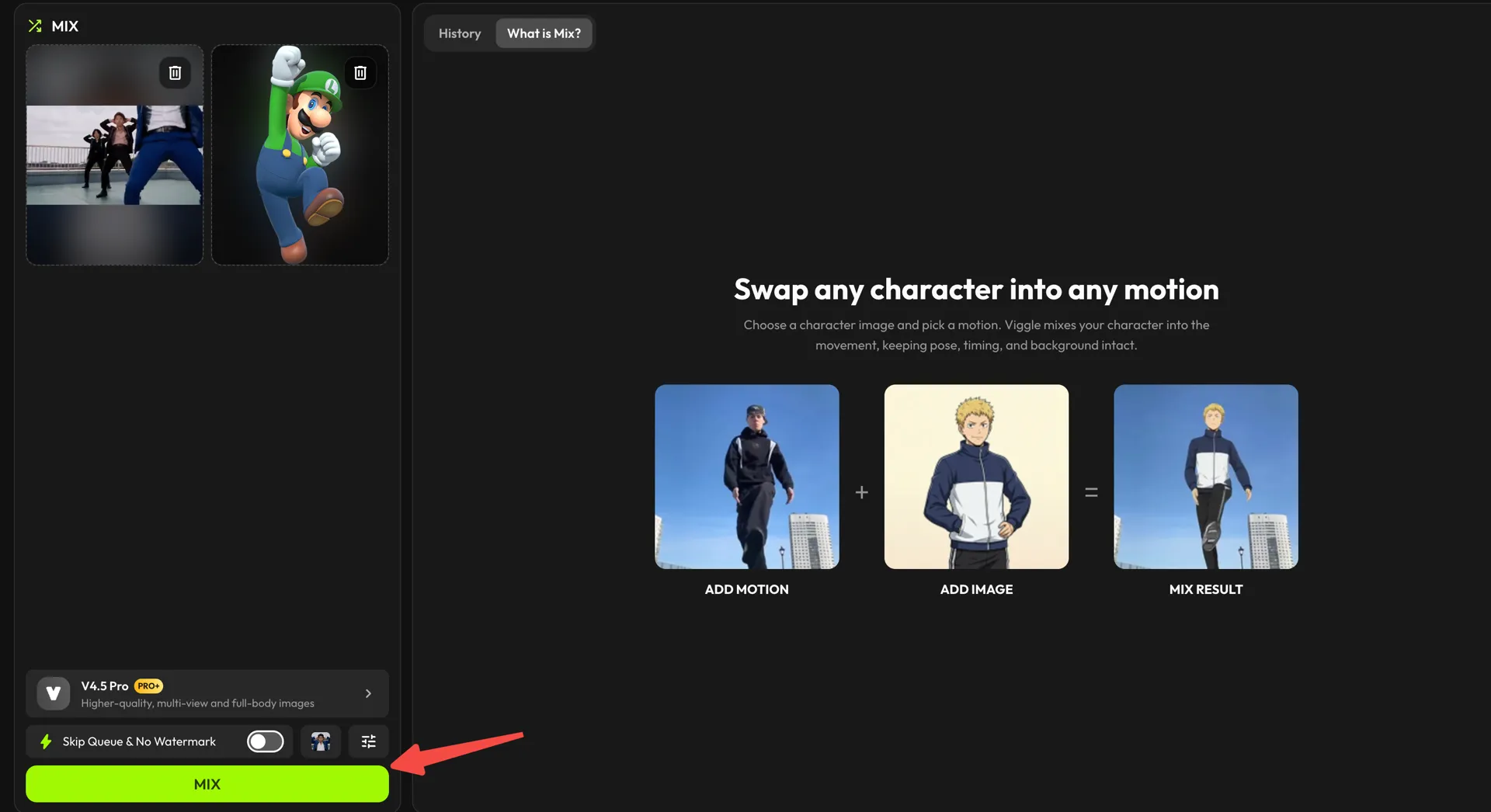
- Once everything is set, check the model at the bottom of the panel (V4.5 Pro gives higher-quality, full-body results) and hit "MIX." Viggle will generate the scene for you.
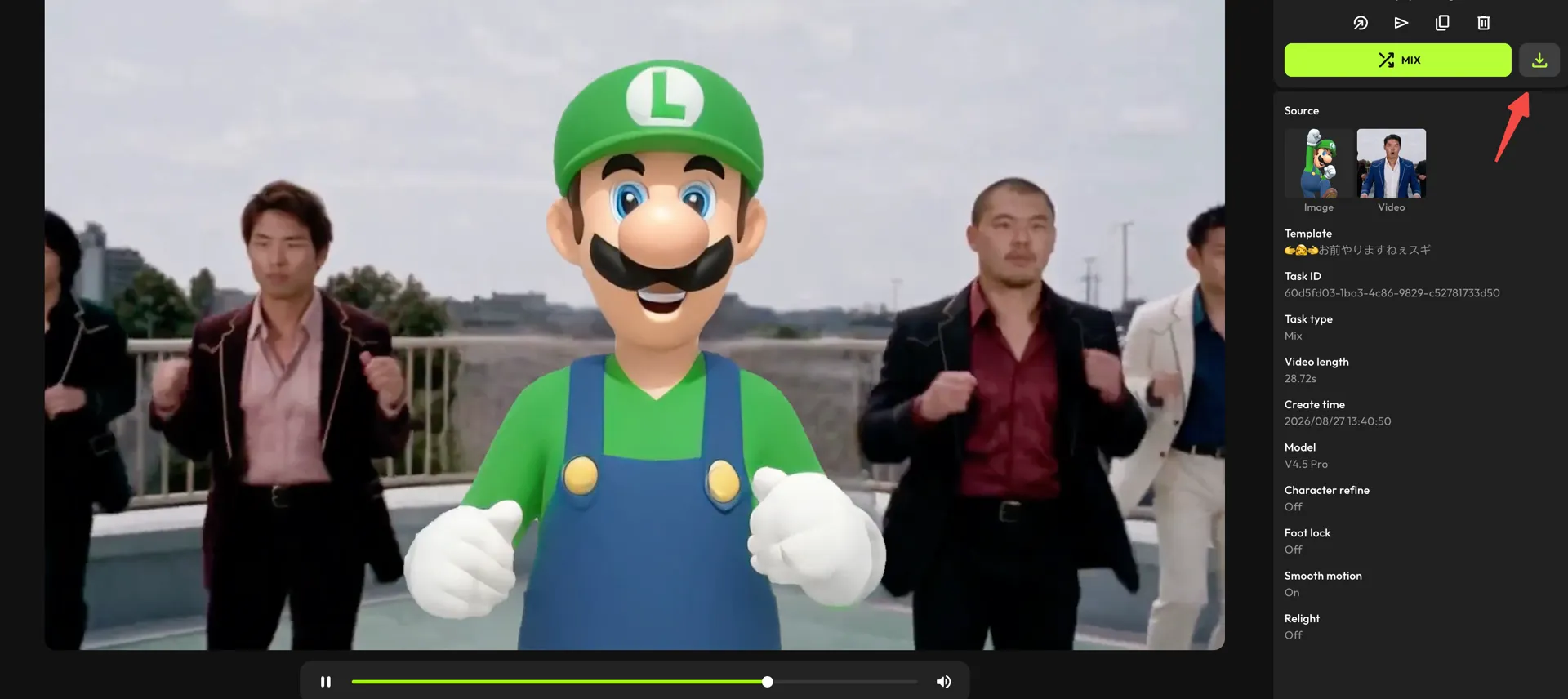
- Once the video is generated, click the download icon above the details panel to store it on your device.
- To create the next parts, open the "Library" from the "Add Image" card and explore the character categories — Anime, Realistic, Fantasy, and dozens more.
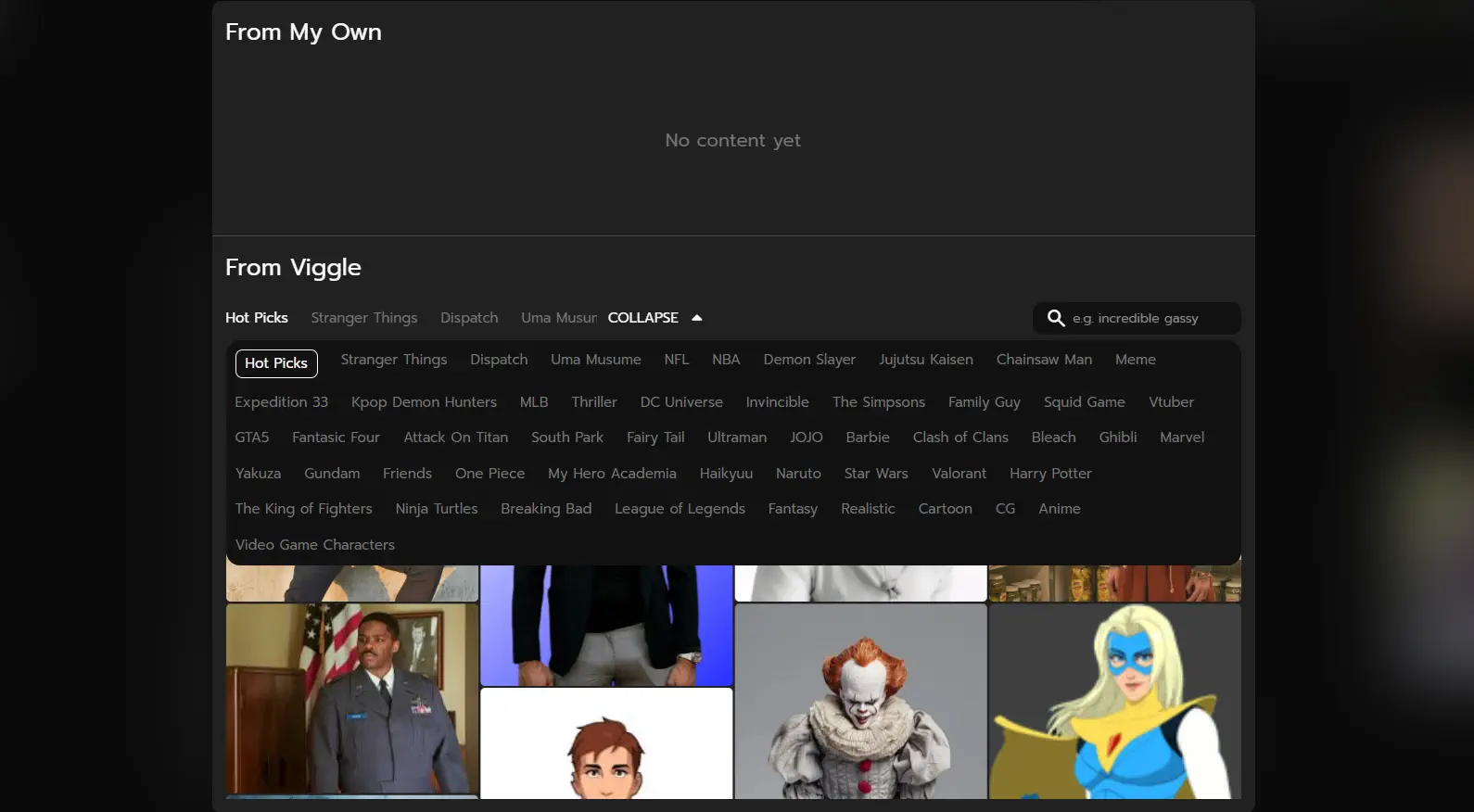
With so many styles to choose from, you can easily bring in new characters while keeping the same storyline intact. This makes it simple to extend the plot into multiple episodes without losing continuity.
Best Practices for Story-Based AI Videos#
To make your AI story flow smoothly, look intentional, and actually keep viewers watching, a few simple practices can go a long way. Here are our top 4 proven tips to help you get there:
Script In Short Scenes#
Always think in small, focused moments instead of trying to cover too much in a single clip. Short scenes help you highlight one action or emotion at a time. When you break the story into bite-sized scenes, it will get easier to build tension and link episodes together.
Keep Visuals Consistent#
Visual consistency is the backbone of any AI storytelling series. Viewers should instantly feel like every scene belongs to the same world. This includes:
- The same art style (realistic, animated, 3D, etc.)
- Similar lighting and color tones
- The same background, family, or environmental style
Even if the location changes, the visual language should stay stable. This is what makes the series look polished and intentional instead of random.
Use The Same Emotion/Pose Per Character#
Before generating a scene, decide what emotion your character should show and stick to that. If a character is supposed to be worried, keep the worried expression. If they're excited, don't mix it with a neutral pose. It's a small detail, but makes a big visual difference!
Add A Recognizable Theme Or Sound#
A familiar theme sets the tone even before the viewer fully understands the story. For example, this video shows Taylor Swift and Travis Kelce dancing in the iconic La La Land style.
The moment they strike that recognizable pose with the dreamy backdrop, the reference clicks immediately.
Conclusion#
Creating a full storytelling series with AI needs putting the right pieces together so your story actually feels connected. And the best part? It doesn't have to be complicated. Simply start with clear character photos, choose backgrounds that match your world, add a few scene-specific variations, and let Viggle do the heavy lifting.
AI gives you the tools, so all you have to do is simply guide the story forward. Once you get the hang of it, turning a single character into a multi-episode world becomes surprisingly fun!
FAQs About AI Storytelling Videos#
1. How long should each episode be?#
Keep episodes between 15 and 35 seconds. That's long enough to tell a moment yet short enough to keep viewers watching and waiting for the next part.
2. How do I maintain visual consistency?#
Use the same character image, same art style, and similar lighting or color tones across episodes. Also, try to reuse backgrounds or stay within the same environment family.
3. Can I reuse characters across episodes?#
Absolutely. In fact, that's what makes it a series because that way you're building continuity and keeping your audience emotionally attached.
4. Do I need different images for each scene?#
Not always. One good base character image works for most episodes. You only need extra images when you want a specific pose, expression, or outfit for a key moment.
5. Is AI-generated storytelling allowed on TikTok and Instagram?#
Yes. Both platforms allow AI content as long as it follows community guidelines.
6. Can I make an animated series from fan art?#
Yes, but be careful. If the fan art is based on copyrighted characters, you can create for fun, but avoid monetizing or presenting it as original IP unless you own the rights.