
Viggle vs Pika
Pika is popular for quick prompt-based clips. Viggle is stronger when you need controllable motion transfer and identity consistency.
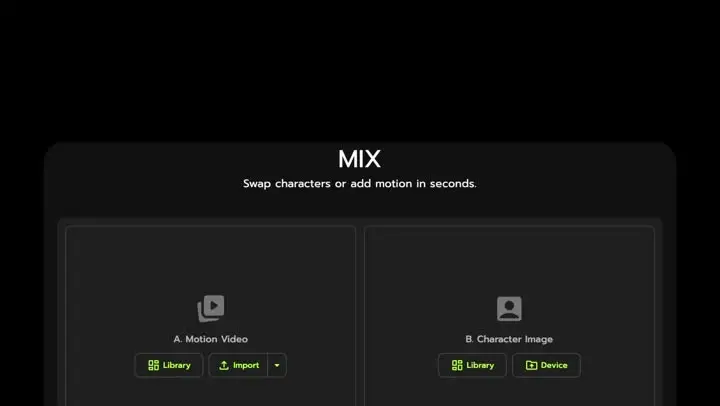
- Mix gives direct motion transfer control from one photo + one motion source
- JST-1 video-3D foundation model keeps complex motion (dance/spins) more stable
- Character consistency keeps identity recognizable across repeated hook variants
- Full body swap replaces both face and body motion in one pipeline
- Character Refine creates 5-angle refs to improve Mix and Multi-Track results
- Multi-Track editor supports multi-person swap + object replacement (up to 7)
- Mic supports voice-to-motion + voice clone for talk/sing style clips
- Viggle LIVE: real-time webcam swap from one image (1-2s latency; OBS/Streamlabs/Twitch/Kick/Zoom/Discord)
- Text-to-video generation for rapid idea exploration
- Image-to-video to animate a still into short clips
- Prompt-driven camera/motion stylization for quick experiments
- Good for one-off visual drafts and concept thumbnails in motion
- Less centered on strict character motion transfer from real performance
- Character identity can vary across repeated generations
- Output consistency often depends on prompt iteration volume
- Not typically built around a large template library for high-frequency social posting
Why Choose Viggle
Prompt speed vs motion precision
Pika is great for quick prompt experiments, but prompt-first results can be hard to steer when you need a very specific performance. Viggle is built around controllable motion: Mix takes one photo plus one motion video or template, and JST-1 (video-3D, physics-aware) helps keep complex movement cleaner. If you care about repeatable character animation more than one-off novelty, Viggle usually feels more direct.
Identity consistency across hooks
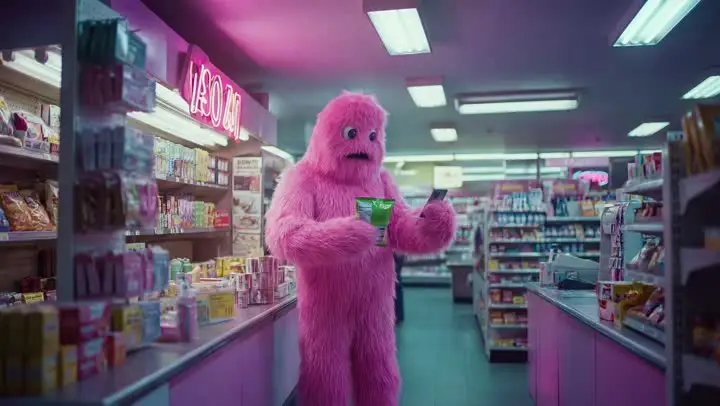
Social growth often means making the same idea ten different ways. Viggle is strong here because character consistency is a core feature, and Character Refine generates a 5-angle reference set to keep the persona on-model before you iterate. That makes A/B hooks faster because you are not fighting a new face and body every render.
Distribution-first workflow
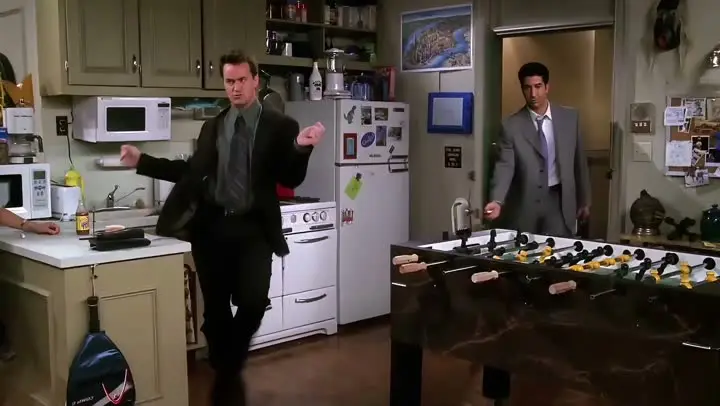
Viggle is made for publishing cadence: 8,000+ templates for quick starts, Multi-Track for timeline fixes (tracking, swaps, object edits up to 7), and Mic for voice-to-motion with lip-sync style performance. You can get to a publishable clip under a minute in many cases, then keep improving versions without rebuilding the whole workflow.
Feature-by-Feature: Viggle vs Pika
| 功能 | Viggle | Pika |
|---|---|---|
| Core Technology | ||
| Generation mode · Viggle-pika | ✅ JST-1 3D model | ⚠️ Non-JST-1 stack |
| Control depth · Viggle-pika | ✅ Motion-control-first | ⚠️ Prompt-first |
| Identity lock · Viggle-pika | ✅ Character consistency + Refine | ⚠️ Can drift on reruns |
| Best use · Viggle-pika | ✅ Creator execution | ✅ Ideation/generation |
| Character & Motion | ||
| Input path · Viggle-pika | ✅ Mix: photo+video/template | ⚠️ Transfer depth varies |
| Fast motion · Viggle-pika | ✅ Stable on hard motion | ⚠️ May need extra retries |
| Body coherence · Viggle-pika | ✅ Full body swap | ⚠️ Capability varies |
| Live pipeline · Viggle-pika | ✅ Viggle LIVE (1-2s) | ⚠️ Platform-dependent |
| Content Creation | ||
| Template supply · Viggle-pika | ✅ 8,000+ templates | ⚠️ Template depth varies |
| Audio tools · Viggle-pika | ✅ Mic + Rap | ⚠️ Product-dependent |
| Edit pass · Viggle-pika | ✅ Multi-Track (up to 7) | ⚠️ More rerender loops |
| Growth fit · Viggle-pika | ✅ Meme/social/short-form fit | ⚠️ Depends on workflow |
| Speed, Price & Access | ||
| Render pace · Viggle-pika | ✅ Fast variant cycles | ⚠️ Varies by load/mode |
| Starter tier · Viggle-pika | ✅ Up to 5 free videos/day | ⚠️ Free limits vary |
| Retry cost · Viggle-pika | ✅ Lower rerender waste | ⚠️ Iteration cost can rise |
| Device support · Viggle-pika | ✅ Web + iOS + Android | ⚠️ Coverage differs by plan |
Viggle vs Pika - Which Fits Your Workflow
选择 Pika 如果…
- You prioritize quick prompt-to-video drafts
- You want lightweight image-to-video tests
- You focus on rapid concept prototyping loops
- You value short clip experimentation
- You prefer speed-first ideation workflows
选择 Viggle 如果…
- You focus on controllable motion transfer with Mix (photo + video/template) over Pika
- You value JST-1 video-3D, physics-aware control for motion reliability over Pika
- You prefer character consistency across repeated variants over Pika
- You choose full body swap (face + body motion) over Pika
- You prioritize Character Refine (5-angle references) for identity stability over Pika
- You want Multi-Track edits: tracking, swaps, object replacement (up to 7) over Pika
- You build around Mic/Rap voice-driven talking, singing, and lyric workflows over Pika
- You optimize for creator-speed iteration with 8,000+ templates and free daily usage over Pika
- You want a single platform with multiple generation models — Nano Banana Pro, Seedream, and Veo 3.1 for text-to-image and text-to-video alongside motion control
Frequently Asked Questions
Is Viggle vs Pika a direct one-to-one comparison?
Which side is stronger for motion transfer in Viggle vs Pika?
When should I choose Pika instead of Viggle?
Can I use Viggle and Pika together?
Does Viggle support full-body character workflows?
Is Viggle beginner-friendly for this workflow?
Can I start Viggle vs Pika tests on a free plan?
What is the fastest way to decide in Viggle vs Pika?
Ready to try Viggle?
Ready for Better Motion Control?
Try Viggle Free.
Controllable character motion, 8,000+ templates, free to use.