
Viggle vs Synthesia
Synthesia is enterprise training and presentation focused. Viggle focuses on dynamic creator motion content and social-ready output.
- Mix: motion control and character swap from one photo + one video/template input
- JST-1 is a self-developed video-3D foundation model that understands physics
- Full body swap replaces face AND body motion for real performance-style clips
- Character consistency keeps the same persona stable across repeated outputs
- Character Refine generates 5-angle images to improve identity fidelity
- Multi-Track editor supports multi-person swap + object selection/replacement (up to 7)
- Mic supports voice-to-motion + voice clone for talking/singing clips (creator performance, not corporate slides)
- 8,000+ templates and free to use (up to 5 free videos/day) for creator iteration loops
- Enterprise-focused AI avatar videos for training and internal communications
- Script-to-video workflow with presenter-style talking avatars
- Multi-language voice and localization features for global teams
- Team collaboration features for review and iteration at scale
- Brand kit / style consistency for corporate messaging
- Designed around talking-head delivery, not full-body motion performance
- Not built around meme/trend publishing loops the way creator tools are
- Best fit when the goal is repeatable training/comms videos, not motion-controlled character action
Why Choose Viggle
Enterprise versus creator DNA
Synthesia is built for training, internal comms, and presenter-style scripts. Viggle is built for creator motion: Mix motion transfer from one photo + one video or template, plus controllable video generation on JST-1 (video-3D, physics-aware). If you are trying to make performance clips, memes, dance, or fandom edits, the product intent difference shows up fast.
Motion complexity requirements
Talking avatars are not the same as full-body performance. Viggle focuses on motion control and full body swap, so you are swapping the whole performer (face and body motion), not just animating a head. Character Refine (5-angle references) helps keep identity fidelity when the motion is complex or when you iterate heavily.
Publishing cadence
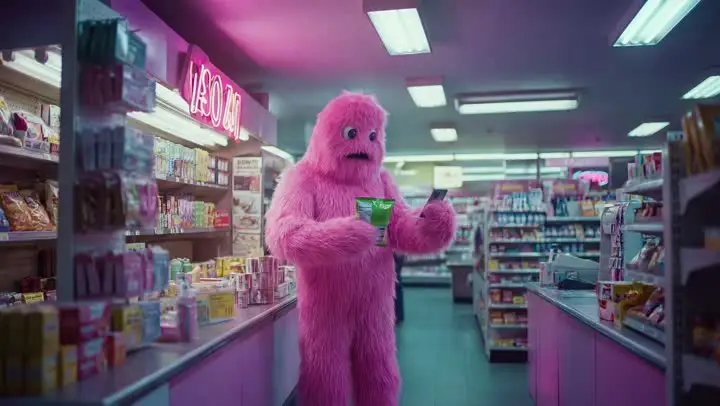
For creators, speed comes from iteration tools, not just generation. Viggle ships with 8,000+ templates, Multi-Track for timeline fixes (tracking, swaps, object edits up to 7), and Mic for voice-to-motion with lip-sync style performance. You can start free (up to 5 videos per day) and keep shipping versions without turning every change into a reshoot.
Feature-by-Feature: Viggle vs Synthesia
| 功能 | Viggle | Synthesia |
|---|---|---|
| Core Technology | ||
| Platform intent · Viggle-synthesia | ✅ JST-1 3D model | ⚠️ Non-JST-1 stack |
| Motion scope · Viggle-synthesia | ✅ Motion-control-first | ⚠️ Mixed control depth |
| Consistency model · Viggle-synthesia | ✅ Character consistency + Refine | ✅ Presenter-stable |
| Team fit · Viggle-synthesia | ✅ Creator execution | ✅ Enterprise training |
| Character & Motion | ||
| Motion transfer · Viggle-synthesia | ✅ Mix: photo+video/template | ⚠️ Transfer depth varies |
| Complex action · Viggle-synthesia | ✅ Stable on hard motion | ⚠️ May need extra retries |
| Body control · Viggle-synthesia | ✅ Full body swap | ❌ Limited/none |
| Realtime creator use · Viggle-synthesia | ✅ Viggle LIVE (1-2s) | ⚠️ Platform-dependent |
| Content Creation | ||
| Template stack · Viggle-synthesia | ✅ 8,000+ templates | ⚠️ Template depth varies |
| Voice workflows · Viggle-synthesia | ✅ Mic + Rap | ✅ Avatar voice strong |
| Iteration mechanics · Viggle-synthesia | ✅ Multi-Track (up to 7) | ⚠️ More rerender loops |
| Short-form fit · Viggle-synthesia | ✅ Meme/social/short-form fit | ⚠️ Enterprise-first |
| Speed, Price & Access | ||
| Throughput · Viggle-synthesia | ✅ Fast variant cycles | ⚠️ Varies by load/mode |
| Free path · Viggle-synthesia | ✅ Up to 5 free videos/day | ⚠️ Free limits vary |
| Rework overhead · Viggle-synthesia | ✅ Lower rerender waste | ⚠️ Iteration cost can rise |
| App coverage · Viggle-synthesia | ✅ Web + iOS + Android | ⚠️ Coverage differs by plan |
Viggle vs Synthesia - Which Fits Your Workflow
选择 Synthesia 如果…
- You prioritize enterprise training video at scale
- You want presenter-style internal communication
- You focus on L&D and compliance video workflows
- You value multilingual business-ready training output
- You prefer team-based script-to-avatar production
选择 Viggle 如果…
- You focus on controllable motion transfer with Mix (photo + video/template) over Synthesia
- You value JST-1 video-3D, physics-aware control for motion reliability over Synthesia
- You prefer character consistency across repeated variants over Synthesia
- You choose full body swap (face + body motion) over Synthesia
- You prioritize Character Refine (5-angle references) for identity stability over Synthesia
- You want Multi-Track edits: tracking, swaps, object replacement (up to 7) over Synthesia
- You build around Mic/Rap voice-driven talking, singing, and lyric workflows over Synthesia
- You optimize for creator-speed iteration with 8,000+ templates and free daily usage over Synthesia
- You want a single platform with multiple generation models — Nano Banana Pro, Seedream, and Veo 3.1 for text-to-image and text-to-video alongside motion control
Frequently Asked Questions
Is Viggle vs Synthesia a direct one-to-one comparison?
Which side is stronger for motion transfer in Viggle vs Synthesia?
When should I choose Synthesia instead of Viggle?
Can I use Viggle and Synthesia together?
Does Viggle support full-body character workflows?
Is Viggle beginner-friendly for this workflow?
Can I start Viggle vs Synthesia tests on a free plan?
What is the fastest way to decide in Viggle vs Synthesia?
Ready to try Viggle?
Ready for Better Motion Control?
Try Viggle Free.
Controllable character motion, 8,000+ templates, free to use.