Go Live as Anyone: How to Use Viggle LIVE in Live Stream
Viggle
How to Use Viggle LIVE To Transform Into Anyone In Livestream#
Avatar-based streaming is booming — VTubers and AI characters racked up over 500 million watch hours in Q1 2025. From anime avatars to motion-capture personas, creators are embracing digital alter-egos. But until now, becoming a VTuber meant pricey gear and complicated software.
Enter Viggle LIVE — the latest innovation from Viggle that lets anyone stream as an avatar using just a webcam and a single image. If the name Viggle sounds familiar, it's because the company already has a viral legacy in AI video. You've likely seen our work in memes – remember the Lil Yachty best walkout meme where his body was swapped with Joker's? That was powered by Viggle's tech. Now, that same creator-driven spirit powers Viggle LIVE — a real-time, avatar-based streaming tool that's fun, fast, and made for going viral.
What is Viggle LIVE?#
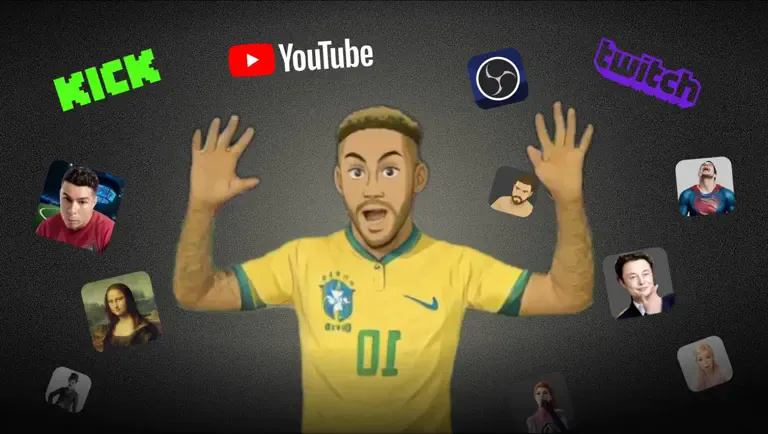
Viggle LIVE is an AI-powered tool that transforms you into any character in real time using just a webcam and a single image. Upload a photo — a celebrity, cartoon hero, or your own drawing — and Viggle maps your facial expressions and body movements onto the character instantly. As you move, your avatar mirrors your gestures, head turns, and even little dance moves.
What sets Viggle LIVE apart from traditional VTubing or face filters is its real-time, full-body motion capture — no suits, markers, or manual animation required. The AI does the heavy lifting.
Whether you're a faceless VTuber, showing up as a cartoon in Zoom, or role-playing your favorite meme, Viggle LIVE is more than a gimmick — it's a new way to create.
Why Use Viggle LIVE for Streaming?#
If you're a budding content creator or streamer, Viggle LIVE offers some unique advantages that make it stand out in the avatar-streaming and VTubing world:
🎥 Webcam-Only Motion Capture
Viggle tracks your face and body using just a webcam — no mocap suits, no depth sensors. Your avatar can jump, wave, or dance exactly as you do, making it more than just a talking head.
🚫 No Complex Setup
One of Viggle LIVE's biggest selling points is how easy it is to get started. No modeling, no rigging, no green screen needed. You simply upload a character image, turn on your camera, and you're ready to go. The interface is designed for beginners, so you don't need to be an animator or tech wizard. If you can handle a simple webcam app, you can handle Viggle LIVE.
🔄 Instant Character Switching
Why stick to one persona? Viggle LIVE lets you prepare multiple character images and swap between them freely during a stream. You can start streaming as an anime girl, and at the click of a button you can morph into, say, a superhero or a brain rot meme. This flexibility means you can keep your audience on their toes with surprise character cameos, a persona that fits your mood, or even let your viewers choose who they want you to be.
🤣 Fun, Meme-Friendly Branding
Let's not forget Viggle's roots – this tool was born from internet meme culture, and it shows. Want to do the latest TikTok dance as Shrek or SpongeBob? Go for it. Viggle LIVE essentially turns internet culture into a playable character for your stream. It's a great way to entertain your audience with something they've never seen before.
🙌 Community & Cross-Platform Adoption
Viggle LIVE is being embraced across Twitch, YouTube, TikTok, and Discord – wherever people stream or share video. It's perfect for Twitch streamers or YouTubers who want a virtual avatar without revealing their face (or just to add a fresh twist to their content). The ease of use means even hobbyist creators in Discord communities can play around with live avatars in the voice channels!
How to Use Viggle LIVE for Live Streaming#
Getting started with Viggle LIVE is a breeze. You don't need any prior VTubing experience – just follow these simple steps to set up your avatar and go live:
- Head over to the Viggle page, or directly visit Viggle LIVE page.
- Sign In / Create Your Account: If you're new to Viggle, you'll be prompted to create a free account (you can start with the free trial plan).
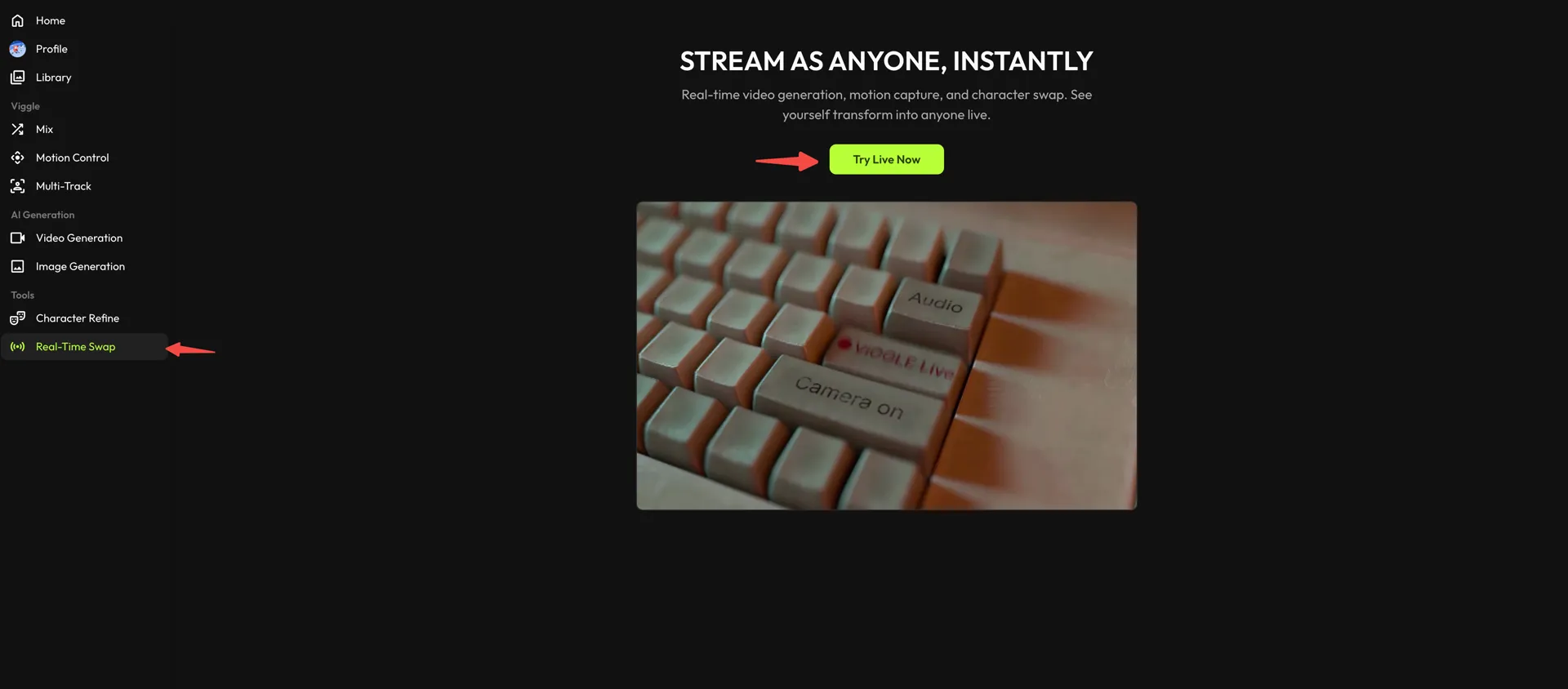
- Find Real-Time Swap in the left sidebar, then hit Try Live Now to open Viggle LIVE.
- Choose or Upload a Character Image
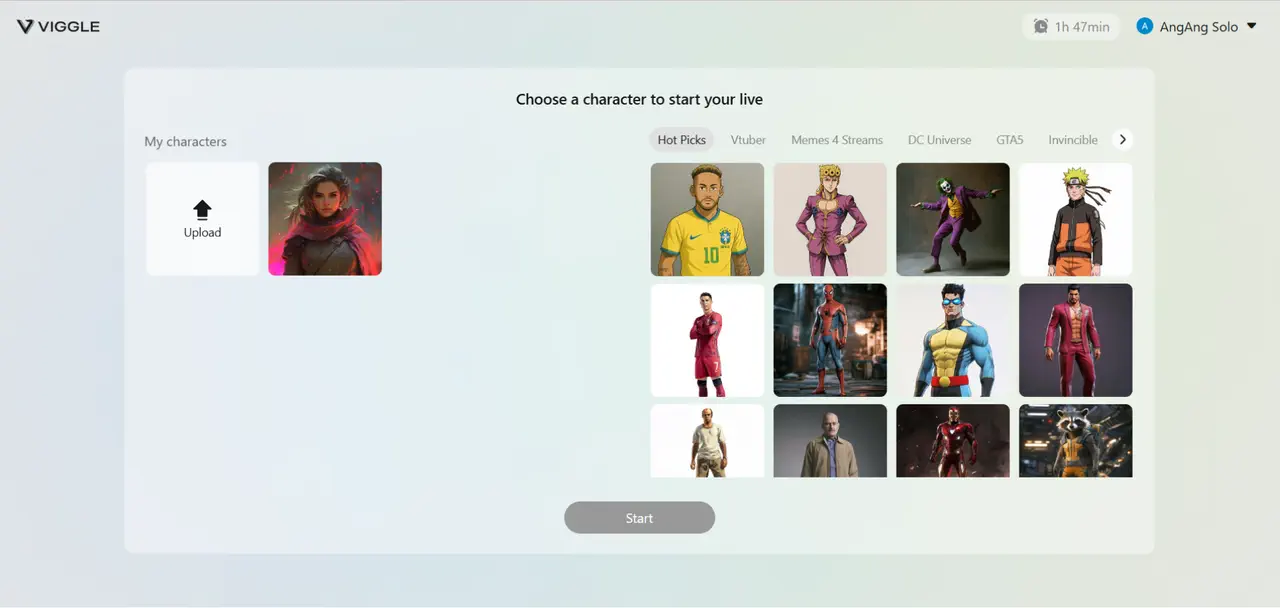
This is where the magic begins. Pick an image of the character you want to become — a real person, fictional figure, or even your own drawing. For best results, use a high-res image with the character facing the camera, on a simple background. For full-body use, make sure the arms and legs are clearly visible. Upload it to Viggle LIVE, and the app will process your avatar. (Tip: You can also choose from Viggle's built-in library of meme characters and templates if you don't have one ready.)
- Connect Your Webcam
Plug in your webcam and select it in Viggle LIVE. The app will start tracking your face and body automatically. Just sit comfortably with good lighting — no calibration needed. You'll see your avatar mirror your movements in real time.
- Integrate with Streaming Software or Platforms
To go live on Twitch, YouTube, etc., you'll either use a streaming software like OBS or streamlabs. In OBS for example, you can add a Web Browser Source and select Viggle LIVE's feed. Position/resize your avatar scene as needed. Then, add an 'Audio input capture' to bring in your mic audio. Adjust the audio latency 'Sync Offset' as needed (we recommend 2000-2500ms). Then, hit 'Start Streaming' in OBS. If you're using Zoom/Discord, just hit 'Start Virtual Camera'. Now you're set!
- Go Live and Engage Your Audience
Start your stream or call and you're now live as your chosen character! Wave, talk, play games – your avatar will do it too. Viewers will see the character come to life with your movements and personality driving it. Be sure to interact with chat – they'll likely be amazed and full of questions. You can also switch characters on the fly: just load up a different image in Viggle LIVE to instantly change your appearance (great for surprise bits or alternating between say, a "talk show host" character and a "guest" character, etc.). Have fun with it! The whole point is to unleash your creativity and create an entertaining experience.
- Experiment with Formats
Don't feel limited to just gaming streams. With Viggle LIVE you could host a Q&A as a virtual anime persona, perform live comedy skits as various memes, give an art or coding tutorial as a talking animal – whatever suits your brand. Some creators even use it for live performance art or music, embodying band members or dancers virtually. There's no one right way to use it – so get creative and find what clicks with you and your audience.
If you get stuck, Viggle's community on Discord and LinkedIn is active, plus there are tutorials (even on YouTube and Product Hunt pages) given the recent launch.
How much does Viggle LIVE cost?#
Viggle LIVE has different tiers of prices. Good news is, it offers free trials everyday for everyone! So give it a shot before committing to any subscriptions.
- Free Trial – Available daily for all users: Try Viggle LIVE with limited usage every day, no subscription needed. Perfect for testing the features before you commit.
- Live Plan – $24.99/month: Ideal for individual streamers, this plan unlocks 1080p HD output, removes watermarks, and provides 200 monthly credits which equals to approximately 133 minutes of Live usage.
- Live Max Plan – $79.99/month: Aimed at power users and creative professionals, Live Max offers an even higher allowance of monthly AI credits (800 credits) for heavy usage, which equals to 800 minutes of LIVE usage – think long daily streams or running multiple creative projects. Like the Live Plan, you get 1080p quality, no watermark, and commercial use rights, but with more bandwidth to experiment. Live Max users get the fastest processing and priority support, ensuring that even during peak times your avatar stays ultra-responsive. This tier might suit small studios, agencies, or ultra-committed VTubers who want the best performance. Essentially, Live Max lets you push Viggle's capabilities to the limit.
All plans are billed monthly (or yearly with a 20% discount), and you can cancel anytime. Viggle's free trial means you can give this tech a spin without any commitment – a great way to see if it fits your content style. As of launch, Viggle even offered a one-month free access giveaway for LIVE to celebrate, showing they're eager for creators to jump in and try it.
FAQs#
You probably have a few burning questions. Here are some common FAQs about Viggle LIVE, answered:
- Q: Is there any lag or latency when using Viggle LIVE?
A: There is a slight latency—usually around two seconds—but it's subtle enough that most users won't notice it. Viggle LIVE is built for real-time interaction, and the small delay doesn't detract from the natural feel of streaming or affect the audience experience. Our team is actively working on further reducing this latency to make avatar syncing even more seamless in future updates. If you are streaming on Twitch using OBS, adjusting the audio-sync offset to anywhere between 2000-2500ms will help close the latency gap.
- Q: Can I really become a VTuber with Viggle LIVE?
A: Absolutely! In fact, Viggle LIVE might be one of the easiest ways to become a VTuber. You don't need to invest in a custom 2D or 3D model or learn animation. Just pick an image of your avatar (it could be an anime-style character or anything you like) and let Viggle handle the rest. It captures your expressions and movements and turns you into a virtual persona in real time. Many VTubers spend weeks rigging a model – you can start in minutes with Viggle LIVE. It's perfect for anyone who wants to join the VTubing trend without the usual hurdles. Plus, you can still stream to all the same platforms (Twitch, YouTube) as a VTuber.
- Q: What platforms does Viggle LIVE support?
A: Viggle LIVE runs on PC. For live streaming platforms: you can use Viggle LIVE with any platform that accepts a camera input. This includes OBS, Streamlabs, Twitch Studio, YouTube Live, Facebook Live, Discord video chats, Zoom meetings, TikTok Live (via stream key or screen share), etc. Basically, Viggle LIVE creates a virtual webcam feed of your avatar, so if a service lets you choose a webcam, you can select Viggle LIVE. The content you create is yours, so you're free to broadcast or share it anywhere. Many creators are already using Viggle content on Twitch, YouTube, TikTok, and Discord – it's very flexible.
- Q: Can I use any character image as my avatar?
A: Yes – that's the beauty of it. Viggle LIVE works with just a single image of a character. It can be a photo of a real person, a picture of a fictional character, or even fan art or an original character you designed. The AI will intelligently animate that image to move like you. There are practically no limits on who you can "become." Want to stream as a famous celebrity or a movie character? You can. Want to be a cute anime girl or a fearsome dragon? Do it. (Just be mindful of copyright if you plan to monetize – using your own characters or royalty-free images is safest.) The app even supports face swap and body swap simultaneously – meaning if you use a photo of someone, it swaps both the face and mimics the body pose, making it look like that person is the one on camera. It's insanely cool. And if you get bored of one avatar, just switch your image.
- Q: Can I monetize my content created with Viggle LIVE?
A: Yes, you can! You're allowed to earn money from your streams/videos that use Viggle LIVE avatars (through ads, donations, subscriptions, etc.). Many VTubers monetize their channels, and Viggle LIVE doesn't prevent that – it enables it. Just ensure you have the rights for the character image you're using (for example, using your own original character or a public domain character is fine. The content you produce with Viggle is yours to use. In short, you can treat a Viggle LIVE avatar stream like any other stream in terms of monetization – partner programs, sponsorships, YouTube ad revenue, all good. Viggle itself doesn't take a cut of your streaming earnings; you just pay for the software subscription. So go ahead and build that virtual brand!
Viggle LIVE is redefining what it means to be a content creator in 2025. All it takes is cutting-edge AI – the kind that's behind viral memes and responsible for Hollywood-level effects.
Ready to try Viggle LIVE for yourself? The best way to understand the hype is to experience it. There's a free trial waiting for you, so give it a try at Viggle LIVE now. Set up your avatar in minutes and go live on your favorite platform – your audience will be blown away when they see you literally become the content.