
Viggle vs PixVerse
Both generate AI video. Viggle's edge is motion control — precise mocap, body swap, and green screen export built for animators and filmmakers. Here's where each one wins.
- Mix: controllable motion transfer and character swap from one photo + one video/template input
- JST-1 self-developed video-3D foundation model that understands physics (3D-based motion control)
- Controllable video generation is the differentiator when motion direction matters
- Character consistency keeps your character recognizable across many outputs
- Full body swap = face + body motion replacement in one pass (more than a face overlay effect)
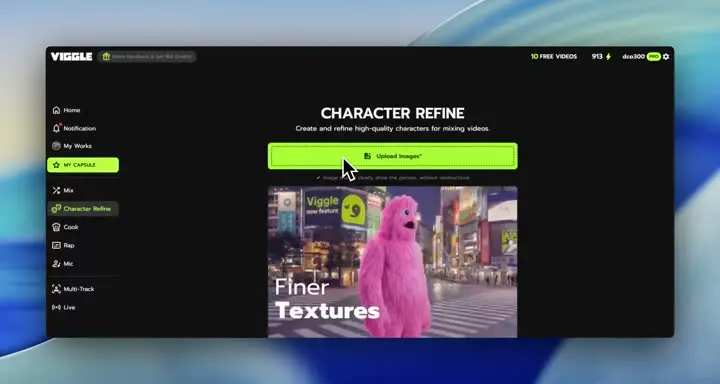
- Character Refine generates 5 angles to keep identity faithful when you push more motion variations
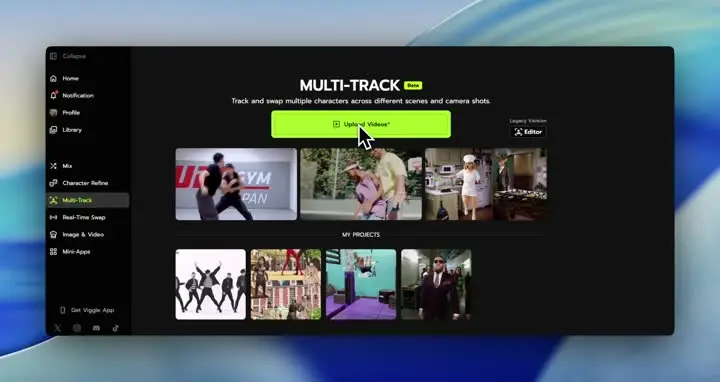
- Multi-Track: tracking + multi-person swaps + object replacement in one timeline (up to 7 characters/objects)
- Viggle LIVE enables real-time webcam swap from one image (1-2s latency), and you can start free (up to 5/day)
- Text-to-video generation for quick creative concepts
- Image-to-video to animate photos into short clips
- Prompt-led creation focused on general video generation outcomes
- Often ships with effects/templates for trend-style outputs
- Good for lightweight social experiments when strict motion control is not required
- Character identity and motion can vary across repeated generations
- Less positioned around full-body motion transfer accuracy as the primary workflow
- Not positioned as a single-image real-time character animation tool for streaming
Why Creators Choose Viggle Over PixVerse
Motion control that animators actually use
Both Viggle and PixVerse generate video, but Viggle is built around controllable character motion. Mix uses one photo plus one motion video or template input, and JST-1 is a self-developed video-3D foundation model that understands physics, so motion control stays more dependable on complex movement. If you want a cost-efficient mocap-style workflow without suits or studios, that is the core reason creators pick Viggle.
The easiest way to create viral character content
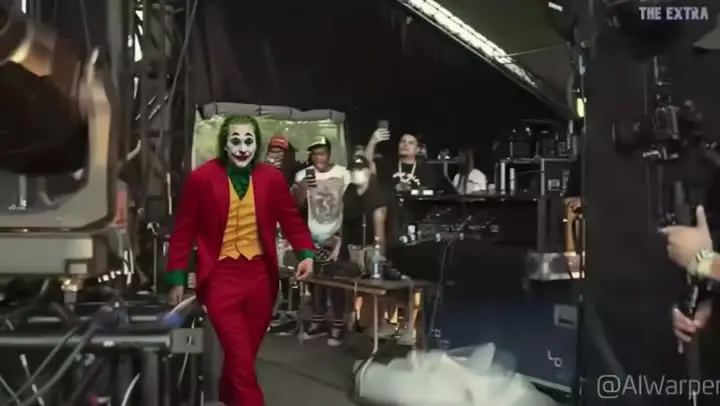
Viggle is designed for creators who publish a lot: 8,000+ templates, character consistency across variations, and full body swap so the whole performance reads as one character. You can start with a template, drop in a character, and get something shareable under a minute in many cases. That speed is what makes fandom edits, dance clips, and meme formats realistic to do daily.
Multi-Track: the only tool that does this
Multi-Track is built for multi-subject edits: tracking, multi-person swaps, and object selection or replacement on a timeline (up to 7 characters or objects). That is the difference between one cool render and a repeatable editing workflow where you can fix timing and swaps without restarting. Add Character Refine (5-angle references) when you want the identity to stay tight across the whole scene.
Both have real-time — different directions
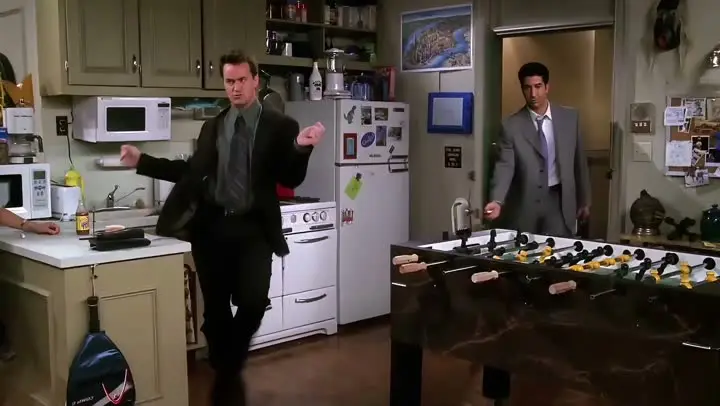
PixVerse and Viggle both talk about real-time, but the use case is different. Viggle LIVE is real-time webcam character swap from a single image with 1-2s latency and it works with common streaming setups, so you can be a character live. That is not the same as interactive world generation; it is a creator streaming feature built for performance, not exploration.
Feature-by-Feature: Viggle vs PixVerse
| Feature | Viggle | PixVerse |
|---|---|---|
| Core Technology | ||
| Generation focus | ✅ JST-1 3D model | ⚠️ Non-JST-1 stack |
| Control strength | ✅ Motion-control-first | ⚠️ Mixed control depth |
| Identity behavior | ✅ Character consistency + Refine | ⚠️ Can drift on reruns |
| Best-fit pipeline | ✅ Creator execution | ✅ Ideation/generation |
| Character & Motion | ||
| Transfer path | ✅ Mix: photo+video/template | ⚠️ Transfer depth varies |
| Action robustness | ✅ Stable on hard motion | ⚠️ May need extra retries |
| Character coherence | ✅ Full body swap | ⚠️ Capability varies |
| Realtime use | ✅ Viggle LIVE (1-2s) | ⚠️ Platform-dependent |
| Content Creation | ||
| Template utility | ✅ 8,000+ templates | ⚠️ Template depth varies |
| Voice-performance layer | ✅ Mic + Rap | ⚠️ Product-dependent |
| Correction cycle | ✅ Multi-Track (up to 7) | ⚠️ More rerender loops |
| Publish readiness | ✅ Meme/social/short-form fit | ⚠️ Depends on workflow |
| Speed, Price & Access | ||
| Render cadence | ✅ Fast variant cycles | ⚠️ Varies by load/mode |
| Free access model | ✅ Up to 5 free videos/day | ⚠️ Free limits vary |
| Iteration overhead | ✅ Lower rerender waste | ⚠️ Iteration cost can rise |
| Channel support | ✅ Web + iOS + Android | ⚠️ Coverage differs by plan |
Both tools generate video, but Viggle is the one I reach for when I need a character animated precisely. The motion control is like having affordable mocap on demand. Green screen export + body swap is my entire previs pipeline now.
@vfxgrind — Animator & filmmakerViggle vs PixVerse - Which Fits Your Workflow
Choose PixVerse if…
- You prioritize broad text/image video experimentation
- You want effect-style generation workflows
- You focus on generation variety over strict performer control
- You value fast concept exploration
- You prefer visual experimentation loops
Choose Viggle if…
- You focus on controllable motion transfer with Mix (photo + video/template) over PixVerse
- You value JST-1 video-3D, physics-aware control for motion reliability over PixVerse
- You prefer character consistency across repeated variants over PixVerse
- You choose full body swap (face + body motion) over PixVerse
- You prioritize Character Refine (5-angle references) for identity stability over PixVerse
- You want Multi-Track edits: tracking, swaps, object replacement (up to 7) over PixVerse
- You build around Mic/Rap voice-driven talking, singing, and lyric workflows over PixVerse
- You optimize for creator-speed iteration with 8,000+ templates and free daily usage over PixVerse
Viggle vs PixVerse — Common Questions
Is Viggle vs PixVerse a direct one-to-one comparison?
Which side is stronger for motion transfer in Viggle vs PixVerse?
When should I choose PixVerse instead of Viggle?
Can I use Viggle and PixVerse together?
Does Viggle support full-body character workflows?
Is Viggle beginner-friendly for this workflow?
Can I start Viggle vs PixVerse tests on a free plan?
What is the fastest way to decide in Viggle vs PixVerse?
Your characters, your footage, your motion.
Your Character.
Any Video. Any Motion.
Drop characters into real footage. Export green screen. Swap 8 characters across scenes. 8,000+ templates. Done in seconds. Join 40M+ creators who get it.