Motion Capture Suit Price vs AI Mocap for Solo Devs (2026)
What a motion capture suit actually costs in 2026, with real prices pulled from vendor checkout pages and studio rate cards, and how to tell whether a phone clip through an AI tool gets you the same result.
Viggle
Key Takeaways#
- A Rokoko Smartsuit Pro II is $2,295 today. Add finger capture and you are at $4,090 before you record a second, because the gloves are another $1,795.
- Software is a separate line, $240 to $600 a year. PINOC’s Starter plan is $12.99 a month, so a full year costs under 4% of a suit and gloves.
- None of those numbers are the decision. Cleanup and retargeting are the same job either way, and that is where solo projects actually stall.
- The suit wins on 4 things: long continuous takes, finger detail, live direction, and any action where the camera cannot see the body. Those cases are real.
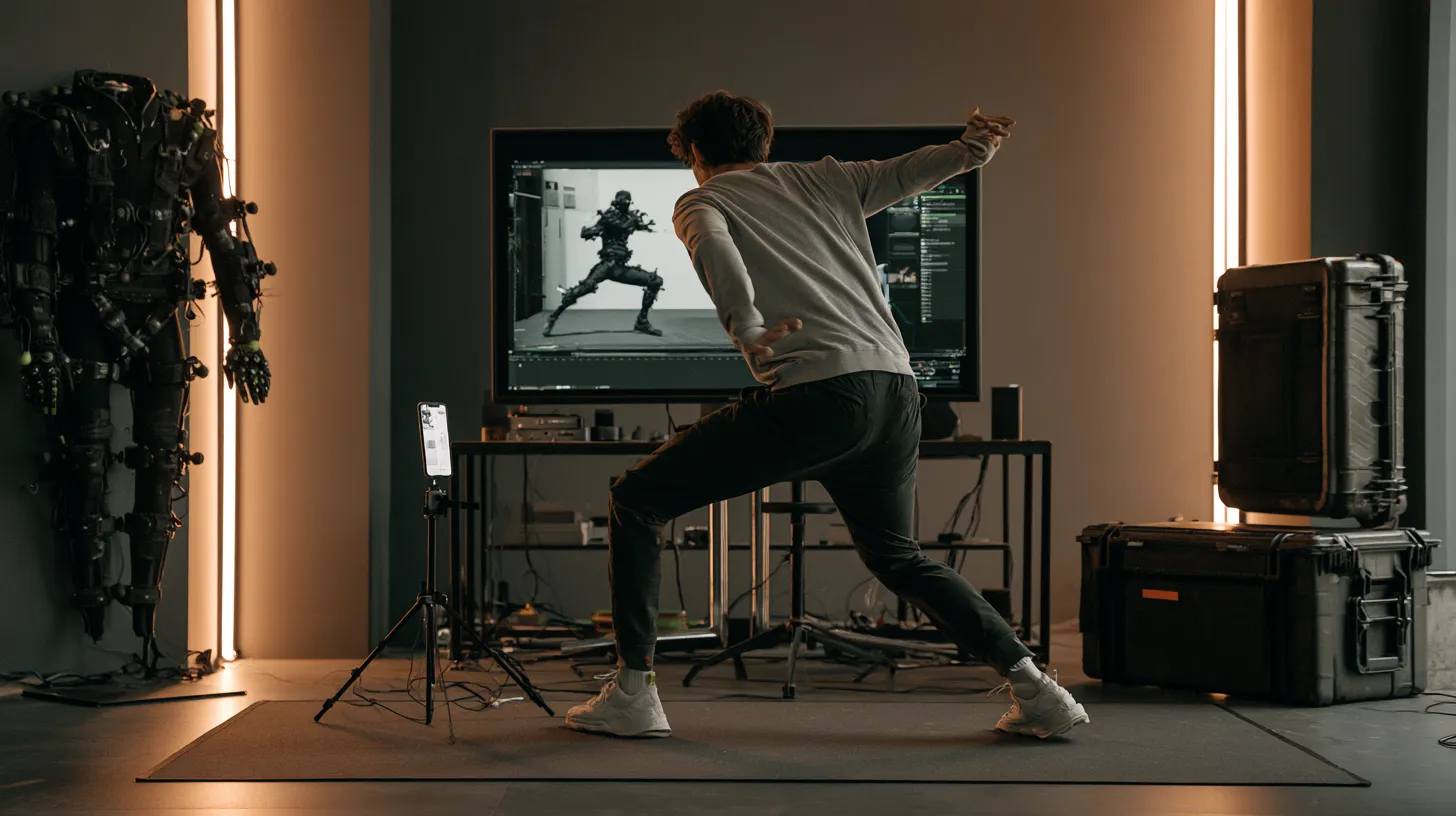
- Nobody writes about the part that sinks most solo mocap. You are going to be the performer, and you are probably not a good one.
- Test the free route on 3 moves before spending anything. It costs a day and settles the argument with evidence instead of forum opinions.
You are 3 weeks from a demo build. Your character’s run cycle has a hitch in the left hip that shows up on every loop, you have stared at it long enough that you can no longer tell whether it is real, and you have a Rokoko checkout page open in another tab wondering whether $2,295 makes it go away.
It does not. That is the short version, and the rest of this is why, plus the cases where the answer flips and you should buy the suit anyway.
The framing that helps is not cheap against good. A suit solves fidelity. AI capture solves volume and variety. Most solo developers are convinced they have a fidelity problem and actually have a variety problem, which is why the purchase disappoints so reliably.
What Does a Motion Capture Suit Price Actually Cover?#
Here is what the hardware costs as of August 2026. I pulled every figure below from a vendor checkout page rather than from someone else’s article, and that turned out to matter: I found 2 pieces currently ranking for this query quoting a Smartsuit price off by roughly $700 in one direction and $1,200 in the other.
| Item | Price |
|---|---|
| Rokoko Smartsuit Pro II | $2,295 |
| Rokoko Smartgloves, finger capture | $1,795 |
| Rokoko software, Plus / Pro | $240 / $600 per year |
| OptiTrack Flex 13 camera | $1,099 each |
| OptiTrack Motive: Body license | $4,999 plus $2,499/year |
| Motion Analysis, entry system | from $20,000 |
Checked August 2026 against the Rokoko store and the OptiTrack price list. Motion Analysis publishes its floor on its own pricing page.
Vicon, Movella’s Xsens line and Noitom’s Perception Neuron are missing from that table because none of them publish prices any more. All 3 are quote-only in 2026. So if you have seen a Perception Neuron Studio price online, someone guessed it, and the 2 guesses I found on a single vendor’s own site disagreed by a factor of 4.
An optical rig, the setup people picture when they picture motion capture, is also not one purchase. 8 Flex 13 cameras plus a Motive: Body license lands at about $13,791 before the PC, the mounts and the cabling, and before the $2,499 a year maintenance starts. That arithmetic is mine, not a vendor bundle.
The cost ladder#
There are 4 rungs here. Buyers look at the first one and budget for the first one.
- Rung 1, the listed price. The number in the ad. The least useful figure in the whole decision.
- Rung 2, being able to use it. Floor area, calibration, the software subscription, and somewhere to leave the thing set up. A suit that needs a room you do not have is not a purchase, it is a renovation.
- Rung 3, per session. Calibration before every take, a performer if it is not you, and the fact that you cannot direct and perform at once.
- Rung 4, after capture. Cleanup, retargeting onto your character, fixing whatever the session got wrong. Bigger than the other 3 combined, most of the time.
A word about rung 4, because there is a number in circulation that nobody should be quoting. Several guides state that cleanup runs 2 to 8 times the length of the capture. I went looking for the source. It traces to one vendor blog post that sells pre-made animation packs, carries no citation, and gets its Rokoko prices wrong by $700 in the same article. The ratio may well be about right. It is still a vendor estimate being passed around as a statistic.
What is citable is less punchy and more honest. Daniel Holden’s SIGGRAPH 2018 paper out of Ubisoft La Forge calls manual cleanup "almost always the most expensive and time consuming part of the pipeline." If you want a price instead of a ratio, VToku charges $100 per minute of animation for cleanup, and AAAnimators charges $18 per second for solving and retargeting, which is $1,080 a minute. That is what the labor is worth when someone else does it.
The Real Comparison, Side by Side#
| Route | Year 1 | Every year after |
|---|---|---|
| Smartsuit Pro II plus Plus-tier software | $2,535 | $240 |
| Same, plus Smartgloves for fingers | $4,330 | $240 |
| 1 day at a mid-tier studio | $1,995 to $2,750 | the same again, per day |
| PINOC Starter | $155.88 | $155.88 |
| PINOC free tier | $0 | $0 |
The studio numbers are published rate cards, not the vague $1,500 to $3,000 range everyone repeats. Animatic Media lists $1,995 for a 4 hour body session, VToku lists $2,750 for an 8 hour lockout, AAAnimators lists $1,500 a day plus $18 a second for solving.
Read the table straight and a suit with gloves costs what 28 years of PINOC Starter costs. That comparison is unfair in both directions and I would rather say how than let it sit there. It is unfair to the suit because the suit has no monthly ceiling, no terms of service, and no company behind it that could disappear. It is unfair to the subscription because a subscription never stops, and because neither route hands you finished animation. Cleanup does not get cheaper because your source data improved. It gets a bit shorter.
Here is a solo dev who ran that math for himself and posted the result, which beats any table:
How PINOC saved Jerron Jacques $10,000 versus a mocap suit while building his game “Erased.” View the original reel on Instagram.
The Part Nobody Writes About: You Are the Performer#
Every buying guide on this topic prices hardware. Not one of the 8 I read mentions the thing that actually ruins solo mocap.
A suit captures whoever is wearing it. If you are a solo developer, that is you. Which means every character in your game moves like one specific person who sits at a desk for a living, in a room with a low ceiling, who is self conscious about being filmed. Your barbarian and your rogue and your shopkeeper all walk with your posture. Players clock it before they can name it.
Studios solve this by hiring. SAG-AFTRA’s 2026 tiered independent interactive media rate sheet puts an 8 hour day performer between $374.53 and $907.96 by budget tier, plus 17% in health and retirement contributions. Non-union rates run around $250 a day. Either way, the moment you need someone who can actually move, the suit stops being a one time purchase.
This cuts both ways and I am not going to pretend otherwise. Video capture has the same problem if the footage is you. The difference is the escape route: a suit limits you to what you can perform in your room, while video lets you pull motion from footage you did not shoot, and when the move exists on no film anywhere, text to motion generates it from a description.
One more unglamorous thing. Capture needs floor: about 4 meters of clear space, a ceiling that survives a jump, and neighbors who tolerate the thumping. In a 1 bedroom apartment that is not a footnote, it is the whole decision.
When Is a Suit Genuinely the Right Purchase?#
4 cases, and they are real rather than a courtesy paragraph. Anyone telling you suits are obsolete is selling something.
| Situation | Why the suit wins |
|---|---|
| Long continuous performances | No clip length ceiling, consistent tracking across several minutes without drift between takes |
| Finger and hand detail | Glove based capture still substantially outperforms video estimation, the weakest area across every AI tool |
| Live shoots and virtual production | Real time streaming into an engine, with a director watching the result as it happens |
| Occlusion heavy action | Inertial sensors do not care what a camera can see, which matters for floor work, props, and 2 performers in contact |
That last row is the one people underestimate. Video capture has to see the body. Anything with 2 performers touching, rolling on the ground, or working behind a prop degrades in a way a suit simply does not.
Rokoko’s founder makes the sharpest distinction in this debate and it is worth borrowing wholesale. Some limitations of video capture will be solved by better models. Others are physics. Occlusion and depth ambiguity are not waiting on a bigger training run, they are properties of pointing 1 camera at a 3D scene, as Rokoko put it in March 2025. He also volunteers in the same piece that his own IMU suits drift over a long take, which is the kind of admission that makes the rest of a vendor’s argument worth reading.
So: jitter and foot slide keep improving every few months. Occlusion does not. Buy hardware for the second category, never the first.
How Close Is AI Capture on Quality?#
Close on the motion an audience reads. Weaker on the detail an animator polishes. That is measurable rather than diplomatic.
A systematic review published in Sensors in June 2026 compared markerless systems against marker based capture on lower limb joint angles. The better systems landed within roughly 2 to 3 degrees on hip and knee flexion. Secondary axes such as hip abduction and ankle flexion degraded to 6 degrees and beyond.
That maps onto animation cleanly. Stride, weight transfer and the overall shape of an action come through. The rotational specificity that makes a performance belong to a particular character does not, and needs hand work whichever way you captured it.
3 notes if you are running your own test:
- Test on a contact heavy move, not a walk. Contact is where weight handling fails visibly.
- Hands planted on the ground are a known weak point across every markerless system, ours included.
- Slow motion source footage tends to confuse video capture rather than help it.
Here is the honest version of that workflow end to end, cleanup pass included:
Visual Salman’s full pipeline — extract mocap in PINOC, retarget, smooth in the graph editor, render the final shot in Blender. View the original reel on Instagram.
And one piece of advice that has nothing to do with which tool you pick, which will save you more time than either. Shoot around the weakness. Body motion reads fine in a medium shot and falls apart in a close up, and lighting that flatters hides a lot of contact error. If you are shipping a game rather than a showreel, framing is a far cheaper fix than fidelity.
What About the Tools Disappearing?#
This is the strongest argument for owning hardware and it stopped being hypothetical this year.
2 AI capture companies were absorbed in 2026. Meshcapade went to Epic Games in February and its platform shut down on 18 April. Radical’s core technology went to Autodesk in April, the web portal closed on 6 July, and while Radical Core FBX files could be downloaded before the cutoff, Live and Canvas scenes were never downloadable at all. Remaining user data was deleted after closure (CG Channel, April 2026).
A suit in a cupboard does not do that to you. If your project runs 3 years, that risk deserves a number in your head.
The mitigation applies to whichever AI tool you use, this one included. Keep your source video, because footage is portable in a way a proprietary archive is not, so a shutdown costs you a re-run rather than the performances. Export as you go. And favor tools whose output is a standard file, because an FBX on a Mixamo named skeleton will still open in 10 years.
What the Free Route Actually Gives You#
PINOC takes a clip you already have and hands back 3D character animation. The real constraint is not price, it is input: a single person, full body in frame, unobstructed, in light that is not too dark. Meet that and phone footage, a webcam recording or a screen capture all work.
For a solo developer specifically, 3 things matter more than the capture step itself.
Your character, not a mannequin. Since August 2026 you can upload your own mesh. Unrigged models get a skeleton and weights after you place a handful of guide markers; already-rigged models get bone mapped with the rest pose corrected. It comes back out as Rigged GLB or FBX Binary, in T-pose or with the motion on it, and costs no credits, which is unusual enough to check against whatever else you are evaluating.
Motion you cannot film. A suit only captures what someone can physically do in your room. Describe the move instead and you get an animation for things nobody in your apartment can perform. No hardware covers that at any price.
Standard output. FBX and GLB on a 65-bone Mixamo named skeleton, so any Mixamo compatible retargeter maps it without a bone mapping pass.
The plans, so the table above is checkable: free tier is 60 credits with no card, Starter is $12.99 a month for 300 credits, Pro is $39.99 for 1,200. Motion costs 1 credit per second. Live numbers sit in the product under Account, so check them there rather than trusting a blog post, this one included.
The rest of the category sits in the same band, $10 to $18 a month. None of these tools are the expensive part of your pipeline. Your time is.
How Should a Solo Developer Decide?#
Count the clips you need, not the quality you want.
A shipping game character needs locomotion, combat, reactions, idles and traversal. That is dozens of short clips, not a handful of long ones. Short and various is the profile video capture handles well and the profile a suit handles worst, because setup cost lands per session rather than per clip.
- Under 10 minutes of motion this year. The suit loses on total cost once rungs 2 through 4 are counted. It is not close.
- Many short clips, 1 character. Favor whatever minimizes per clip overhead, which means video or generation.
- A few long performances. The suit case strengthens considerably. Continuous tracking is worth paying for.
- Finger detail, live direction, or bodies in contact. Buy the suit. Nothing in the AI category currently substitutes.
Before spending anything, run the test that costs a day. Take the next 3 moves on your list, film them on a phone, process them free, retarget onto your character, and put them in your build. Then judge the gap against $2,535.
Decide your kill criterion now, while you are still calm about it. If you buy a suit, write down a date 3 months out and a number of usable clips. If you are under that number on that date, the suit is not a tool you own, it is a purchase you are defending. Sell it while it still holds value. Almost nobody does this, which is exactly why the used market has so many Smartsuits in it.
One opinion, unhedged. Most solo developers who buy a suit use it enthusiastically for 2 weeks and then find out the bottleneck was never capture fidelity, it was the hours after capture. If your last project stalled in cleanup rather than in capture, better source data will not fix it.
Frequently Asked Questions#
How much does a motion capture suit cost?#
A Rokoko Smartsuit Pro II is $2,295 as of August 2026, with Smartgloves another $1,795 and software separate at $240 to $600 a year. Vicon, Xsens and Perception Neuron quote on request rather than publishing prices. Optical starts higher: Motion Analysis publishes a $20,000 floor, and an 8 camera OptiTrack Flex 13 rig with a Motive: Body license comes to about $13,791 before the PC.
Is AI mocap as good as a suit?#
On large joint movement it is close, within 2 to 3 degrees on hip and knee flexion in a 2026 peer reviewed comparison. On secondary rotations, finger detail and anything the camera cannot see, it is clearly worse. Whether that gap matters depends on the shot, because the motion an audience reads transfers well and the detail an animator polishes does not. Neither route removes cleanup; a suit shortens it.
Can I do motion capture with just my phone?#
Yes, and for many solo projects it is the practical route. AI capture takes ordinary video with no markers, asking only that a single person is fully in frame, unobstructed and reasonably lit. Quality is good enough for background characters, blocking and most gameplay animation. Expect to fix contact frames and foot sliding after retargeting.
When should I buy a suit instead?#
Long continuous performances without a clip length ceiling, detailed finger animation, real time streaming for live direction, or action that occludes the body such as floor work and 2 performers in contact. Those 4 cases are genuinely not covered by video capture. If none of them describe your project, the money is better spent on art or audio.
What happens if the AI tool I use shuts down?#
It happens. Meshcapade’s platform closed in April 2026 and Radical’s in July 2026, and in Radical’s case some scene types were never downloadable and remaining data was deleted after closure. Keep your source video, export finished animation as you go rather than leaving it in a library, and favor tools that hand you standard FBX or GLB. Footage you own can be re-run anywhere.
Conclusion#
The suit versus AI argument keeps getting framed as cheap against good, which is why it keeps producing bad purchases. Both routes give you a base layer that needs work, and both leave the interesting part of the job with you. What differs is the shape of the cost: a suit front loads into equipment and setup and pays off across long captures with a performer who can actually move, while video capture spreads the cost thin and pays off across many short clips.
Count your clips, not your aspirations. Then spend a day testing the free route before you spend anything else.