Remove objects from video with AI
Take something out and every frame fills itself in.
Viggle Remake, the most powerful video remake agent, erases what you name and keeps the camera move.
How to remove an object from a video
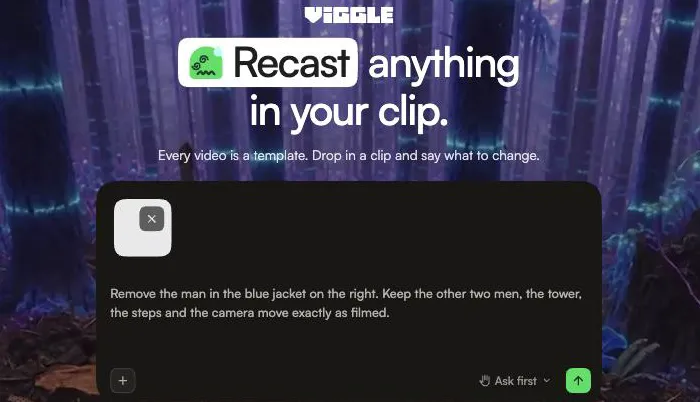
Upload a clipRemake runs as a chat in the Viggle app. With Ask first on, it shows the price and waits for you before anything renders.
1. Upload the clip and say what goes
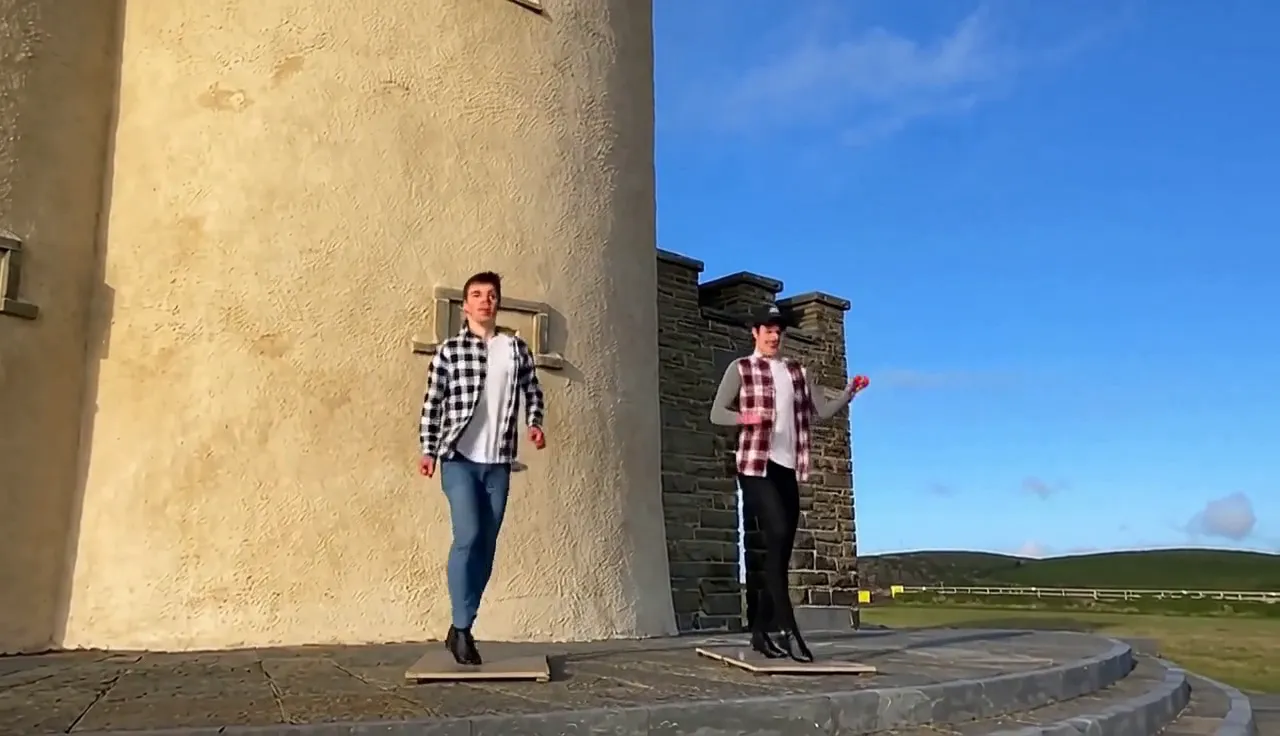
Add a video of 5 to 60 seconds and write it the way you would brief an editor. This job asked: "Remove the man in the blue jacket on the right. Keep the other two men, the tower, the steps and the camera move exactly as filmed."
2. Check the plan and the price
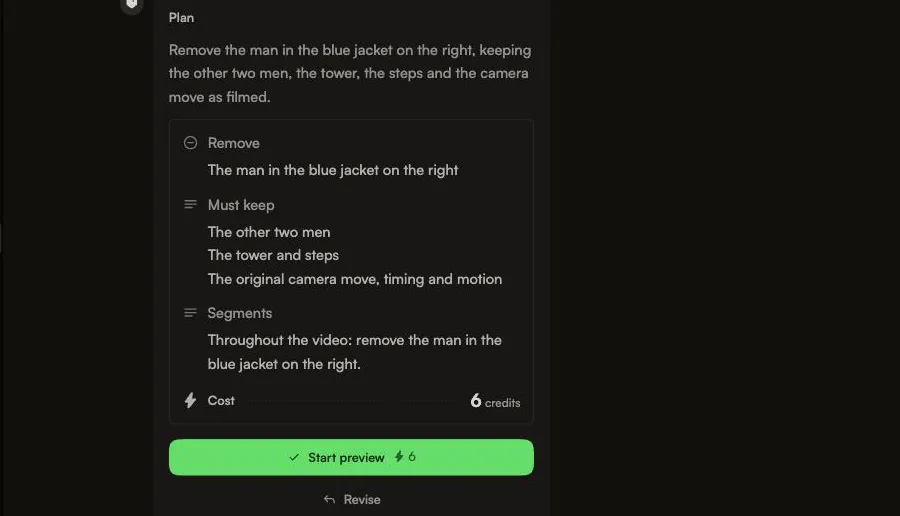
Remake answers with a plan: what it removes, what it must keep, and the cost in credits. With Ask first on, it waits for your go-ahead; in Auto it starts right away.
3. Review and keep revising
The finished remake: the man in blue is gone and the other two keep dancing by the tower. Ask for a change in the same chat, compare versions, then download.
Before and after: objects removed with Remake
Remove people or cars from your clip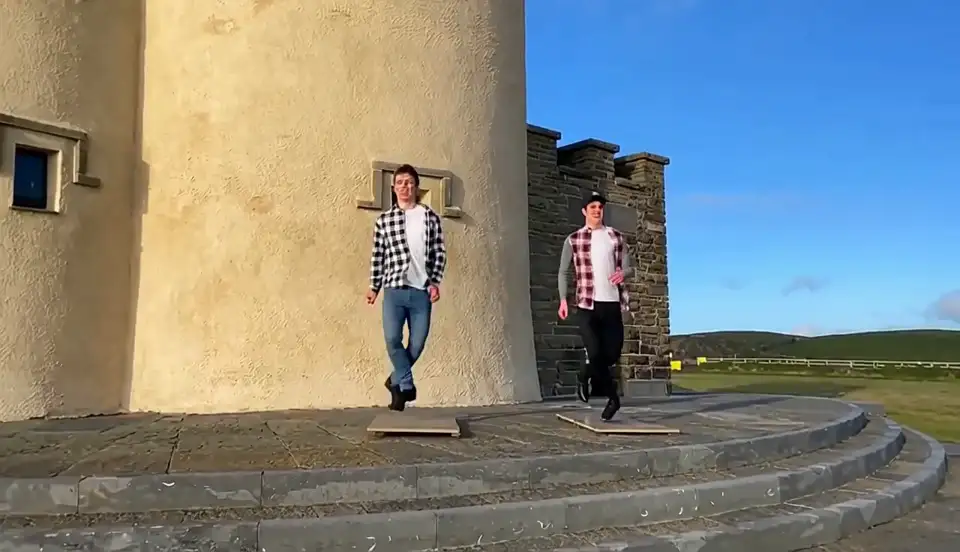
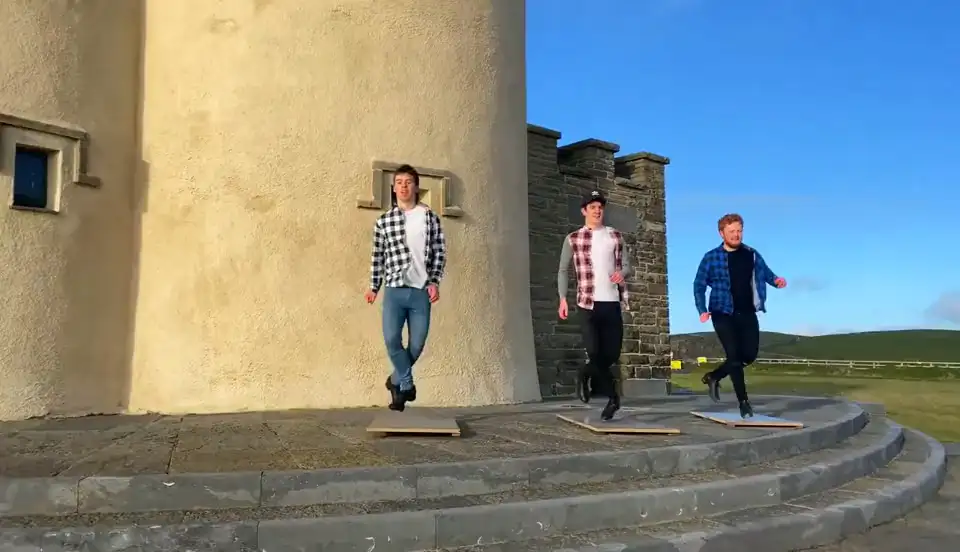
Four real jobs, as Remake returned them. What it fills in is regenerated, so look closely: small details on the remaining dancers and the paving are new, and only what the request named is removed.
Remove text and moving objects from video
Clean up a moving shot

The lettered lantern is gone in every frame while the vendor, his grill and the steam stay; the shop signs on the right keep their text because the request did not name them. The boat and its wake disappear while the camera keeps flying. On the balloon clip the camera move came out gentler than in the source, and some distant balloons differ.
Tested: 7 finished removal jobs, priced and timed
Run your own removal jobWe ran these jobs ourselves on November 12 and 13, 2026, in Ask first mode, so Remake showed each price before anything rendered. These are the numbers we saw, including what didn’t work.
7
removal jobs, all run in Ask first mode
6–10
credits per job, shown before it ran
≤ 15 min
from submitting to a ready result, for the last five jobs
1 turn
per job for the last five: each result was the first version (v1)
| Job | Price before running | Result |
|---|---|---|
| Dancer in blue on castle steps | 6 credits | Removed; small details in the other two dancers and the paving regenerated |
| Hot-air balloon and basket | 6 credits | Removed; gentler camera move, some distant balloons differ |
| Sprinters on a stadium track | 8 credits | All sprinters removed; a few tiny trackside figures remain |
| Parked white car | 6 credits | Removed; road, hedge and shadows rebuilt |
| Red lantern with lettering | 8 credits | Removed in every frame; shop signs on the right keep their text |
| Bag and clothes on a studio floor | 6 credits | Removed in every frame; the dancers untouched |
| Boat and its wake, aerial shot | 10 credits | Removed while the camera keeps flying |
What didn’t work
- A few tiny figures stayed at the edge of the track in the sprint clip.
- Distant things we didn’t name stay: the two cars far down the street, the shop signs on the right. Name everything that should go.
- On the balloon clip the camera move came out gentler than in the source.
- One request didn’t match the footage (we had uploaded the wrong clip). Remake refused it and refunded the 6 credits.
Plans and credits for object removal
Remake comes with Pro, Live and Max, not with Free. Credits are shared across Viggle tools.
Pro
Was $9.99
$7.99
/month
For creators who make more.
Upgrade- Viggle Remake
- 80 credits/month
- Faster video generation
- Up to 4 video generations at once
- Limited Real-Time Swap sessions
- Permanent asset storage
- No watermark
- Unlimited Multi-Track sessions
- Larger motion video uploads
- All models except Seedance
Live
PopularWas $19.99
$15.99
/month
For faster workflows.
Upgrade- Viggle Remake
- 200 credits/month
- Faster video generation
- Up to 6 video generations at once
- Stream 6+ hours in Real-Time Swap
- Permanent asset storage
- No watermark
- Unlimited Multi-Track sessions
- Larger motion video uploads
- Access to all models
Max
Best valueWas $79.99
$63.99
/month
For video production at scale.
Upgrade- Viggle Remake
- 800 credits/month
- Faster video generation
- Up to 10 video generations at once
- Unlimited Real-Time Swap sessions
- Permanent asset storage
- No watermark
- Unlimited Multi-Track sessions
- Larger motion video uploads
- Access to all models
Estimate: our 7 removal jobs cost 6 to 10 credits each (shown before running, in Ask first mode), so Pro’s 80 monthly credits cover roughly 8 to 13 jobs like these. The price varies with the clip.
Remove people, cars and clutter from video
Try it on your clipPeople and passers-by
A stranger walking through a travel shot, a crew member at the edge of the frame, a whole field of runners. Describe them by what they wear or where they stand, and the scene fills in behind them.
Cars and traffic
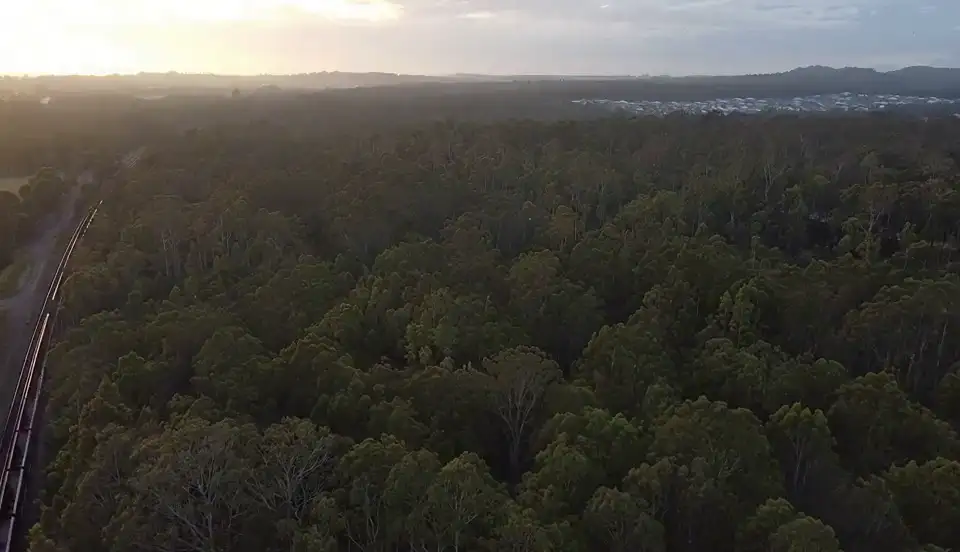
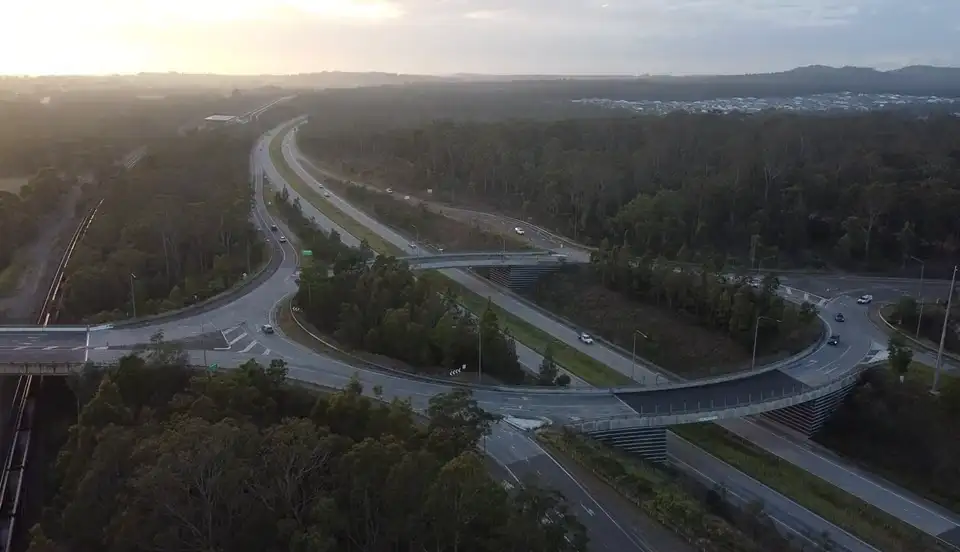
A parked car, a passing bus or a whole road. The drone shot above loses an entire highway interchange, and the forest takes its place; the street clip loses its parked car.
Clutter and set gear
Street clutter, stray props and gear left in the frame. Say what it is and where it sits, and Remake clears it from every shot.
Things that move
A boat crossing a fjord, a ball bouncing through, a dog running across the lawn. Name what moves and where it goes, and Remake works on the whole shot, not one frame: the boat above loses its whole wake too.
Remove it, then keep editing in the same chat
Remove it, then swap or addRemake is an agent, so removal is rarely the last step. The chat that cleared the shot can change what is left.
Swap what is left
Clear the street, then turn the one remaining car into a vintage one. A swapped object keeps its size, path and physics.
Add what was never there
Put a hot air balloon where the billboard stood, lit by the scene and tracked with the camera.
Change the sky or the hour
Same place, another hour, season or sky. The ground and the camera move stay as they were.
Go back a version
Every pass is kept as v1, v2, v3. If the second request went too far, switch back to the first.
A video object remover that fills every frame
Remove something nowMade for moving cameras
Remake paints one clean keyframe per shot and renders the shot from it, so the fill moves with pans, drone moves and handheld footage.
Long clips, many shots
One window covers about 15 seconds and windows chain up to about 55, so a clip with several cuts stays consistent from shot to shot.
Your sound stays
The source audio passes through, so dialogue and music still line up with the cleaned picture.
Remake specs for removing objects
Clean up a 5–60 s clip| Spec | What it means | |
|---|---|---|
| Input | A video of 5 to 60 seconds, landscape or 9:16 | Vertical phone clips and landscape footage are both supported. |
| Length per job | Windows of about 15 seconds, chained up to about 55 | Most social clips fit in one job. |
| Output | 720p class, 24 fps | Made for social posts and drafts, not 4K finishing. |
| Audio | Source audio passes through | No re-syncing after the edit. |
| Plan | Any paid Viggle plan | Credits are shared across Viggle tools, and Ask first shows a job’s price before it runs. |
Questions about erasing objects from video
Erase your first objectHow do I remove an object from a video?
Upload the clip to Viggle Remake, write what should go ("remove the man in the blue jacket"), and Remake renders the clip with that object gone and the background filled in. Ask for changes in the same chat until it is right.
Can I remove a person from a video?
Yes. Describe the person by what they wear or where they stand, and Remake removes them in every frame and fills in what was behind them. In a group shot, say who stays. In our sprint test every runner was removed, though a few tiny figures at the track edge remained.
Can I remove text from a video?
Yes, when the text is part of the scene, like the lettering on a lantern in our test. Burned-in captions and on-screen overlays weren’t part of our tests. Name the thing that carries the text and where it is: in our night-market clip the lettered lantern was removed in every frame. Text on things you don’t name stays, like the shop signs on the right of that clip.
Does it work on moving objects and moving cameras?
Yes, in our tests. In the fjord clip the boat and its wake are gone while the aerial camera keeps flying. Remake paints a clean keyframe for each shot and renders the whole shot from it, so the fill follows the original motion, though a fast move can come out gentler, as on the balloon clip; ask again in the chat.
How long can the video be?
Upload clips of 5 to 60 seconds. Remake works in windows of about 15 seconds and chains them up to about 55 seconds in one job.
Is removing objects from video free?
No. Remake is included in every paid Viggle plan, and credits are shared across Viggle tools. There is no fixed price per job: with Ask first on, Remake shows the price before it runs. Our seven test jobs were priced at 6 to 10 credits each.
What can’t Remake do when removing objects?
It outputs 720p-class video at 24 fps, so it is not a 4K finishing tool. One job covers about 55 seconds, so longer footage has to be split. Clips shorter than 5 seconds can’t be uploaded, and Remake runs on paid plans only.
Does it work on vertical phone videos?
Yes. Remake takes 9:16 clips as well as landscape footage, so a vertical clip shot for TikTok or Reels can be cleaned up without cropping it to landscape first.
How does Remake compare to Runway’s Remove from Video?
Runway’s Remove from Video app takes inputs of up to 5 seconds and needs a Standard plan or above (runway.com/apps/remove-from-video, checked Nov 12, 2026). Remake edits up to about 55 seconds in one job, keeps every version, and can swap, add or restyle in the same chat after the removal.
Can I change the background after removing something?
Yes. In the same chat, ask Remake to move the scene somewhere else or change the weather or time of day. The performers and the camera move stay.