Music to Motion VJ: How Viggle AI Sparks Music Creativity for Maculate
Viggle
Music to Motion VJ: How Viggle AI Sparks Music Creativity for Maculate#
Source: Maculate's X post
Follow Maculate on X and check out his website.
Follow Viggle on X.
Viggle: Tell us about your background!
Mac: Over the past decade, I've focused on blending music, visuals, and storytelling. Growing up in Pittsburgh, Pennsylvania, I received an arts-focused education at Shadyside Academy, which greatly influenced me. I played the drums, saxophone, piano, and even rapped in high school.
At the University of Colorado in Boulder, I pursued music and studied Chinese. I constantly made music and DJed. Encouraged by my mom, I studied abroad in Shanghai, where I later worked as a writer at Soulfire. I never stopped making music and exploring video production. After a performance, I became interested in VJing when the crowd reacted incredibly to my dance videos. They mimicked the moves, which really showed the video's strengths.
After seven years in Shanghai, I attended Carnegie Mellon's Entertainment Technology Center, a fine arts and computer science program. After graduating in 2013, I joined Viacom Next in NYC as a producer and music designer for VR experiences. Then, I moved to Meta, where I focused on AR design and partnerships. During the pandemic, I found a creative outlet on Twitch, performing live music.
Viggle:How did you first get into AI and discover Viggle?
Mac: My journey with AI started almost two years ago with MidJourney. I used it for promotional image materials, and it blew my mind. I began experimenting with video creation about ten months ago, but the tools still needed to be improved. Then, I heard about Luma Labs and used it to make a music video that premiered at a Canadian music festival.
Over the summer, I wanted to add more motion to my videos and came across Viggle. It was the perfect fit for my needs. Viggle allowed me to animate characters and create dynamic dancing sequences for my music videos, which have always been a big focus of my work.
Viggle: Can you walk us through your workflow for your recent VJ video project?
Mac: Sure! Here's how I approached the project:
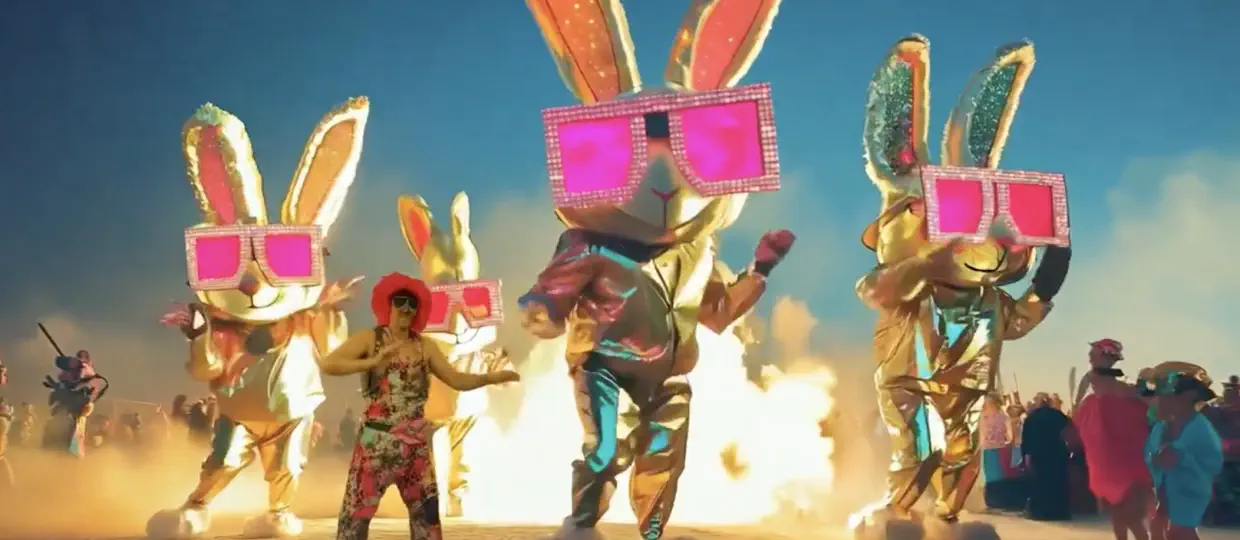
- Image Generation: I used MidJourney to create visuals themed around bunny rabbits and astronauts.
- Video Generation: I utilized Runway ML for video elements, but achieving the right look required a lot of credits.
- Viggle: For the movement, I drew inspiration from my favorite dancer, Marquese NONSTOP Scott, and used Viggle to control the character's motions. I replaced him with a character named Joel, and Viggle was absolutely necessary for this. The final animation played on a gigantic screen and was a fantastic experience.
- Editing: I brought everything together in Adobe Premiere.
- Upscaling: I used Topaz to enhance the quality of the final video.
- Presentation: I played the clip throughout the night during my VJ set, and it was a hit!
Viggle: What excites you most about AI and its role in your creative process?
Mac: I'm overwhelmingly excited about everything I'm doing right now. AI has opened up so many possibilities—every day, a new tool or technique pushes the boundaries of what's possible.
For me, AI is about amplifying creativity. It allows me to bring my vision to life in ways that weren't possible before. I can seamlessly combine music, visuals, and motion on a budget that doesn't even come close to traditional production costs. It's an exciting time to be a creator, and I feel fortunate to be part of this movement.
Join our creator program to enjoy Pro features and the latest product updates!
Reach out to us at [email protected].