Best AI Animation Software for 3D Character Work (2026)
The AI tools that actually make 3D character animation, priced in full, with the free-tier traps and the 2 products that stopped shipping years ago.
Viggle
Key Takeaways#
- Cascadeur’s free tier cannot export FBX at all. It exports its own .casc format only, so the free version cannot leave Cascadeur.
- Tripo’s free tier forbids commercial use and makes every model you generate public. Meshy’s free tier is commercially usable but under CC BY 4.0, meaning you credit Meshy in your game.
- DeepMotion’s Animate 3D release notes have not been updated since December 2023. Plask’s changelog stopped in October 2024. Both still take payment.
- Retargeting is the choke point that actually costs money. Cascadeur gates it at $33 a month, Auto-Rig Pro Full is $50, Blender’s free extension needs Blender 5.0 or newer, and PINOC does it all for free.
- Motion generation and retargeting are production ready. Character creation works for background and previs. Faces and fingers are not there.
- PINOC, which is ours, covers 3 of the 5 stages: characters from a single image, motion from video or text, and rigging and retargeting. Free to start with 60 credits and no card. It does not do physics polish or live action compositing.
- No tool in this article removes the polish pass. Every one of them produces a base layer.
Search for AI animation software and most of what comes back animates text on a slide. That is a real product category with real customers and it has nothing to do with getting a 3D character through a walk cycle. The test takes 10 seconds: if the export formats are video formats, it cannot enter your pipeline.
This is about the other kind. Software that produces animation data, meshes or rigs, organized by which part of the pipeline it occupies.
One thing before the tools: PINOC, further down, is ours. I have said so again where it comes up, and I priced it on the same terms as everything else so you can check it against the rest of the table.
I priced all of it, because the thing I kept running into while researching this is that the pricing on this topic is unreliable. One well known roundup is titled "Free & Paid Tools Compared" and gives a price for 2 of the 10 tools it covers. So the prices below are current as of August 2026, pulled from vendor pricing pages, with the tier ladders intact rather than a single headline number. The headline number is usually the one that hides the problem.
What Are the Real Stages, and Which Ones Work?#
5 stages, and they are nowhere near equally mature.
| Stage | What AI does here today | Ready? |
|---|---|---|
| Character creation | Image or text to 3D mesh | Partly. Fine for background and previs, variable for hero characters |
| Motion generation | Video or text to animation data | Yes, as a first pass |
| Rigging and retargeting | Auto rigging, automated bone mapping | Yes. The most reliable category here |
| Cleanup and polish | Physics correction, pose prediction, inbetweening | Assistive, not automatic |
| Faces and fingers | Partial capture, inconsistent quality | No |
The pattern holds across every tool I looked at: gross body movement is solved well enough to ship, fine detail is not. Rokoko’s Vision 3.0 rebuild, which shipped 16 July 2026, is a useful data point here. It is a full rewrite of their video mocap pipeline and it launched without finger tracking. When a mocap company rebuilds its product from scratch and hands are the thing that does not make the cut, that tells you where the category actually is.
The second thing to check is not any single tool, it is the joints between them. A stack fails where tools hand off, not where they run. 4 links worth testing before you commit:
- Format. Does tool A export what tool B imports, on the tier you will actually be on? Free tiers restrict format more often than people expect, which breaks the chain at its cheapest point.
- Skeleton. Does the rig survive the handoff, or does somebody map bones by hand? This is where the hours go.
- License. Does commercial use hold along the whole chain? One non-commercial tier anywhere contaminates everything downstream.
- Survival. If a vendor stops, do you still have your assets in a format you can open?
A stack of 4 excellent tools with a broken skeleton link is worse than 3 adequate tools that hand off cleanly.
What Does Each Tool Actually Cost?#
| Tool | Free tier | Paid entry | Top tier |
|---|---|---|---|
| Cascadeur (physics, cleanup) | $0, non-commercial, .casc export only | Indie $8/mo annual or $19 monthly, adds FBX and DAE, under $100k revenue | Pro $33/mo annual or $49 monthly, adds retargeting and scene linking |
| Move AI (Move One) | $0, 30 credits one time, 1 seat | Starter $18/seat/mo | Advanced $490/seat/mo |
| Rokoko Vision | $0, 30 seconds a month, FBX only | Basic $10/mo annual or $12 monthly, 600 sec/mo | Pro $50/mo annual, 15,000 sec/mo |
| Plask Motion | $0, 15 seconds a day | Standard $18/mo annual, 10 min/mo | Pro $50/mo annual, 1 hour/mo |
| DeepMotion Animate 3D | Freemium, 60 sec/mo, non-commercial | Not published publicly | Studio, unlimited credits |
| Autodesk Flow Studio | $0, 300 credits/mo, 720p, watermarked | Lite $10/mo or $80/yr | Pro $95/mo or $765/yr |
| Meshy (mesh generation) | $0, 100 credits/mo, CC BY 4.0 attribution | Pro $20/mo or $240/yr | Ultra $100/mo |
| Tripo (mesh generation) | $0, models public, no commercial use | Pro $19.90/mo | Max $89.90/mo |
| Auto-Rig Pro (Blender) | Lite $25 one time, rigging only, no retargeting | Full $50 one time, adds Remap retargeting and FBX/glTF export | 10 seats $162 |
| Blender Retarget extension | Free, GPL, needs Blender 5.0+ | n/a | n/a |
| Maya | n/a | Indie $330/yr, under $100k revenue | $255/mo or $2,010/yr |
| Blender, Mixamo | Free | n/a | n/a |
| PINOC | Free to start, 60 credits, no card | $12.99/mo | $39.99/mo |
Prices verified August 2026 against Cascadeur’s plans page, Rokoko’s pricing, Tripo’s pricing and the Blender Retarget extension. Autodesk renders its prices in the browser, so Flow Studio and Maya figures come one step removed. DeepMotion publishes no dollar amounts at all on its Animate 3D pricing page. Third-party sites list numbers for it; I would not repeat them, because none of them are dated and they disagree with each other.
The 2 Things That Table Does Not Show#
This is the part I did not expect to be writing, and it is the most useful thing I found.
Free tiers in this category are not trials, they are traps#
Not all of them, but enough that "start free" is not a plan.
Cascadeur’s free tier is the sharpest example, and the interesting part is that it is generous on features. You get the complete animation toolset, the rigging tools, the physics tools, the inbetweener and animation unbaking for editing mocap. What you do not get is a way out: free users export .casc, Cascadeur’s own scene format, and nothing else. No FBX, no DAE. So you can do the physics cleanup, and then the cleaned animation cannot leave the application.
FBX and DAE export start at $8 a month on the annual Indie plan, which is a fair price and not the price anyone quotes when they list Cascadeur as free. Worth knowing before you plan around it: retargeting is not in Free or Indie either. Animation retargeting, scene linking and environment interaction are all Pro, at $33 a month on annual.
Tripo’s free tier forbids commercial use and makes every model you generate public. Meshy’s free tier does allow commercial use, under CC BY 4.0, which means the credit line follows the asset into your game. Move AI’s free tier is 30 credits once, not monthly. Rokoko Vision’s is 30 seconds a month, which is 1 clip.
None of this is hidden. It is all on the pricing pages. It just never survives into the roundups, which is why people build a workflow on a free stack and discover the license problem the week they try to ship.
2 of the recommended tools stopped shipping#
DeepMotion and Plask appear on nearly every "best AI animation software" list published this year. Both are still online and still billing.
DeepMotion’s Animate 3D release updates page has not had an entry since V5.1 on 21 December 2023. That is 32 months. Their company blog kept going a while longer and then also stopped, with the last post in June 2025.
Plask’s changelog last moved on 31 October 2024, and the site footer still reads 2024.
I am not telling you those products do not work. They may work fine. I am telling you that if you are choosing a tool to build 2 years of a project around, that is a fact worth having, and no other article covering this keyword mentions it. Check the changelog before you adopt anything. It takes a minute and it is the highest value minute in this whole evaluation.
Where PINOC Sits#
PINOC covers 3 of the 5 stages: character creation, motion generation, and rigging and retargeting. It does not do physics polish and it does not composite CG into live action plates, which is why Cascadeur and Flow Studio are in the table above.
What it does:
- Motion from video or text. Upload a clip, phone footage and screen recordings included, with one person fully in frame in reasonable light. Or write the move and generate it when no reference footage exists. Around a minute per run, several takes returned, previewed on a character before you export anything.
- Your own model, rigged and retargeted, at no credit cost. Upload a mesh and place a handful of guide markers and PINOC builds the skeleton and the weights. If the model is already rigged, it maps your bones and corrects the rest pose instead. It comes back as Rigged GLB or FBX Binary.
PINOC’s own walkthrough of the retargeting flow: upload an already-rigged model and PINOC maps the bones and previews your animation on it.
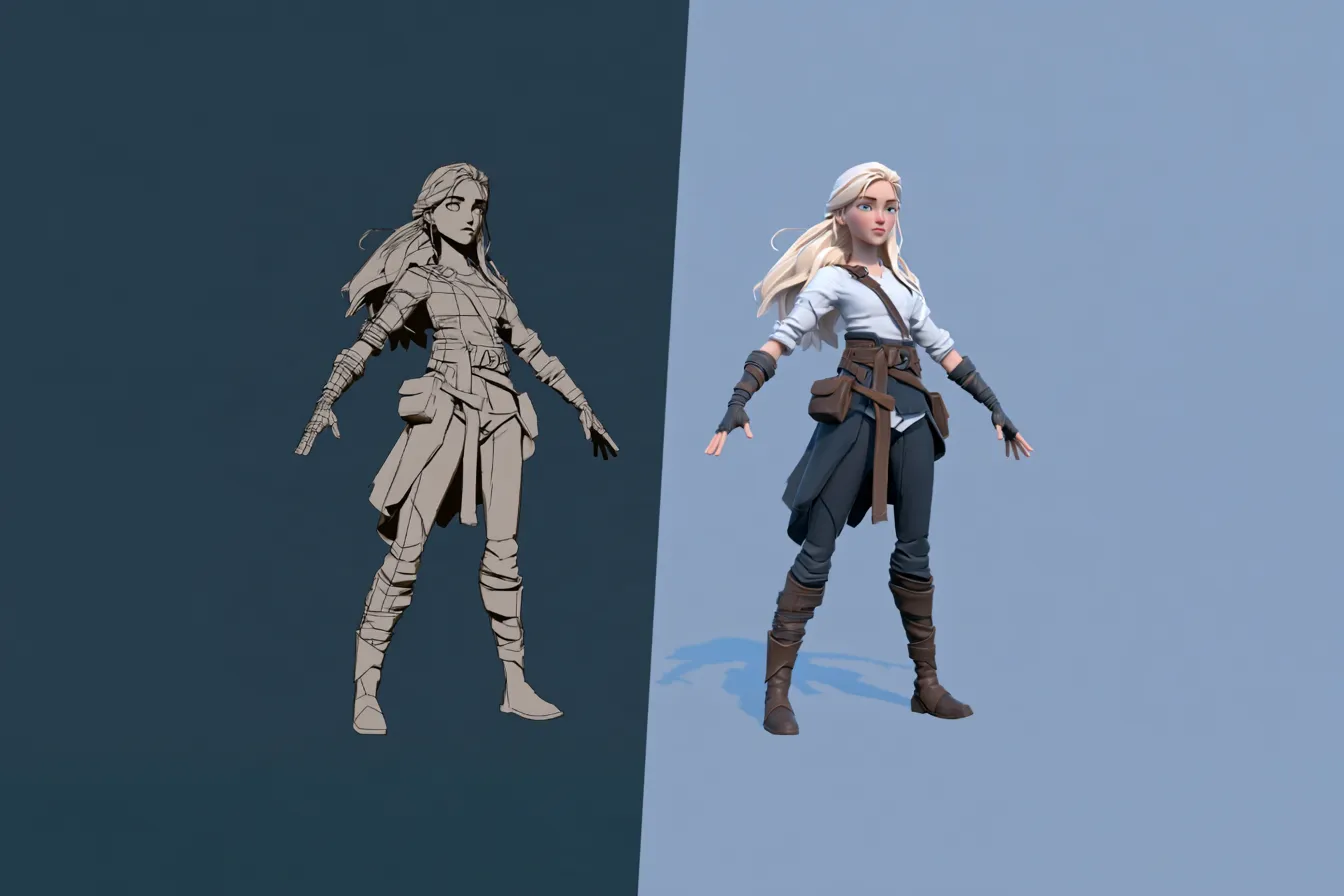
- Characters from a single image, reconstructed with Gaussian splatting, which you can play motion on in the viewport to see how a move reads before committing to it.
PINOC’s own side-by-side comparison against 6 other video-to-motion tools, run on the same source clip.
- 65-bone Mixamo-named skeleton on every motion export, which is the skeleton link solved by default rather than by hand.
That second bullet is the one that matters against the price table, and I want to be specific about why rather than just asserting it. Look at where retargeting sits everywhere else. Cascadeur gates it at Pro, $33 a month on annual, 4 tiers up from free. Auto-Rig Pro does it in the Remap module, which is in the $50 Full version and not in the $25 Lite. Blender’s free extension does it well but needs Blender 5.0 or newer, so if you are on 4.x it is not an option. Retargeting is the most reliable AI category in the table above and simultaneously the step most likely to cost you money. In PINOC it consumes no credits.
The free tier is 60 credits with no card, which is around a minute of motion, and paid plans start at $12.99 a month. Current numbers live in the product under Account, so check them there rather than trusting this page 6 months from now.
What it does not do: polish. Nothing here does. Foot contact, weight settling and the small timing decisions that make a performance belong to a character are still your job, in Blender or Maya, with the graph editor open.
What Does a Working Stack Cost?#
3 stacks with real numbers, checked against the 4 links.
Free, with a license caveat. Mixamo or a free motion tier for animation, Blender for assembly and polish, the free Retarget extension for the skeleton link, PINOC’s free credits for custom motion Mixamo does not have. Total $0. The caveat is the license link: verify commercial use on every free tier in the chain before you ship, and note that Cascadeur cannot be in this stack, because its free tier cannot export to the rest of it.
Solo dev, about $13 to $63 a month. Blender, plus a paid motion tier, plus retargeting. PINOC Starter at $12.99 covers motion and includes retargeting at no extra cost. If you would rather retarget locally, Auto-Rig Pro is $50 once and then yours. Add Cascadeur Indie at $8 a month on annual if you want physics cleanup and the FBX export that unlocks. That is the stack most solo developers should be on.
Small studio, roughly $100 to $200 a month. The above plus Cascadeur Pro at $33 a month on annual for retargeting inside Cascadeur and scene linking, plus Flow Studio at $45 or $95 a month if any of your work involves live action plates. Maya Indie at $330 a year if you qualify, full Maya at $2,010 a year if you do not.
Notice what none of these include. No facial animation tool, because the category is not ready. No automated cleanup step, because cleanup is assistive. A stack that pretends otherwise is how a schedule slips.
When Should You Not Use AI for This?#
Worth saying plainly, because a list of tools implies you should use them.
Hand acted dialogue, where a director needs a specific emotional beat on a specific frame, still belongs in Maya or Blender with a human animator. Signature movement that defines a character, the walk everyone recognises before they see the face, is worth keying by hand. Anything where the fingers carry the meaning is not solved. And if your project is 30 seconds long, the time you spend evaluating 5 tools exceeds the time you would spend animating it.
Where these tools earn their place is volume. Locomotion sets, combat and reaction clips, NPC and background motion, previs passes you will throw away. The stuff there was never budget to hand key anyway.
Frequently Asked Questions#
What is the best AI animation software for 3D characters?#
There is no single answer because no tool covers the pipeline. In practice you need motion generation, retargeting and a DCC for assembly, with physics polish optional. Choose the pieces so their formats and skeletons hand off cleanly rather than picking the strongest individual tool at each stage. A stack that connects beats a stack of winners.
Is there free AI animation software that exports FBX?#
Yes, but check before you rely on it. Some free tiers restrict seconds, some restrict format, and some prohibit commercial use while still permitting export. Cascadeur’s free tier is the one to watch, because it exports only its own .casc format. Blender is free and imports FBX natively.
Can AI rig a character automatically?#
Yes, and it is the most mature category here. Auto rigging handles humanoid characters reliably and has for several years. Non humanoid anatomy is still harder. Retargeting existing animation onto a rig is equally mature and is usually a preset rather than a manual job when bone naming follows a common convention, which is the argument for standardising on Mixamo naming early.
Does AI animation software work with Blender?#
Through FBX or GLB import, which every credible motion tool supports. The step to plan for is retargeting, because Blender has no native retargeter despite what some tutorials imply. Use the free Retarget extension if you are on Blender 5.0 or newer, or Auto-Rig Pro at $50 if you are not.
Can AI do facial animation yet?#
Not reliably enough to skip hand work. Facial capture exists in several tools and produces something, but consistency is poor. Fingers have the same problem, which is why Rokoko’s July 2026 Vision rebuild shipped without finger tracking. If your project depends on either, plan for a specialist tool or hand keying.
Conclusion#
The useful version of this question is not which AI animation software is best. It is which 4 or 5 tools hand off to each other without somebody mapping bones by hand at every stage, and which of them will still be maintained when you finish.
Motion generation and retargeting are ready. Character creation is usable for background work. Faces and fingers are not, and planning around the assumption that they are will cost you more than any of the software did.
Before you commit to anything here, do 2 things that take 10 minutes between them. Open the pricing page and find out what the free tier actually restricts, and open the changelog and find out when the product last shipped. Those 2 checks would have saved most of the people writing these roundups from recommending a tool that stopped updating in 2023.