免费 AI 换体
只需一张照片,就能把自己或任何人"塞进"任意视频。Viggle 替换的是完整的脸和身体,而不只是贴一张脸。从 10,000+ 视频模板中挑选,或上传自己的素材——一张图片输入,完整角色替换输出。
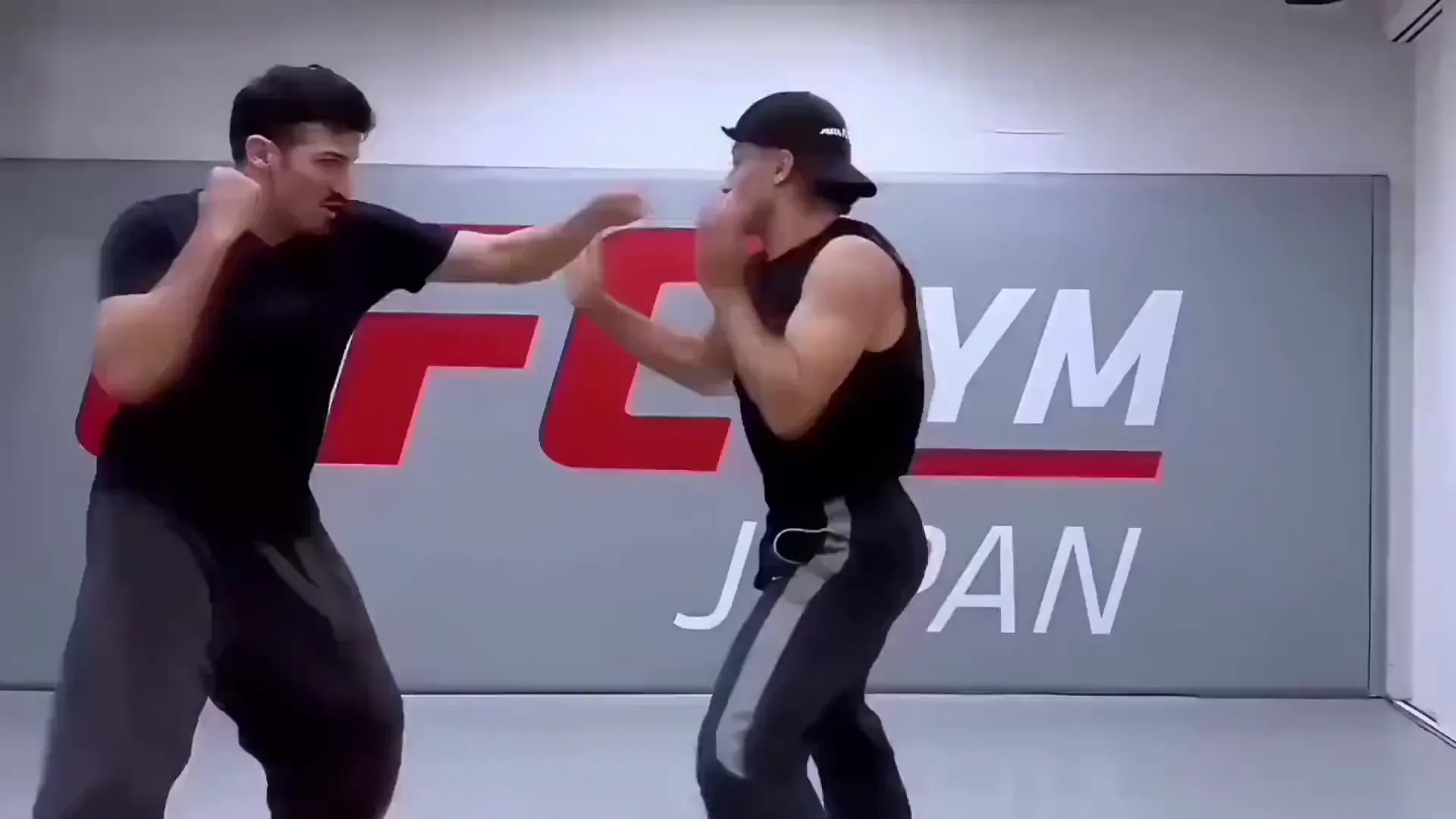
如何用 AI 给视频换体——3 个步骤
立即开始,完全免费在 Viggle 上把自己"换入"任意视频只需几秒钟。无需视频剪辑、无需逐帧描摹、无需手动抠图。上传一张照片,选择一个视频,AI 会完成全部角色替换。
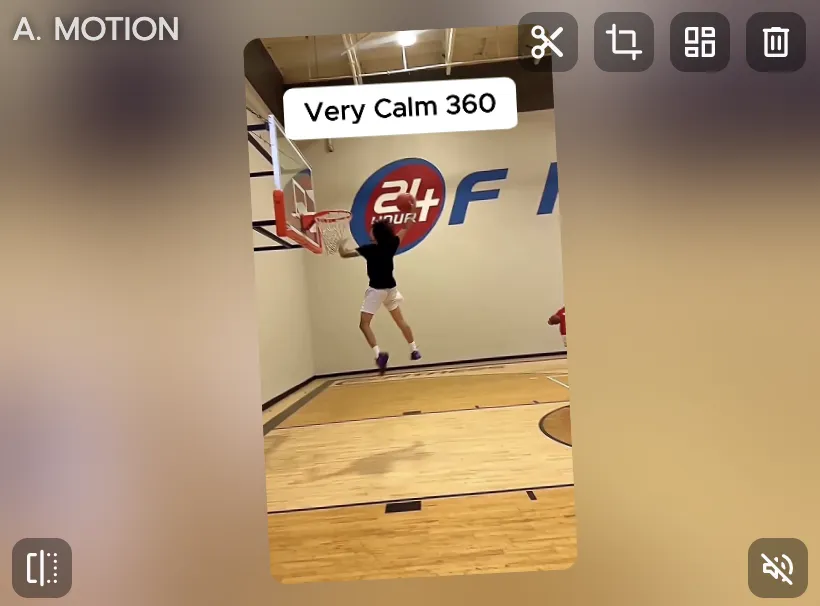
选择一个视频模板,或上传自己的素材
浏览 10,000+ 视频模板——爆款梗图、电影片段、舞蹈短片、体育集锦、动漫场景——或上传任意你想换入的视频。模板决定动作,你的角色会完整继承这些动作。
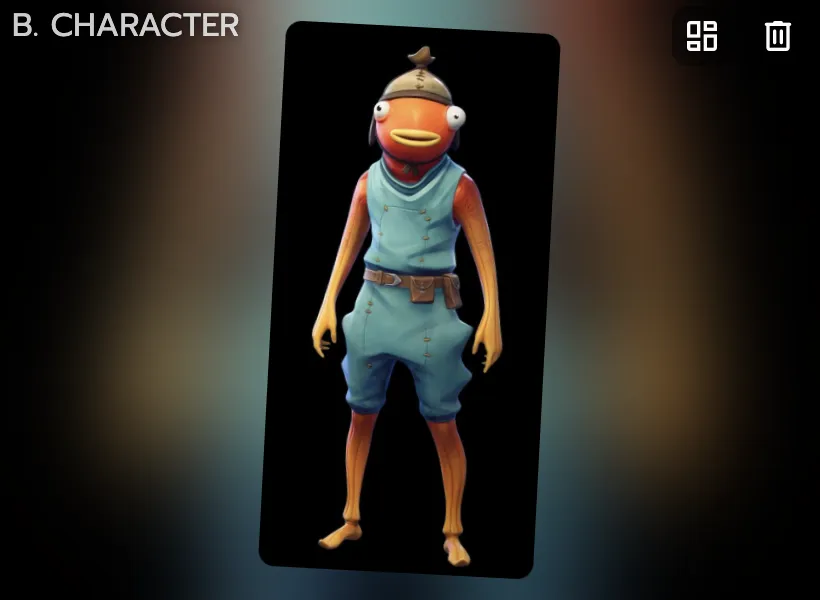
上传一张想要换入的角色照片
上传一张图片即可——自拍、角色插画、动漫头像、3D 渲染图,任何拥有身体的人物或角色都可以。Viggle 的 JST-1 模型会将你角色的脸部、体型和外观映射到视频原始人物身上。
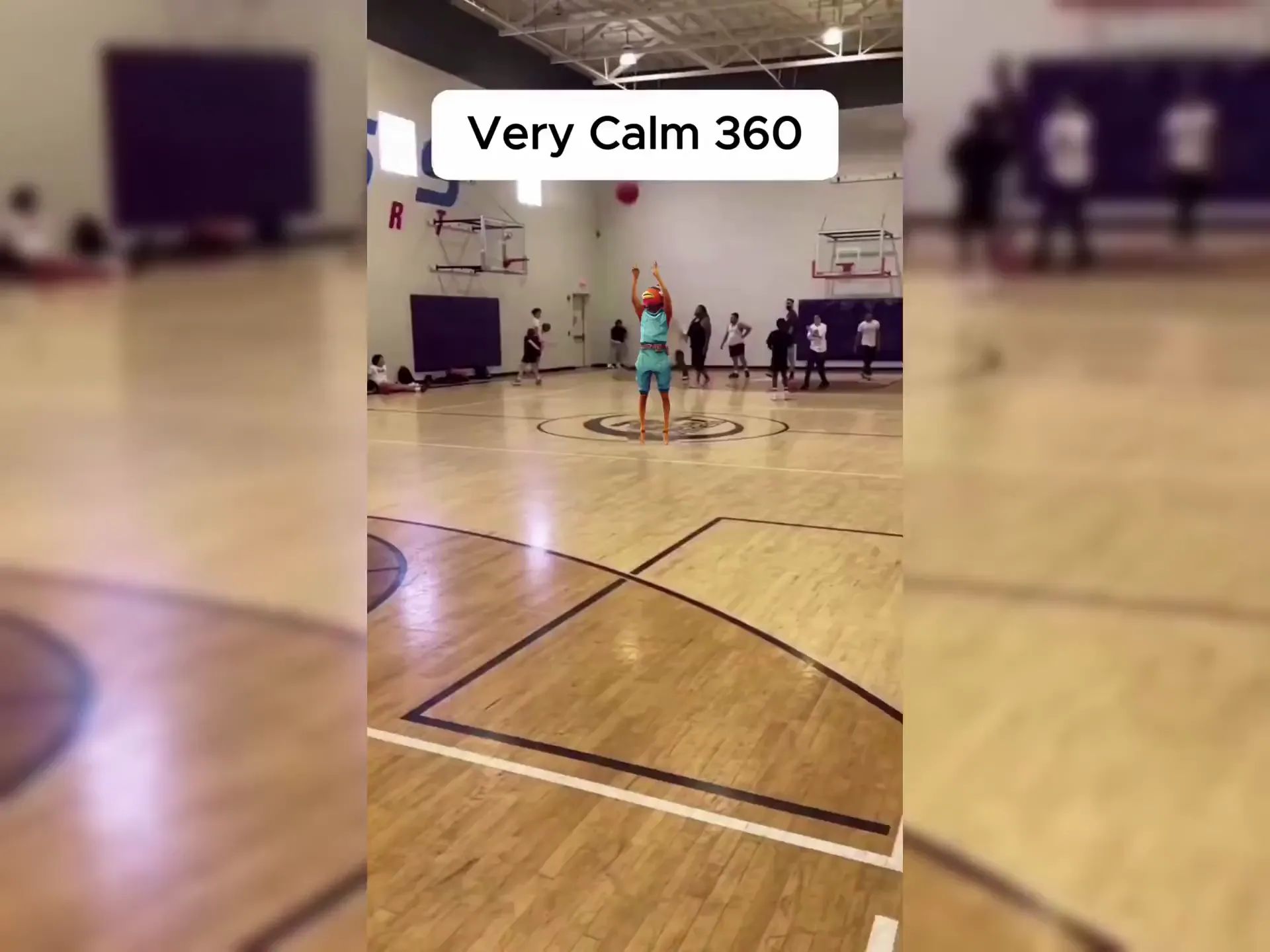
下载你的换体视频
Viggle 会替换整个角色——脸部、身体、服装、比例——同时保留原始动作、表情和场景。不到一分钟,视频就能下载并分享。
为什么 Viggle 是最好用的免费 AI 换体工具
完整换体——脸和身体一起换,不只是贴脸
大多数换体和换脸工具只是把一张脸贴到原始画面上,身体、服装和比例仍是原样。Viggle 做的是完整角色替换:脸部、体型、肤色、服装和比例全部替换。效果看起来就像你的角色真的出现在了那个场景里——因为基于 3D 的 JST-1 模型是逐帧从零重建角色的。
免费试用具备 3D 物理感知能力的模型——复杂动作也不会崩坏
Viggle 自研的 JST-1 视频 3D 基础模型理解物理规律:重力、动量、人体力学。这意味着在快速移动、旋转、舞蹈、武术和杂技等场景下,换体效果依然稳定——而这些正是基于 2D 的工具容易出现扭曲、闪烁或肢体变形的地方。3D 方案让换入的角色即便在高强度动作场景中也能保持自然。
查看实际效果10,000+ 视频模板——热门内容随心换入
没有自己的视频素材?从 10,000+ 模板中挑选:爆款梗图、电影片段、舞蹈短片、K-pop 编舞、体育集锦、动漫打斗场面等等。新模板持续更新,让你随时能换入当下最热门的内容。
浏览模板跨场景、跨镜头保持角色一致性
把你的角色换入多个场景,每次呈现的样子都完全一致——同样的脸、同样的身体、同样的比例。Viggle 的角色一致性引擎让你能用同一个角色制作一整个系列的视频,画面风格连贯统一。其他换体工具很难在不同片段中保持角色外观一致。
试试角色替换多人换体——单个视频最多支持 7 个角色
需要在同一个视频中替换多个人物?Viggle 的 Multi-Track 编辑器让你可以在一个片段中选中并替换最多 7 个独立角色或物体。每个角色单独追踪,跨场景、跨镜头替换,全部在同一条时间线上完成。
试试 Multi-Track用 Viggle LIVE 实现直播实时换体
不止于预录视频。Viggle LIVE 让你通过摄像头实时变身任意角色——完整的脸部和身体替换,延迟仅 1-2 秒。兼容 OBS、Streamlabs、Twitch、Kick、Zoom 和 Discord。上传一张图片,就能以该角色身份直接开播,无需任何 3D 建模或绑骨操作。
试试 Viggle LIVE用 Viggle 制作的 AI 换体作品
探索更多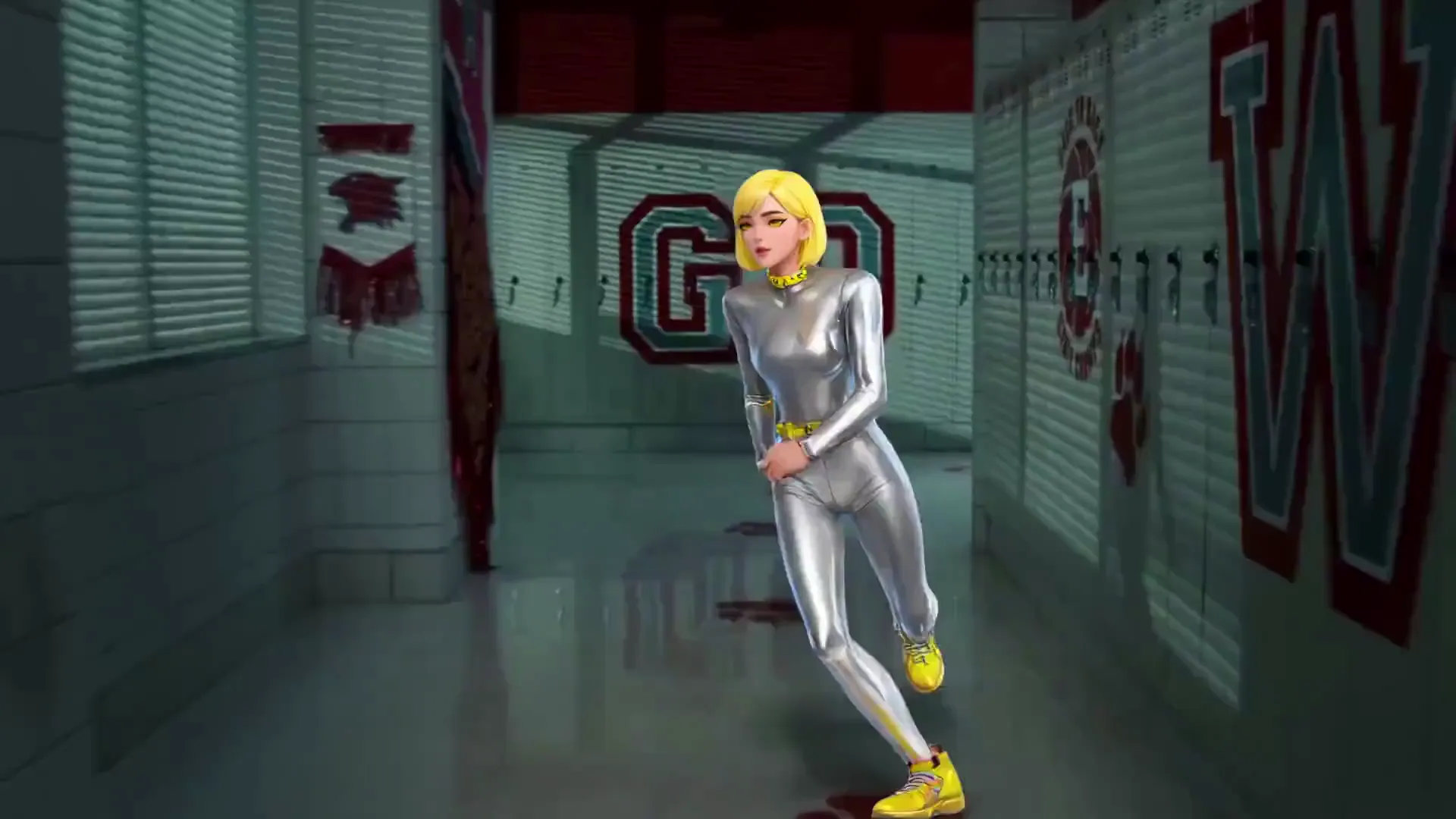
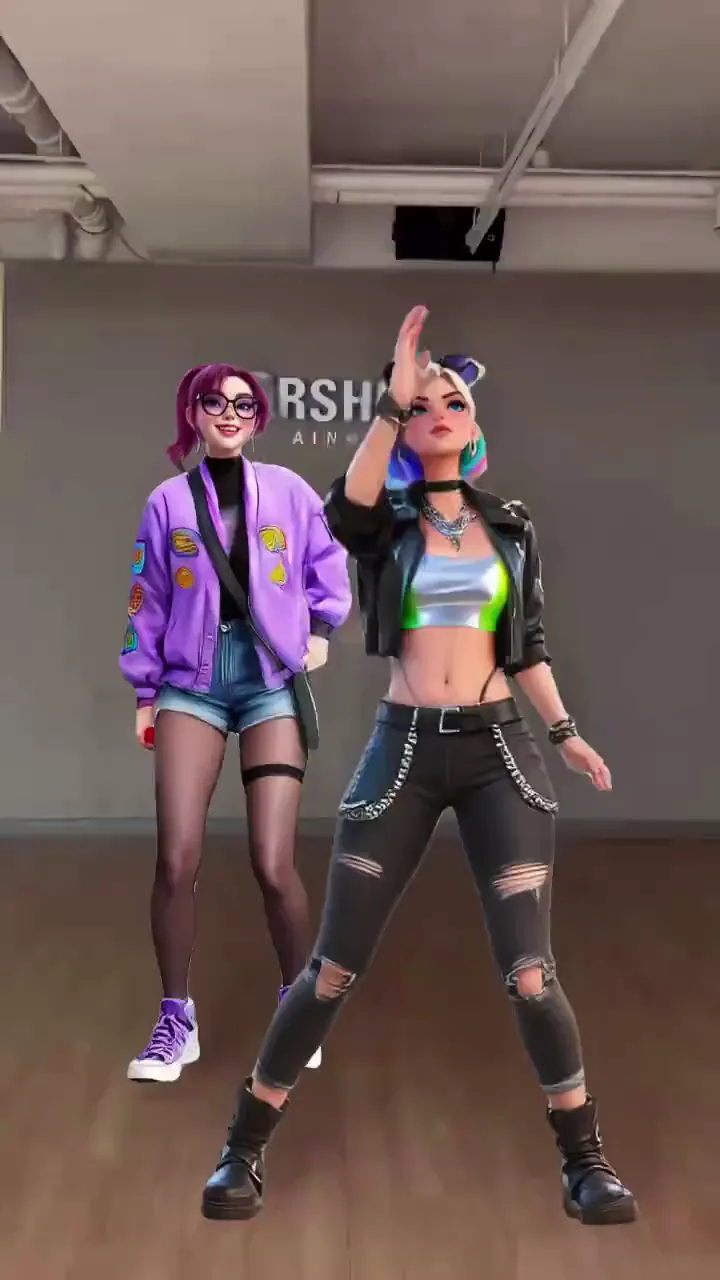
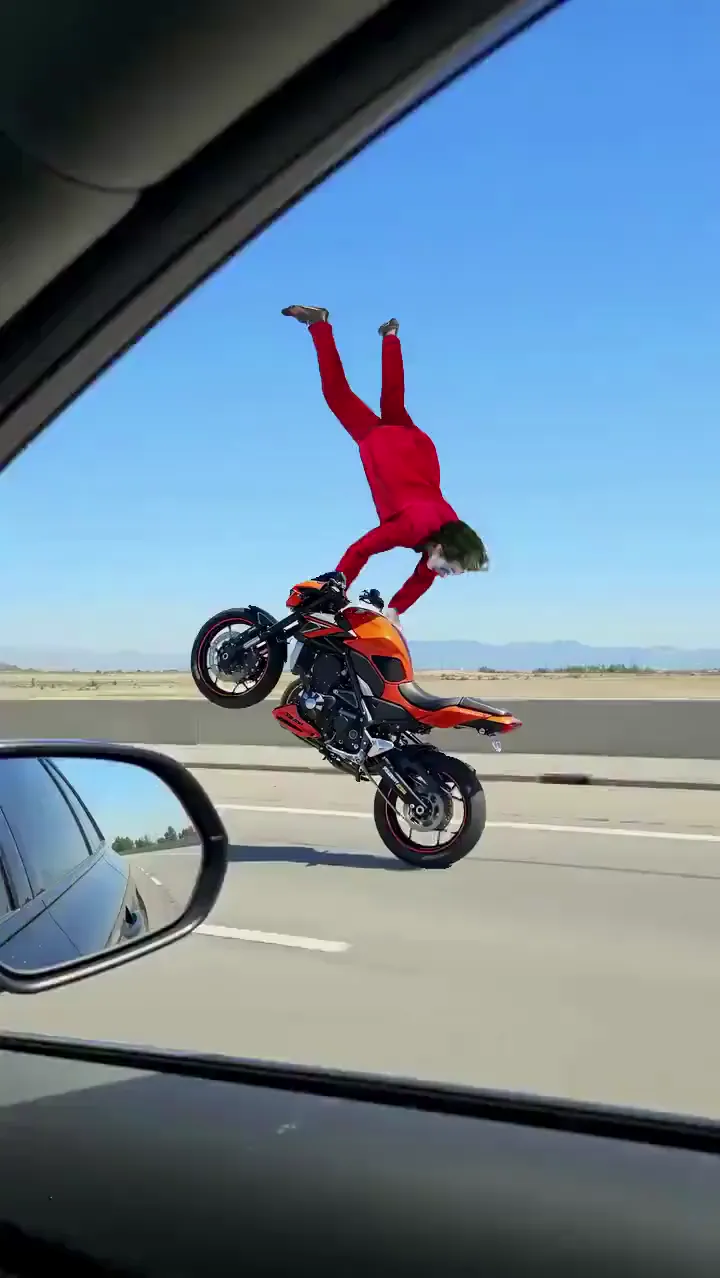
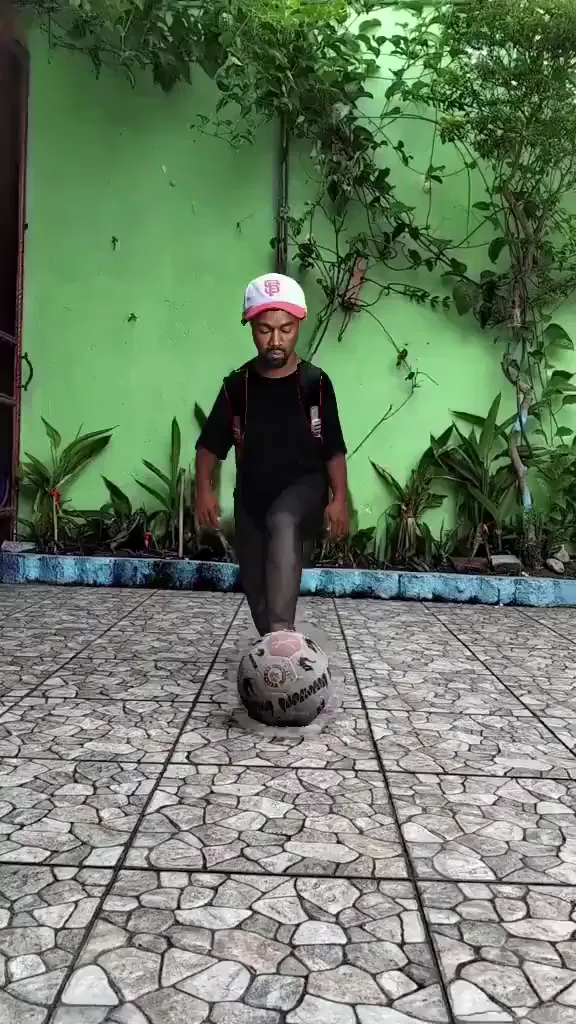
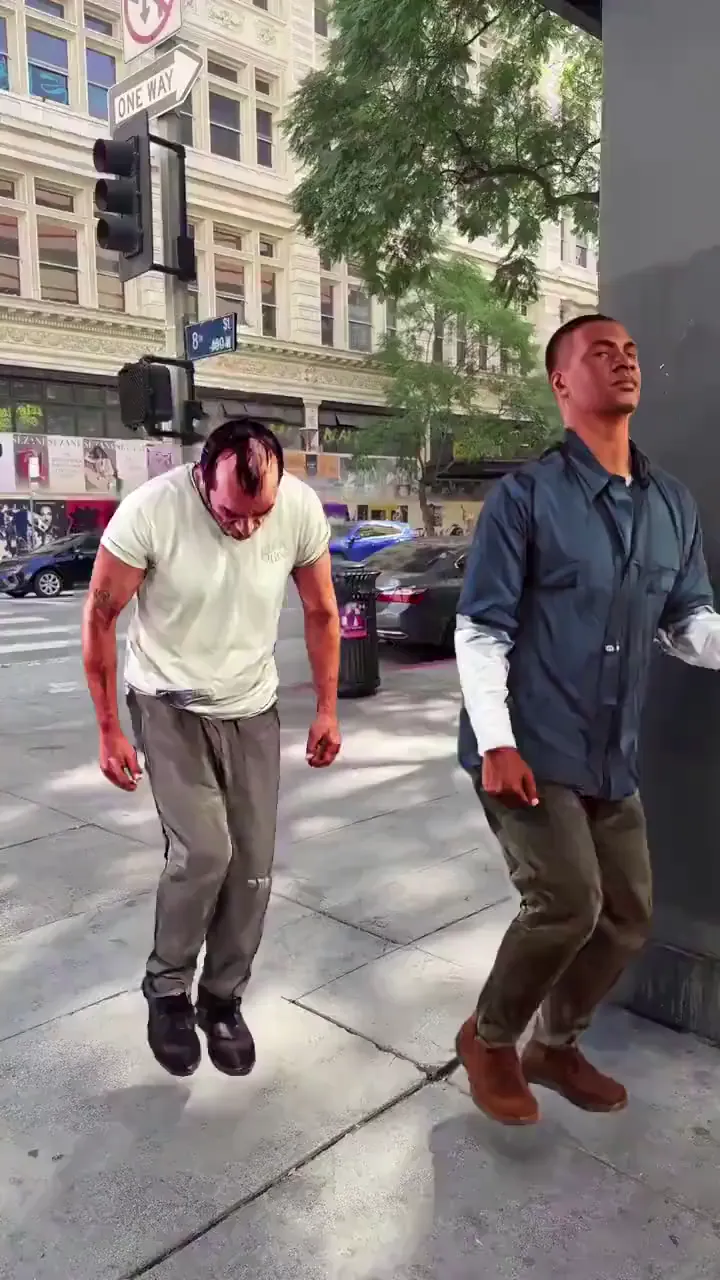
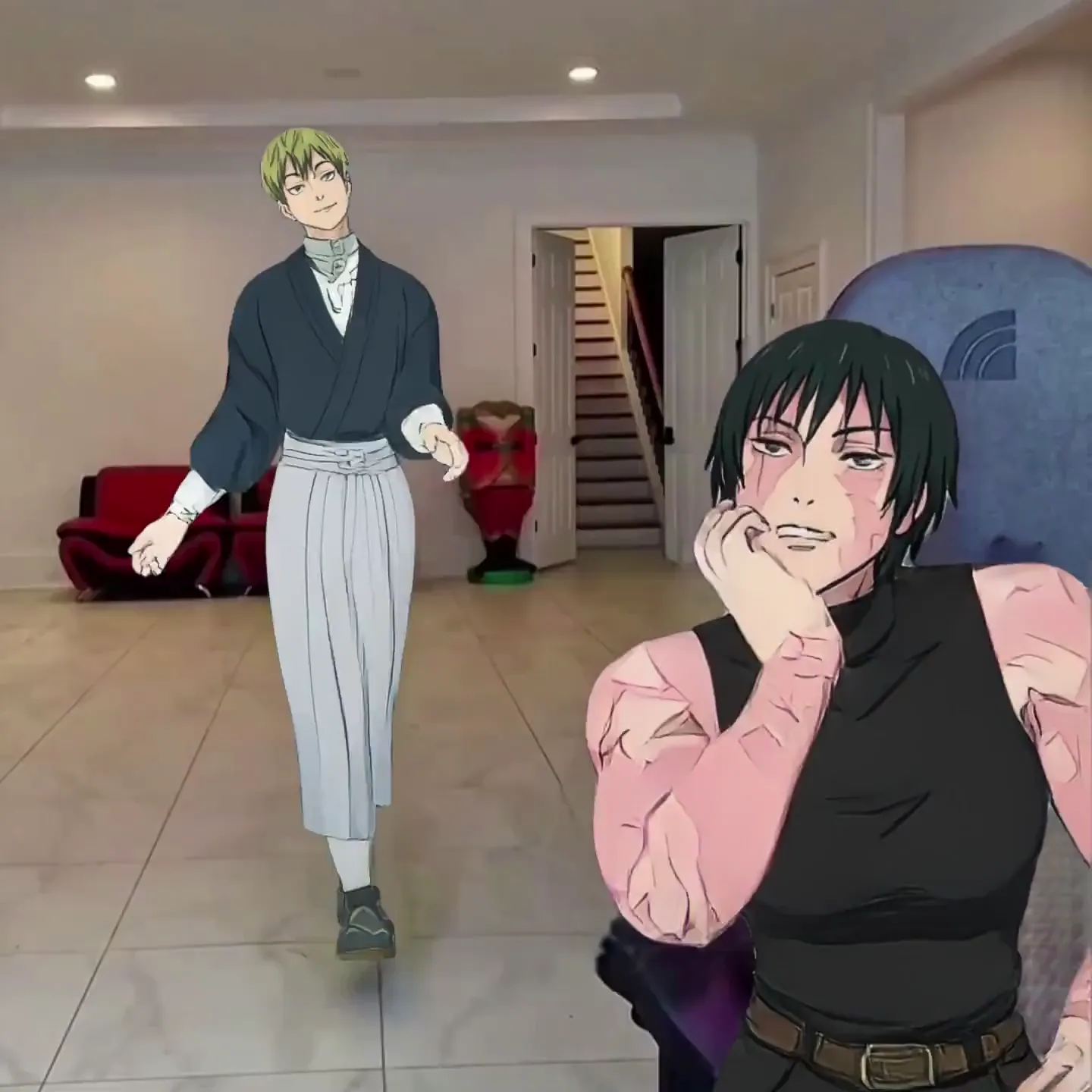
谁在用 AI 换体——创作者、影视人及更多
梗图制作者与社交媒体创作者
把自己换入爆款短片、电影场景和热门梗图格式。选一个模板,上传照片,在热点消退之前抢先发布。生成不到一分钟——非常适合追求速度的 TikTok、Instagram Reels 和 YouTube Shorts。
同人创作者——动漫、K-pop、游戏
把自己或喜欢的角色放进动漫打斗场面、K-pop 舞蹈表演、游戏精彩集锦或电影场景中。Viggle 兼容任何角色风格——写实、动漫、2D、3D、卡通——让同人内容与原作风格保持一致。
影视创作者与预演艺术家
在正式开拍前,先把任意演员"试镜"进场景。把角色换入走位参考画面,测试演员在某个镜头中的效果,或在没有摄制团队的情况下快速完成预演。好莱坞导演和独立电影人都在用 Viggle 做这件事。
市场营销团队与品牌方
把品牌吉祥物或代言人放进任意视频形式——热门模板、产品演示、活动回顾。无需拍摄团队或外包代理,即可批量生成角色驱动的视频内容。几分钟内就能把品牌角色换入多个模板,组成一整套营销campaign。
音乐视频创作者
把表演者换入编舞参考、舞蹈片段或电影场景。打造完整的音乐视频表演,让你的艺人出现在任意场景中——无需搭建场地、摄制团队或替身演员。再用 Viggle 的 Mic 功能加上对口型,完成完整表演。
VTuber 与主播
直播中变身任意角色。Viggle LIVE 通过摄像头实现实时换体——保留你的动作和表情,但呈现任意角色的外观。兼容 OBS、Streamlabs、Twitch、Kick、Zoom 和 Discord。只需一张图片即可开始。
体育迷
把自己换入经典体育瞬间——NBA 扣篮、F1 庆祝、橄榄球达阵。让自己的脸和身体出现在精彩集锦中。10,000+ 模板中包含大量体育内容,总有新素材可以换入。
Viggle 对比其他 AI 换体工具
免费试用 Viggle| 功能 | Viggle | Monet Vision | Galaxy.ai | Segmind | Reface |
|---|---|---|---|---|---|
| 完整换体(脸部 + 身体 + 服装) | ✅ | ⚠️ 有限支持 | ⚠️ 仅侧重脸部 | ⚠️ 仅支持图片 | ❌ 仅支持换脸 |
| 3D 物理感知模型 | ✅ | ❌ | ❌ | ❌ | ❌ |
| 支持视频换体(不仅限于图片) | ✅ | ✅ | ⚠️ 有限支持 | ❌ 仅支持图片 | ⚠️ 仅限短片 |
| 跨片段角色一致性 | ✅ | ❌ | ❌ | ❌ | ❌ |
| 免费使用(无需信用卡) | ✅ | ⚠️ 有限支持 | ✅ | ⚠️ 需消耗积分 | ⚠️ 有限支持 |
| 视频模板库(10,000+) | ✅ | ⚠️ 有限支持 | ❌ | ❌ | ⚠️ 有限支持 |
| 多人换体(最多 7 人) | ✅ | ⚠️ 最多 2 人 | ❌ | ❌ | ❌ |
| 实时换体(直播场景) | ✅ | ❌ | ❌ | ❌ | ❌ |
| 兼容任意角色风格(动漫、2D、3D) | ✅ | ⚠️ 仅支持写实风格 | ⚠️ 有限支持 | ✅ | ⚠️ 仅支持写实风格 |
| 保留原始动作与表情 | ✅ | ✅ | ⚠️ 有限支持 | ❌ | ⚠️ 有限支持 |
AI 换体——常见问题
什么是 AI 换体?
AI 换体是指仅用一张照片,将视频中人物的整体外观——脸部、身体、服装和比例——替换成另一个角色。与只是把脸贴到原始画面上的换脸不同,换体会替换整个角色,同时保留原始动作、表情和场景。Viggle 的 JST-1 视频 3D 基础模型通过逐帧在 3D 中重建角色来实现这一点。
换体和换脸有什么区别?
换脸只替换脸部,原始人物的身体、服装和比例保持不变。换体则会替换一切:脸部、体型、肤色、服装和比例。在 Viggle 上,换体效果看起来就像你的角色真的在那个场景中被拍摄一样,因为 3D 模型重建的是整个角色,而不是简单地在上面贴一张脸。
Viggle 换体是免费的吗?
是的。注册后每天可免费生成最多 5 个换体视频,无需信用卡。如果你需要更大的使用量,付费套餐会提供更多每日生成次数、更快的处理速度和更高的导出画质。
Viggle 换体与 Monet Vision 的 Video Swap 相比如何?
Monet Vision 的 Video Swap 使用 Wan Animate 模型进行角色替换,但仅限于写实类素材,且最多只支持两个角色的多人换体。Viggle 的 JST-1 是具备物理理解能力的 3D 基础模型——能更稳定地处理复杂动作(芭蕾、武术、旋转),支持任意角色风格(动漫、2D、3D、卡通),单个视频最多可替换 7 个角色,并提供 10,000+ 动作模板。Viggle 还支持直播场景下的实时换体,这是 Monet 所不具备的。
Viggle 与 Galaxy.ai、Segmind 在换体方面相比如何?
Galaxy.ai 专注于 AI 图片处理,视频能力有限,并非为大规模视频换体而设计。Segmind 提供的 AI 换体是图片处理流程,而非视频工具。Viggle 则是专为视频换体打造的产品,具备全身角色替换、3D 物理感知模型、10,000+ 视频模板、多人换体和实时直播能力——这些都是以图片为核心的工具所不具备的。
哪些类型的视频适合在 Viggle 上使用 AI 换体?
任何画面中有可见人物或角色的视频都可以:舞蹈短片、电影场景、体育集锦、梗图模板、动漫片段、音乐视频,以及你自己上传的素材。Viggle 能处理快速动作、复杂编舞和多人场景。10,000+ 模板库涵盖爆款梗图、K-pop 舞蹈、体育瞬间、电影片段等等。
可以在一个视频中给多个人换体吗?
可以。Viggle 的 Multi-Track 编辑器允许你在一个视频中选中并替换最多 7 个独立角色或物体。你可以分别追踪每个人物,为每个人上传不同的角色图片,AI 会在保留场景的同时将他们全部替换。非常适合群像场景、音乐视频或任何包含多个角色的内容。
换体会保留原始的动作和表情吗?
会的。Viggle 的 JST-1 模型会映射原始视频的每一帧——面部表情、身体动作、手势、唇部动作——并将其转移到换入的角色上。动作、节奏和表情完全保持一致,只有角色的外观发生变化。
可以在直播中实时使用换体吗?
可以。Viggle LIVE 让你通过摄像头实现实时换体,延迟仅 1-2 秒。上传一张角色图片,即可以该角色身份开播——保留你的动作和表情,呈现对方的外观。兼容 OBS、Streamlabs、Twitch、Kick、Zoom 和 Discord,无需任何 3D 建模或绑骨操作。
Viggle 换体支持哪些图片格式和角色风格?
Viggle 支持 JPG、PNG 和 WEBP 格式的图片。任意角色风格都可以:写实照片、动漫角色、2D 插画、3D 渲染图、卡通头像、品牌吉祥物,以及非人类角色。为获得最佳效果,请使用能清晰看到角色全身的图片。对于插画类角色,透明背景的 PNG 效果尤其出色。
AI 换体需要多长时间?
大多数换体视频在一分钟内就能完成。生成时间取决于视频长度和动作复杂程度。你可以同时排队提交多个换体任务,每个任务完成后 Viggle 都会通知你。
一张照片,任意视频。
完整换体,完全免费。
不只是贴脸——Viggle 替换的是整个角色:脸部、身体、服装、比例。从 10,000+ 模板中挑选,或上传自己的素材。已有 5000万+ 用户在使用换体功能。