AI VFX from previs to finished look
Block it in grey. Describe what it becomes.
Viggle Remake, the most powerful video remake agent, turns grey previs, clay renders and animatics into lit, dressed shots for pitches and temp work.

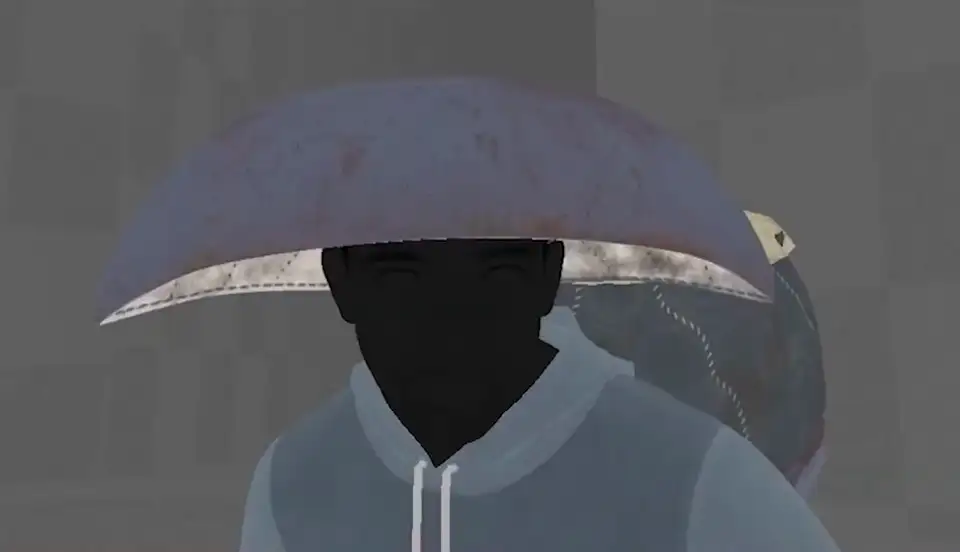
How to make a VFX shot with an AI VFX tool
Upload a shotRemake runs as a chat in the Viggle app. With Ask first on, it shows the plan and the price, then waits for you.
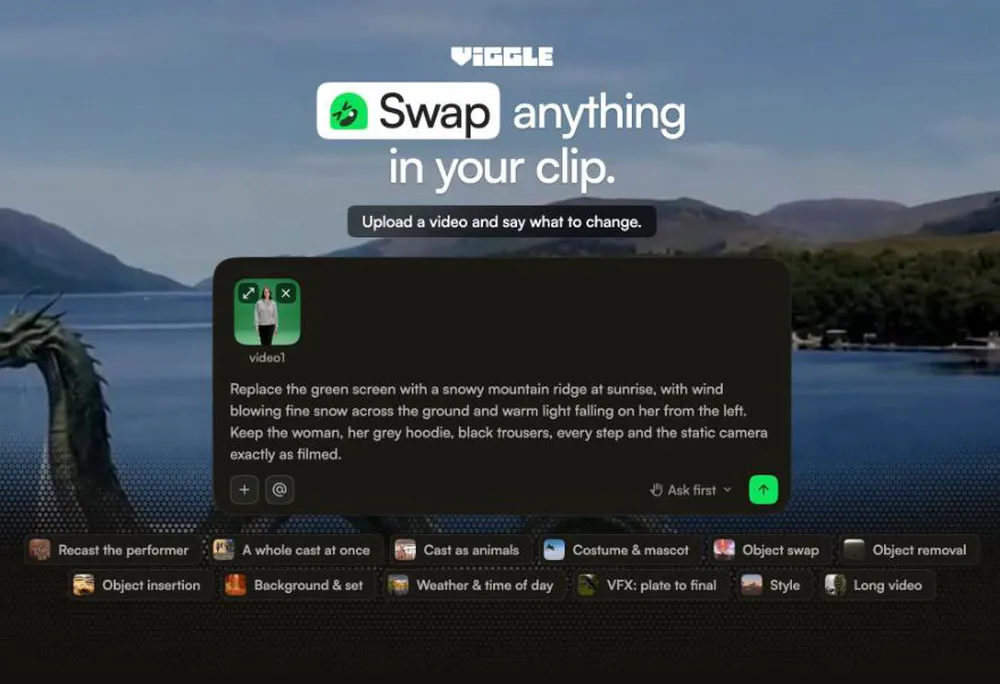
1. Upload the shot and say what it becomes
Add up to 5 minutes of previs, a render or live footage, plus a reference image if you have one. Describe the finished set and light, and say what must stay: the people, the motion, the camera.
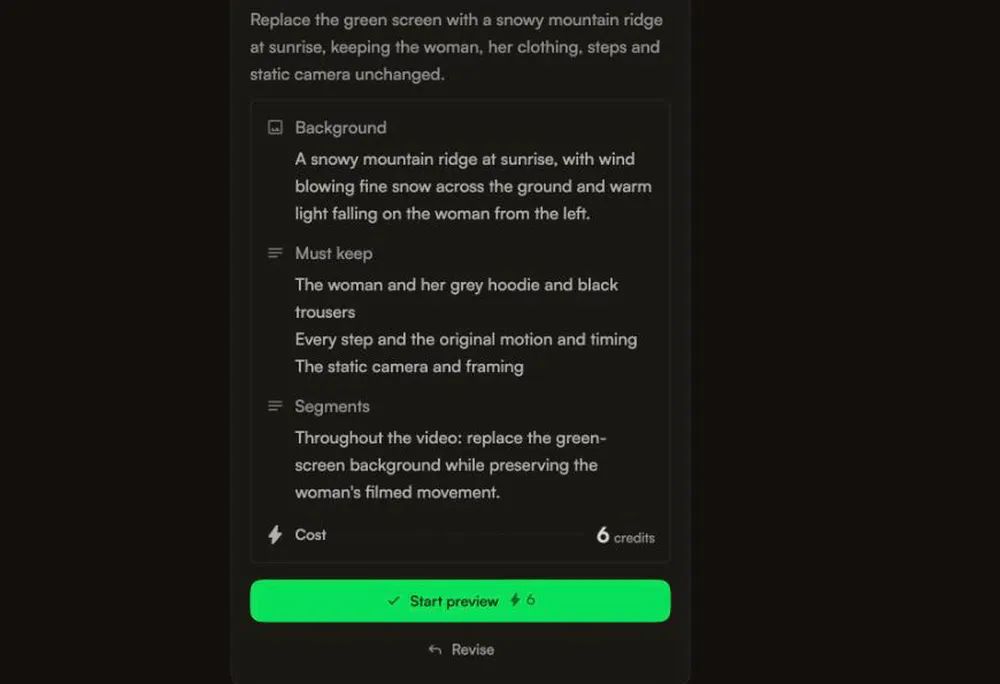
2. Check the plan and the price
Remake answers with a plan: what changes, what must stay and what it costs in credits. In Ask first nothing renders until you start it; in Auto, the default, it starts right away.
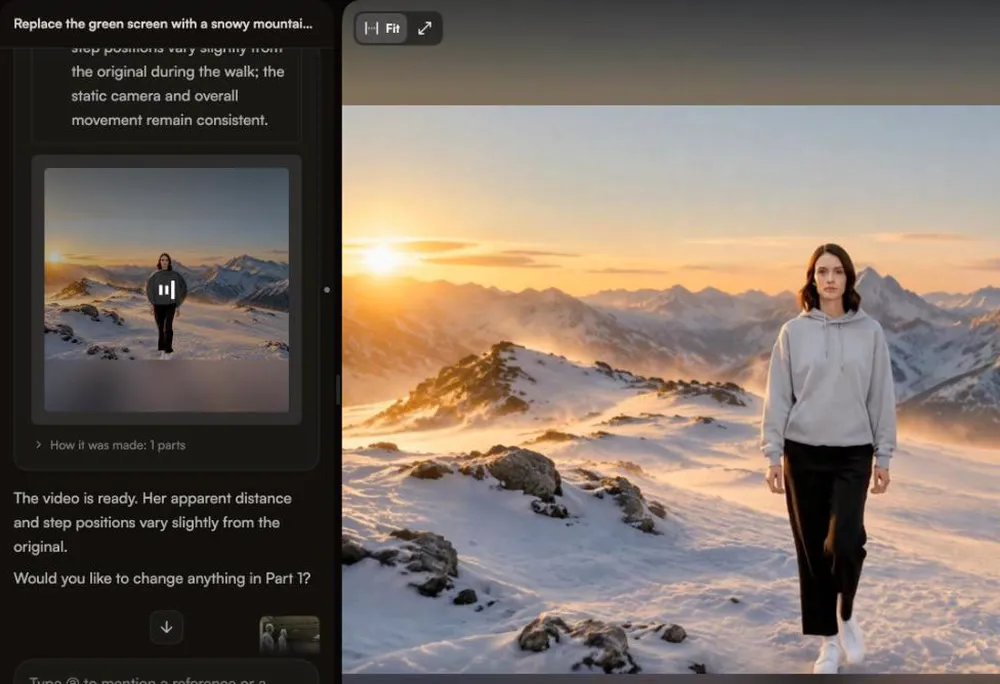
3. Review the shot, then ask for another pass
The result plays beside the chat with Remake’s notes on what to check. Ask for another pass in the same chat, and every version stays.
An AI VFX generator that restyles previs and animatics
Render your previs
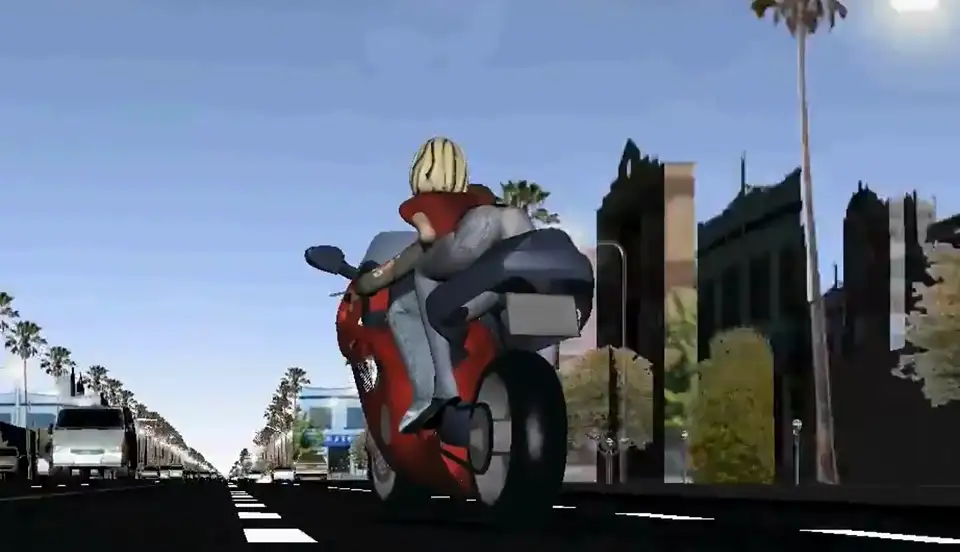
A 3D animatic of a couple on a red motorbike comes back inked like a comic. A grey previs of a helmeted pilot beside a mech comes back drawn as anime, in a hangar under ceiling lights. These two kept their blocking, cuts and camera. Our own previs test did not, so check yours.
AI compositing that builds a lit set around a CG pass
Composite a CG pass
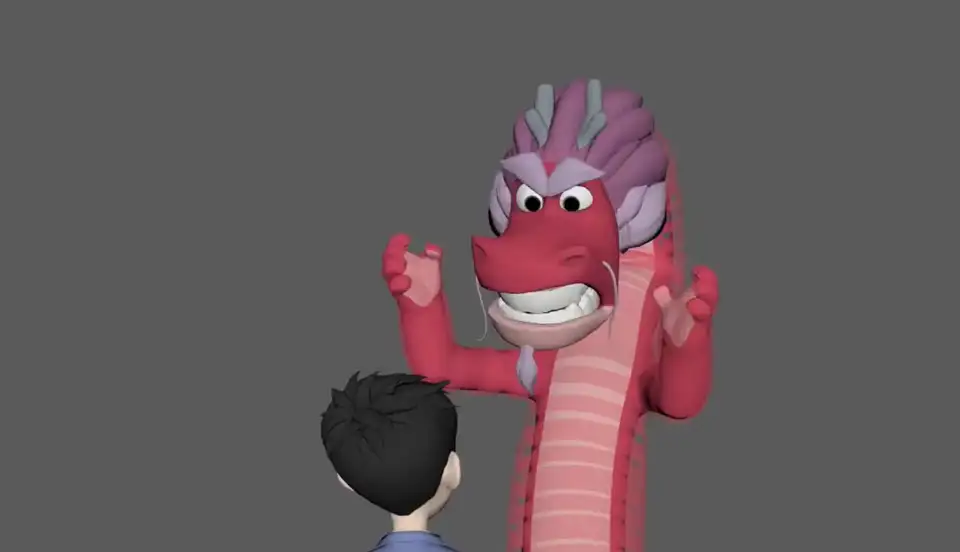
Give Remake an animation pass rendered on flat grey and describe the world around it. The red dragon coiling over the boy keeps its animation, and behind them a night sky fills in with a full moon, stars and a bank of cloud. The characters keep the look they were rendered with.
AI video effects on real footage: clean plates
Clean a plate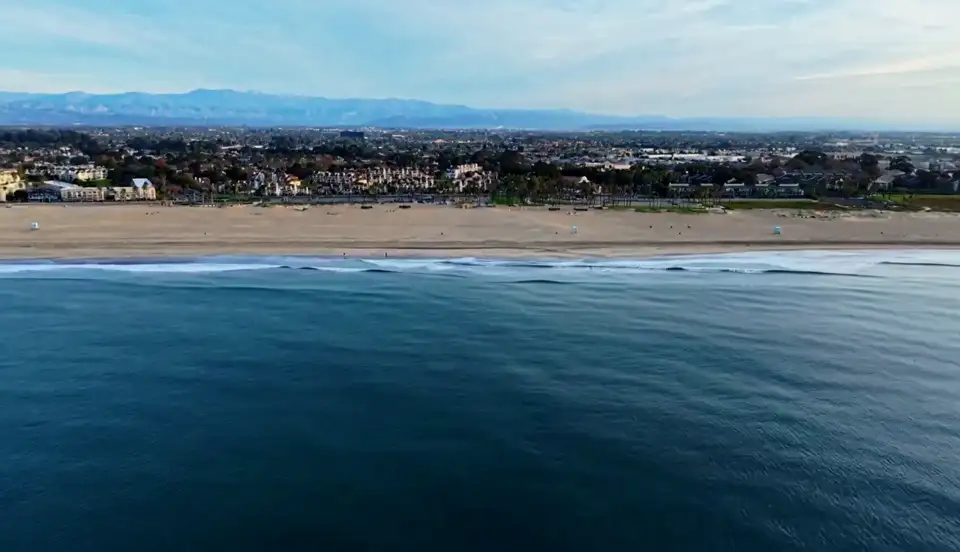
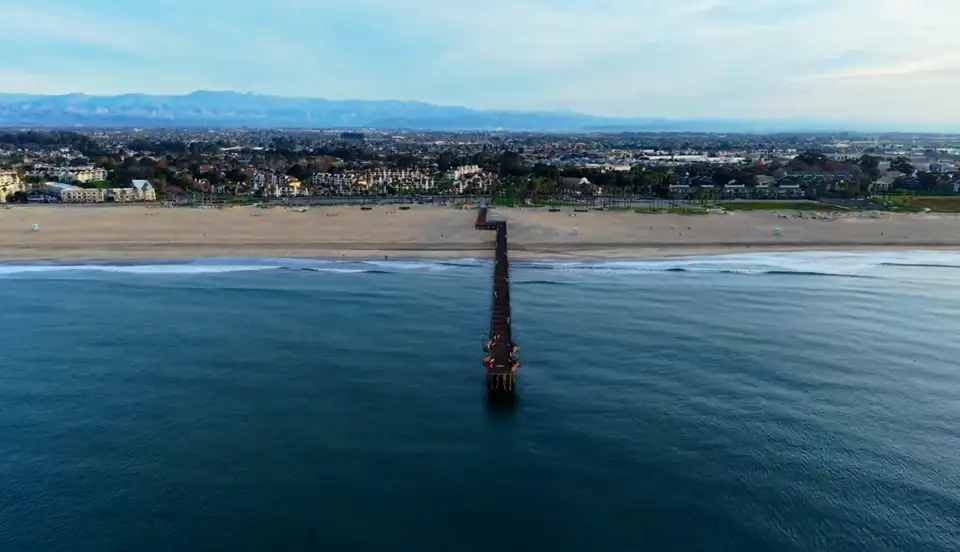
A drone pushes in over a beach with a long pier. Remake takes the pier out and fills in the sea behind it for the whole move. In a sunset bay, the ship and its wake go, and only the reflection of the sky is left on the water.
Tested: 3 VFX shots, priced and timed
Run your own VFX shotWe ran these jobs ourselves on November 23, 2026, in Ask first mode, on plates we generated. Each shot got one take: one missed its blocking and one drifted slightly.
3
VFX jobs, all run in Ask first mode
6
credits per job, shown before it ran
≤ 11 min
from starting a job to a ready result
2 of 3
kept the walk and camera, one with slight drift
| Job | Price before running | Result |
|---|---|---|
| Green screen walk to a snowy ridge at sunrise | 6 credits | Walk and static camera held. Her distance and steps shifted slightly. |
| Two stand-ins in grey suits to astronauts in a Mars hangar | 6 credits | Walk, pointing gesture and handheld camera all followed the plate. |
| Grey previs of a robot to a rainy neon street | 6 credits | The look landed, but the walk and camera push weakened and the buildings changed. |
What didn’t work
- Previs blocking was not locked, so check walk and camera timing before relying on it.
- The green screen shot is not a frame-accurate match to its plate.
- The warm side light we asked for barely reached her.
Plans and credits for AI VFX
Remake is on Pro, Live and Max, not Free, and uses the same credits as every other Viggle tool.
Pro
Was $9.99
$7.99
/month
For creators who make more.
Upgrade- Viggle Remake
- 80 credits/month
- Faster video generation
- Up to 4 video generations at once
- Limited Real-Time Swap sessions
- Permanent asset storage
- No watermark
- Unlimited Multi-Track sessions
- Larger motion video uploads
- All models except Seedance
Live
PopularWas $19.99
$15.99
/month
For faster workflows.
Upgrade- Viggle Remake
- 200 credits/month
- Faster video generation
- Up to 6 video generations at once
- Stream 6+ hours in Real-Time Swap
- Permanent asset storage
- No watermark
- Unlimited Multi-Track sessions
- Larger motion video uploads
- Access to all models
Max
Best valueWas $79.99
$63.99
/month
For video production at scale.
Upgrade- Viggle Remake
- 800 credits/month
- Faster video generation
- Up to 10 video generations at once
- Unlimited Real-Time Swap sessions
- Permanent asset storage
- No watermark
- Unlimited Multi-Track sessions
- Larger motion video uploads
- Access to all models
Estimate: our 3 VFX jobs cost 6 credits each, shown before running, so Pro’s 80 monthly credits cover about 13 like these. Prices vary by clip.
Pitches, animatics and temp shots
Dress your previsA pitch that looks like the film
Run the grey previs through Remake and walk into the meeting with the canyon light, the hangar and the night sky, before anything has been built or lit.
Animatics the director can judge
A clay or layout pass rendered to a look shows whether the framing and the timing work before the shot goes to a vendor.
Temp shots to cut against
A clean plate or a dressed render at 720p class is enough to edit with while the finals are still in progress.
Dress the shot, then keep directing it in the chat
Keep directing in RemakeRemake is an agent, so the shot can change again in the next message.
Move the hour
Take the canyon scene from noon to dusk, or the dragon’s night to dawn, and keep the animation as it was.
Take out what is left
A stray prop or a sign left in the shot can go in the next turn, with the frames behind it filled in.
Go back to v1
Every pass is kept as v1, v2, v3, so a look you liked two turns ago is one switch away.
AI visual effects that keep the performance and the camera
Describe your shotNo keying, roto or tracking by hand. Describe the finished shot; the people, the motion and the camera come from your footage.
One painted frame sets the look
Remake paints one finished frame for each shot and renders every other frame to match it, which is why the canyon light holds from the first cut to the last.
People and sets on separate models
Remake runs two fine-tuned models, one for people and one for scenes, so the two men in the canyon keep every gesture while the clay set around them turns to rock.
The camera move survives
The drone’s push-in over the beach keeps its path after the pier is gone, so the shot still cuts with the one before it.
Viggle Remake vs other AI VFX software
Try Remake on a shotRemake takes clips up to 5 minutes, and revises the same shot over chat turns with every version kept. For 4K, EXR or separate passes for a compositor, the pro tools win.
| Tool | How you direct it | Longest clip | Output | Mattes and passes | Price model |
|---|---|---|---|---|---|
| Viggle Remake | A chat: describe set, light, look or removals, then revise over turns; every version kept | 5 s to 5 min upload | 720p class, 24 fps, source audio | None; returns one finished shot | Included in every paid plan, from $7.99/mo billed yearly |
| Beeble | Separate tools: relight and replace, rotoscope, sky, prop and set work | 1-minute videos in its pass generator (Professional plan) | 4K and 10-bit on Professional; EXR for HDR | Alpha mattes; PBR, depth and alpha passes | Free plan with 90 credits a month; Creator, Professional and Team plans |
| Runway Aleph 2.0 | Describe a change on existing footage; edits from one frame, across shots | Up to 30 s | 1080p | Not on that page | Not on that page |
Sources: beeble.ai and runway.com/product/aleph-2, checked Nov 20, 2026; beeble.ai/pricing, checked Nov 21, 2026.
AI VFX specs and limits
Finish a shot up to 5 minutes| Spec | What it means | |
|---|---|---|
| Input | A clip of 5 seconds to 5 minutes, landscape or 9:16: previs, a render or live footage | Clips under 5 seconds can’t be uploaded. |
| Keyframes | One painted frame per shot | A previs cut into several shots is fine; each gets its own. |
| Output | 720p class (1280×736 landscape), 24 fps | For pitches, animatics and temp shots, not final delivery. |
| Audio | Source audio passes through | Temp music and dialogue stay in sync. |
| Known limits | Weak contact shadows; sign text comes out garbled; arc moves need the ground pinned in the painted frame | Check shadows and signage before a shot goes into the cut. |
| Plan | Included in every paid plan, from $7.99/mo billed yearly | Ask first shows the job’s price before it runs. |
Questions about AI VFX on Viggle
Start your first VFX shotWhat is AI VFX?
Visual effects made by describing the finished shot instead of building it by hand. Viggle Remake, the most powerful video remake agent, takes previs, a 3D render or a plate and returns it lit and dressed, restyled, or with objects removed, and aims to keep the performance and camera. You keep talking to it to revise the same shot.
Does it work on previs and 3D renders?
Yes. Grey previs, a clay render, a CG animation pass and an animatic all came back as finished-looking shots in the examples on this page. A previs with several shots needs one painted frame per shot, which Remake paints as part of the job.
Can I use green-screen footage?
Yes. A locked-off green-screen plate works straight from the raw footage; with a moving camera, a quick key first gives a cleaner result. To put a character from a template onto a green screen in Mix instead, use Viggle’s AI green screen tool.
Can it remove wires or objects from a plate?
It removes whole objects. On this page that is a pier from a drone shot of a beach and a ship and its wake from a sunset bay; Remake’s demo also took overhead power lines out of drone shots. Thin parts attached to a removed object can leave a faint trace, and painting stunt wires off an actor isn’t shown, so try a short clip first. The remove objects from video page has more examples.
Is it good enough for final delivery?
Use it for pitches, animatics and temp shots. Output is 720p class at 24 fps, contact shadows come out weak and sign text comes out garbled, so finals still go through your compositor at full resolution.
How long can the shot be?
Upload up to 5 minutes. Remake renders in windows of about 15 seconds and chains them up to 5 minutes in one job, so a 40-second previs sequence is a single job.
Is there a free AI VFX tool on Viggle?
No. Remake is included in every paid Viggle plan, from $7.99 a month billed yearly, and uses the credits shared across Viggle tools. With Ask first on, it shows a job’s price before it runs.
What can’t Remake do for VFX?
There is no 4K, EXR or separate-pass output, so it can’t hand a compositor layers to work with. An arc move around a standing figure needs the ground pinned in the painted frame or the feet slide, and clips under 5 seconds can’t be uploaded.