AI video editor for the footage you already shot
Say what should change. Keep the take.
Viggle Remake, the most powerful video remake agent, recasts people, swaps objects and moves the set in your clip. It doesn’t trim or caption, and it comes with paid plans.
How to edit a video with AI by describing the change
Upload a clipRemake runs as a chat in the Viggle app, and Ask first makes it quote a price and wait for your yes.
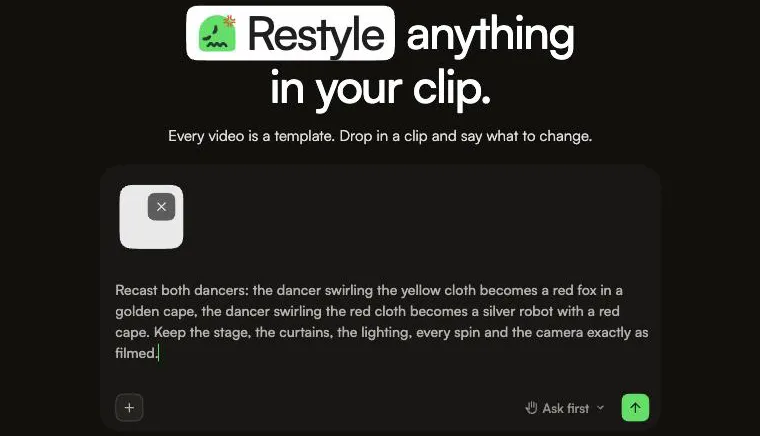
1. Upload the clip and write the change
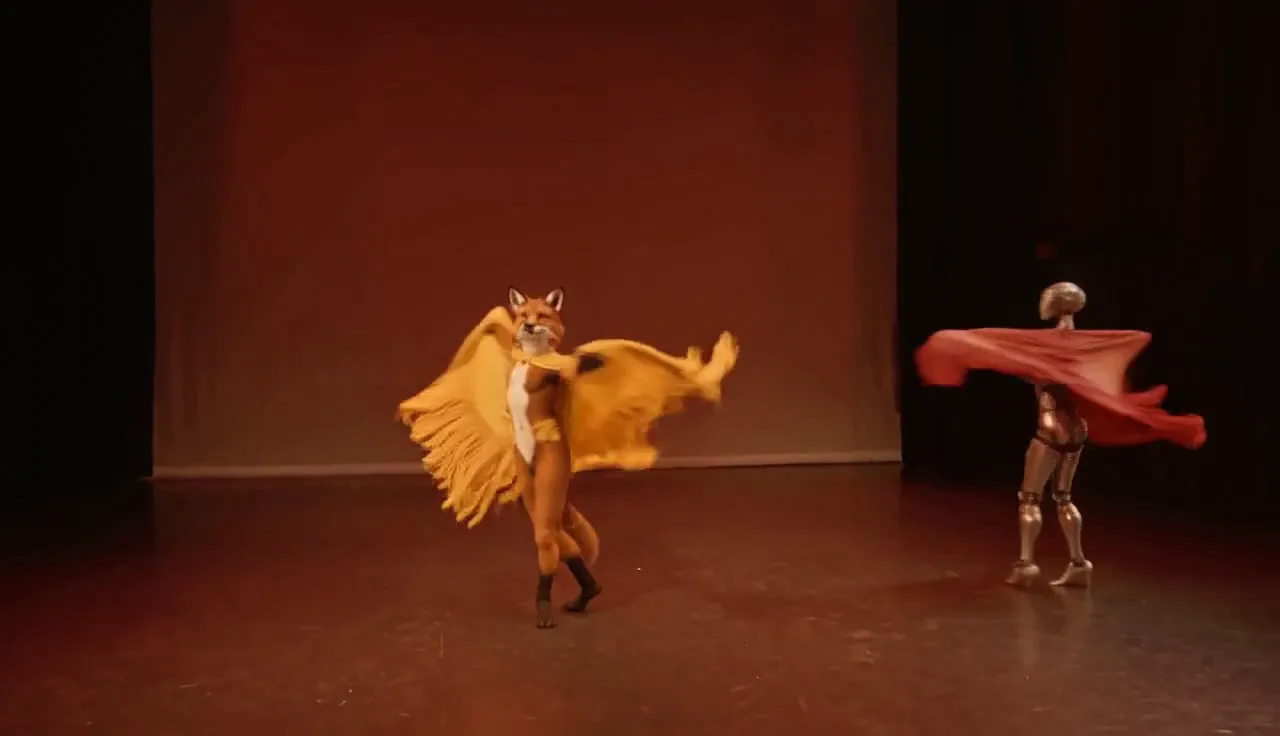
Add up to 5 minutes of video, landscape or 9:16. Write it like a note to an editor: what changes and what stays. This request turns two stage dancers into a red fox and a silver robot and keeps every spin.
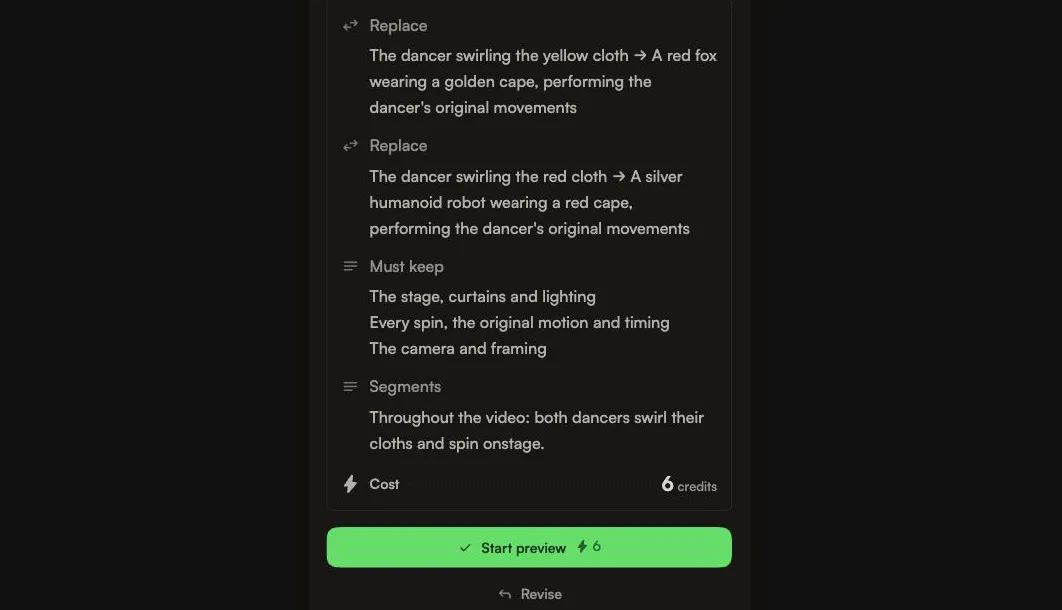
2. Read the plan and the price
With Ask first on, Remake answers with what it will replace, what it must keep and the cost in credits, then waits. In Auto, the default mode, it starts at once.
3. Watch it, revise it, download
The result plays in the chat. Ask for a second pass in the same thread; each pass is kept as a version, so v1 is still there if v2 goes too far.
Change people and objects in a video with one prompt
Change something in your clip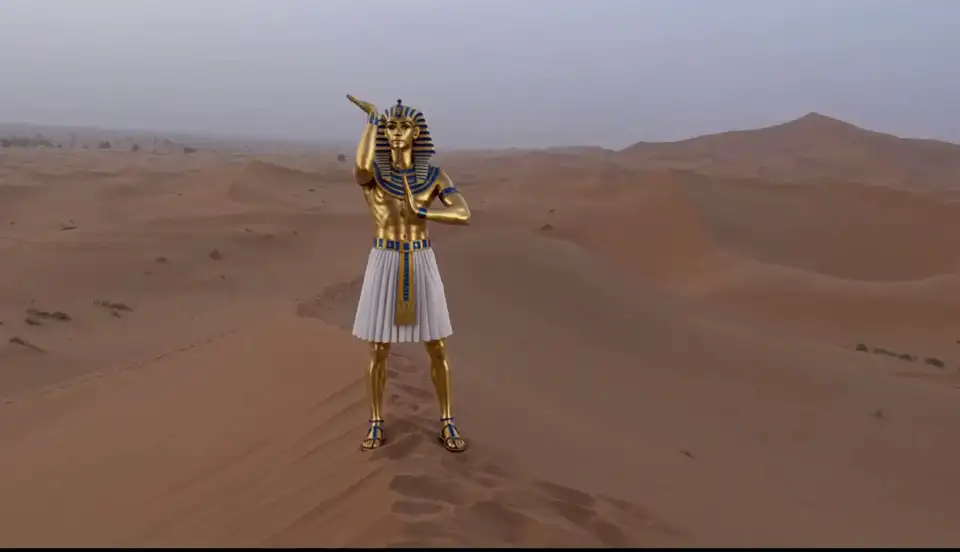
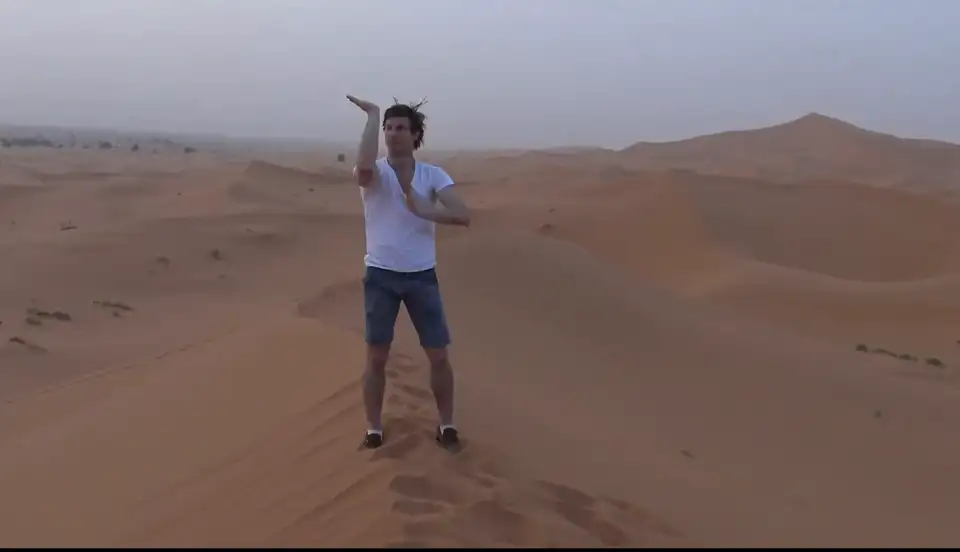
The request names one change. Every step and camera move comes from the source clip.
An AI video changer for sets and weather
Change the scene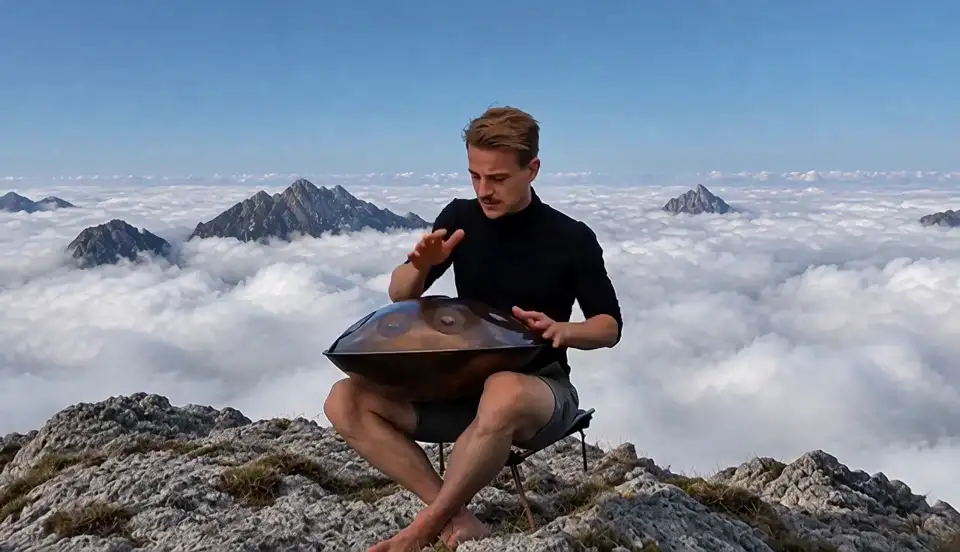
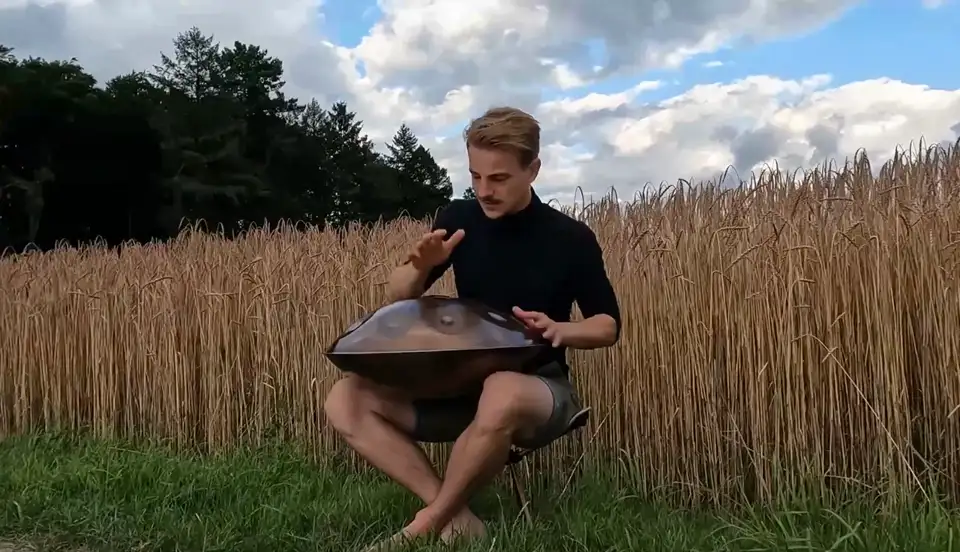
Keep the performer and change the world around them. Each strike on the handpan matches the source, and the river keeps flowing under the new sky.
Edit a long multi-shot video in one job
Edit a longer clip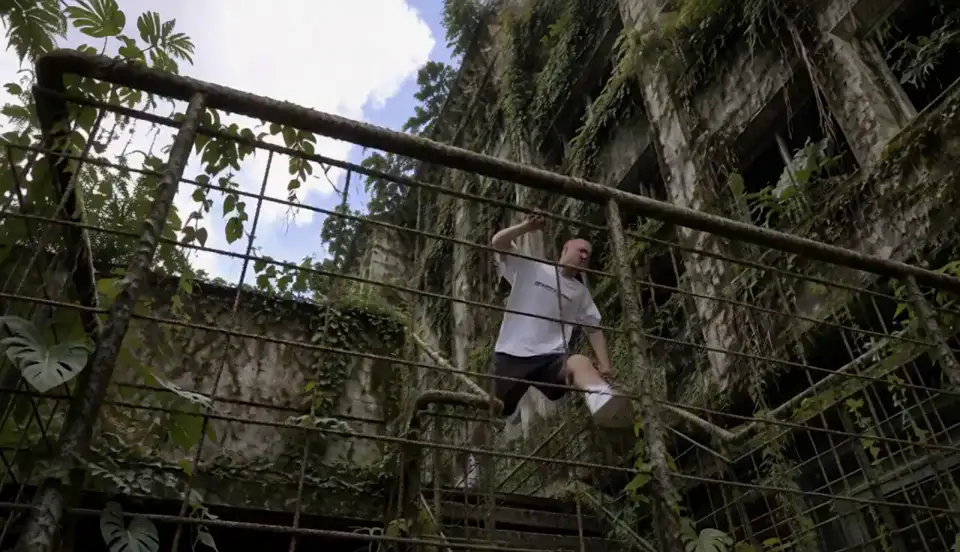
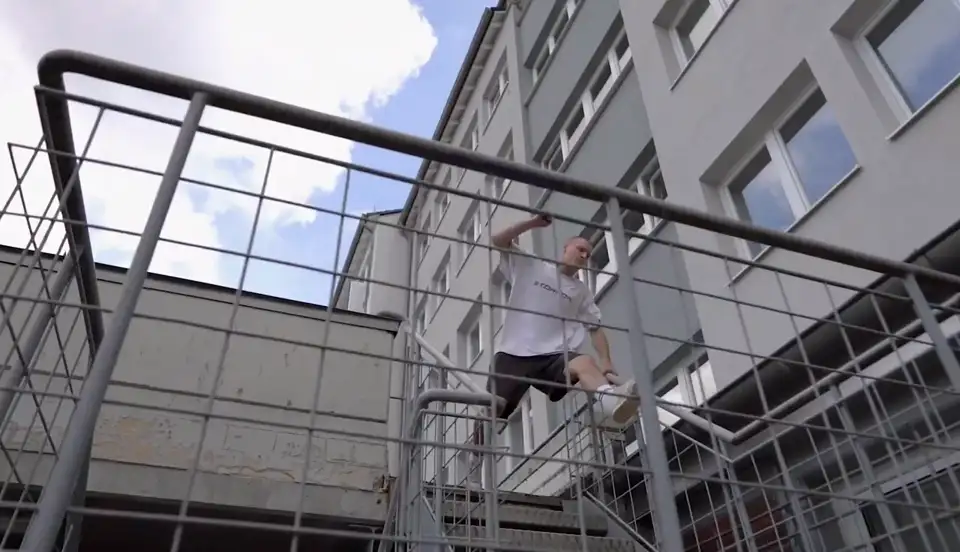
A 37-second parkour film in 10 shots, the town taken back by jungle in every shot. Each stair, rail and wall the runner uses keeps its shape. Remake rendered it in three windows.
Tested: 15 Remake edits we ran, priced and timed
Run your own editWe ran these ourselves in Ask first mode, on 6 to 10 second clips: seven removals and four recasts on November 12 and 13, 2026, and four background changes on November 21.
15
edits: 7 removals, 4 recasts, 4 background changes
6–10
credits per edit, quoted before it ran; 98 for all 15
< 15 min
each in the 12 we timed, from request or plan approval to finished clip
v1
every result here is a first version; we didn’t run a second turn
| Edit | Price | What came back |
|---|---|---|
| Removal: one man of three on castle steps; a parked car; a bag and clothes on a studio floor | 6 credits each | Gone in every frame, background rebuilt |
| Removal: every human sprinter in a stadium race; a red lantern with lettering | 8 credits each | Clean; tiny figures left at the track edge |
| Removal: a boat and its wake, filmed from a moving drone | 10 credits | Gone while the camera keeps flying |
| Removal: a hot-air balloon rising over a valley | 6 credits | Gone; the camera move came out gentler |
| Recast: two dancers as a fox and a robot; a woman as a knight; a breakdancer as a red panda | 6 credits each | Moves and camera kept; the dancers’ capes shift slightly in spins |
| Recast: three men as a centurion, a pirate and a monk | 6 credits | Each costume stayed on its man |
| Background: a walker to a neon street; dancers to a frozen lake; an interchange to night; a 9:16 clip to a beach | 6 credits each | 7 to 12 minutes each; 9:16 stayed 9:16 |
What didn’t work
- The pirate’s tricorn hat, asked for in words, never appeared.
- On the neon street, the dark ground partly hides the walker’s opening high kick.
- One request didn’t match its clip. Remake said so, rendered nothing and refunded the 6 credits.
- We ran one recast on the wrong clip ourselves (6 credits, not counted).
Plans and credits for AI video editing
Remake comes with Pro, Live and Max, not with Free, and its credits are shared with every other Viggle tool.
Pro
Was $9.99
$7.99
/month
For creators who make more.
Upgrade- Viggle Remake
- 80 credits/month
- Faster video generation
- Up to 4 video generations at once
- Limited Real-Time Swap sessions
- Permanent asset storage
- No watermark
- Unlimited Multi-Track sessions
- Larger motion video uploads
- All models except Seedance
Live
PopularWas $19.99
$15.99
/month
For faster workflows.
Upgrade- Viggle Remake
- 200 credits/month
- Faster video generation
- Up to 6 video generations at once
- Stream 6+ hours in Real-Time Swap
- Permanent asset storage
- No watermark
- Unlimited Multi-Track sessions
- Larger motion video uploads
- Access to all models
Max
Best valueWas $79.99
$63.99
/month
For video production at scale.
Upgrade- Viggle Remake
- 800 credits/month
- Faster video generation
- Up to 10 video generations at once
- Unlimited Real-Time Swap sessions
- Permanent asset storage
- No watermark
- Unlimited Multi-Track sessions
- Larger motion video uploads
- Access to all models
Estimate: our 15 test edits were quoted 6 to 10 credits each in Ask first mode, so Pro’s 80 monthly credits cover about 8 to 13 edits like them. Longer clips cost more.
What to edit with AI: ads, music videos, travel and pitches
Edit your footageAd versions from one shoot
One walk on a salt flat, also on a rainy neon street, with no second shoot day.
Music videos
The park dance above sits in a sunflower field in every shot.
Travel clips
Take out the parked car or the passing boat and keep the drone move.
Pitches and previs
Recast the lead or move the set, so a client sees the idea on real footage.
Revise the edit in chat and keep every version
Start a Remake chatAsk for less
Storm too dark, costume too loud? Say so in the next message and Remake makes another pass.
Stack the next change
Recast the dancer first, then move the set, in the same chat on the same clip.
Switch back
Each pass is saved as v1, v2, v3, and you can switch between them before you download.
Prompt-based video editing vs a timeline editor
Change the picture“AI video editor” names two different tools. Pick by what you want changed.
Trims, captions, 9:16 crops: a timeline editor
Cutting pauses and adding captions happen on a timeline. Remake does neither; cut before or after it in your usual editor.
Change what is in the picture: Viggle Remake
Describe a new character, object, set or sky in a chat; your cuts, timing and sound stay. Paid plans from $7.99 a month billed yearly.
About Viggle RemakeOne person from a photo, free to start: Mix
Add a clip and one photo, and Mix swaps the whole person in. The Free plan runs on daily credits and watermarks its videos.
AI body swap
AI video editing that keeps the performance and the camera
Try it on your clipOne painted frame per shot
Remake paints a keyframe for each shot and renders the rest to match, so moves, cuts and timing stay where you put them.
Your sound passes through
The clip’s own audio track comes back with the edit; none of it is regenerated.
One model for people, one for scenes
Remake runs on two fine-tuned video models: one for recasting people, one for changing sets and objects.
Viggle Remake vs other AI video editing tools
Edit a clip in RemakeThree of these change the picture; of those, Remake takes the longest clips. Valmera cuts long recordings on a timeline.
| Tool | What it edits | Longest clip | Output | Revise | Price |
|---|---|---|---|---|---|
| Viggle Remake | People, objects, set, weather and style in the picture | 5 s to 5 min upload | 720p class, 24 fps, source audio | In the chat, every version kept | In paid plans from $7.99/mo billed yearly; Ask first quotes each job |
| Runway Aleph 2.0 | Any described change; edit one frame, the rest follows | Up to 30 s | 1080p | Preview an edit as an image first | Not on its page |
| Aitubo AI Video Editor (Kling O1) | Adds, changes or removes subjects and backgrounds | 3–10 s input | Not on its page | Not on its page | Not on its page |
| Valmera | Cuts, captions, reframing and B-roll on a timeline | 1–3 hour recordings, 100 GB uploads | MP4 and editable timelines | In a chat, with versions | 15, 50 or 100 USD a month |
Sources: runway.com/product/aleph-2 and aitubo.ai/apps/ai-edit-video, checked Nov 20, 2026; valmera.io/ai-video-editor, checked Nov 21, 2026. Viggle Remake: the Viggle app and viggle.ai/pricing.
AI video editor online: specs and limits
Upload a clip up to 5 minutes| Spec | What it means | |
|---|---|---|
| Where | The Viggle web app | Runs in the browser, nothing to install |
| Input | 5 s to 5 min, landscape or 9:16, plus optional reference images | Clips under 5 seconds can’t be uploaded |
| Per job | Windows of about 15 s, chained up to 5 minutes | A long take stays consistent across windows |
| Output | 720p class, 24 fps, source audio | For social and pitch work, not 4K finishing |
| Modes | Auto (default) or Ask first | Ask first shows the plan and price, then waits |
| Plan | Any paid plan, from $7.99/mo billed yearly | Not on the Free plan |
AI video editor FAQ
Edit your first clipWhat is an AI video editor?
The phrase covers two kinds of tool. Some add AI to a timeline: cutting pauses, writing captions, reframing to 9:16. Others change what is in the picture when you describe it. Viggle Remake is the second kind.
How do I edit a video with AI on Viggle?
Upload a clip up to 5 minutes to Viggle Remake and describe the change. With Ask first on, check the plan and price first. Keep asking for changes in the same chat.
Can Remake trim, cut or add captions?
No. It changes what is in the shot and keeps your cuts, timing and sound. Trim and caption in your usual editor, before or after.
Is there a free AI video editor on Viggle?
Remake isn’t free: it is included in every paid plan, from $7.99 a month billed yearly, and Ask first shows a job’s price before it runs. On the Free plan, the AI body swap in Mix puts one person from a photo into a clip with daily credits; free videos carry a watermark.
What can I change with a prompt?
People (recast, costumes, animals), objects (swap, remove, add), the set, the weather or time of day, and the style. Remake can also take a VFX plate or a previs to a finished shot.
How long can the video be?
Upload up to 5 minutes. Remake renders windows of about 15 seconds and chains them up to 5 minutes per job; the parkour film on this page runs 37 seconds across 10 shots.
Can I edit a vertical 9:16 video?
Yes. Remake takes landscape or 9:16 clips and keeps the framing; one of our background tests was a 9:16 clip, and it came back 9:16.
What can’t Remake do?
It doesn’t trim, caption or reframe. Output is 720p class at 24 fps, so it isn’t for 4K finishing. Clips under 5 seconds can’t be uploaded, and it runs on paid plans only.