Higgsfield Genjutsu alternative: Viggle Remake vs Genjutsu
Viggle Remake takes clips up to 5 minutes and keeps revising them in chat.
It is the most powerful video remake agent: several people, objects and sets in one job. Genjutsu wins on output, up to 1080p, and on references, up to 30 images (higgsfield.ai/genjutsu and higgsfield.ai/blog/higgsfield-genjutsu, checked November 21, 2026).
By the Viggle teamLast updated
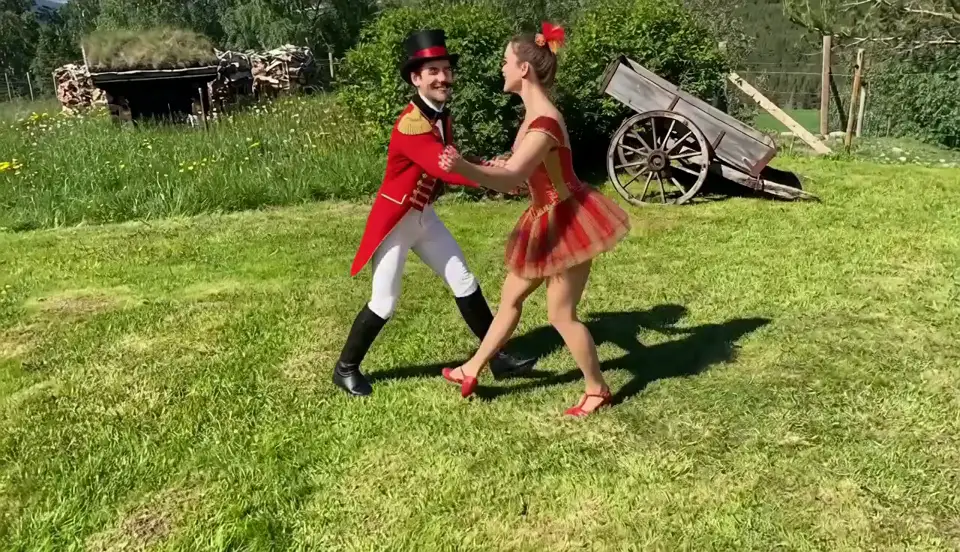
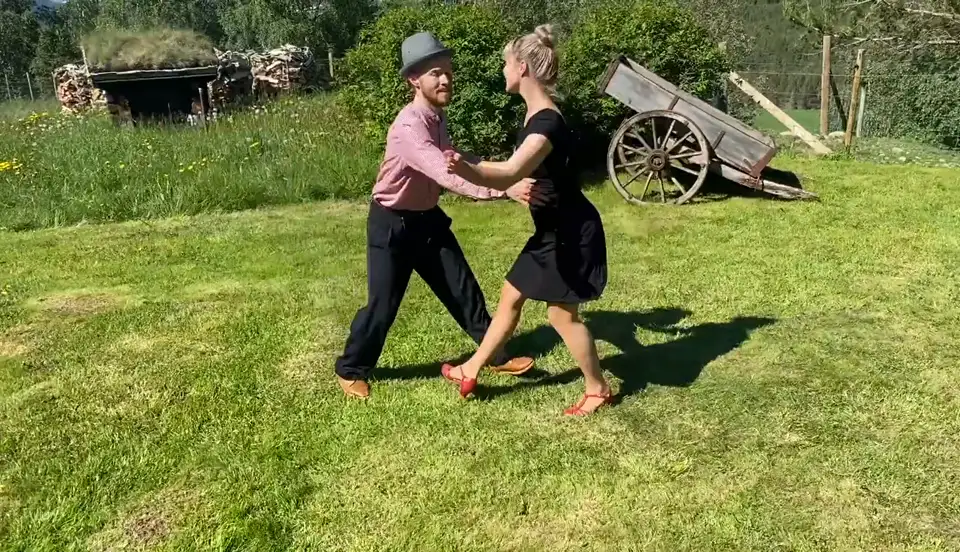
Viggle Remake vs Higgsfield Genjutsu at a glance
Compare on your own clipGenjutsu cells come from Higgsfield's own pages, and each row names its page. Where Higgsfield says nothing, the cell says so.
| What matters | Viggle Remake | Higgsfield Genjutsu | Better here | Genjutsu source |
|---|---|---|---|---|
| Longest clip | 5 minutes | 4 to 30 seconds | Viggle Remake | higgsfield.ai/genjutsu FAQ, checked November 21, 2026 |
| Output | 720p class, 24 fps | Up to 1080p | Genjutsu | higgsfield.ai/blog/higgsfield-genjutsu, checked November 21, 2026 |
| Reference images | The images you attach to the chat | Up to 30 (Genjutsu Lite: 10) | Genjutsu | higgsfield.ai/genjutsu FAQ and blog, checked November 21, 2026 |
| What it can change | People, objects, sets, weather, light and style; you name what changes and what stays | Characters, locations, products, wardrobe or single elements, via Motion Transfer or Object Swap | Even | higgsfield.ai/genjutsu FAQ, checked November 21, 2026 |
| Ready-made looks | You describe the look | 20 styles or your own style image; 30+ presets | Genjutsu | higgsfield.ai/blog/higgsfield-genjutsu, checked November 21, 2026 |
| Revising one result | Keep asking in the same chat; every version is kept | Not described on its pages | Viggle Remake | higgsfield.ai/genjutsu and blog, checked November 21, 2026 |
| Many variants from one setup | One remake at a time, revised in chat | "Run many versions from one setup" | Genjutsu | higgsfield.ai/genjutsu, checked November 21, 2026 |
| How you pay | Every paid Viggle plan, from $7.99/mo billed yearly; Ask first shows the job price | Higgsfield credits; each run shows its cost first | Even | higgsfield.ai/genjutsu FAQ, checked November 21, 2026 |
Genjutsu: higgsfield.ai/genjutsu and higgsfield.ai/blog/higgsfield-genjutsu, checked November 21, 2026. Viggle Remake: viggle.ai/models/viggle-remake.
What is Higgsfield Genjutsu?
Try the same edit in Viggle RemakeHiggsfield Genjutsu is a video to video tool on higgsfield.ai, introduced on Higgsfield's blog on August 31, 2026. It takes one clip of 4 to 30 seconds plus up to 30 reference images, and returns up to 1080p.
Motion Transfer
Keeps the motion, camera and timing of your clip and rebuilds the scene from your references. Its Style option offers 20 ready-made looks or your own image.
Object Swap
Changes a selected character, outfit, product, location or object and keeps the rest of the shot as filmed.
Genjutsu Lite
Since October 20, 2026: the same 4 to 30 seconds, up to 10 reference images, 720p or 1080p, and no mode to pick.
Sources: higgsfield.ai/genjutsu and higgsfield.ai/blog/higgsfield-genjutsu, checked November 21, 2026.
Why look for a Genjutsu alternative?
Remake a long clipTwo cases drawn from what Higgsfield's own Genjutsu pages state, and leave out, rather than from reviews (higgsfield.ai/genjutsu and higgsfield.ai/blog/higgsfield-genjutsu, checked November 21, 2026).
Your clip runs past 30 seconds
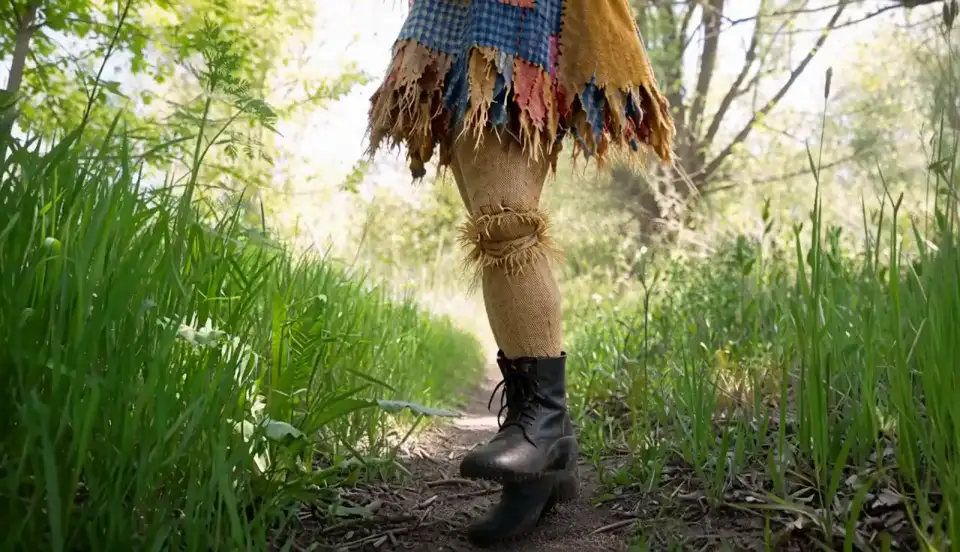
Genjutsu accepts 4 to 30 seconds. Viggle Remake takes up to 5 minutes in the app and renders windows of about 15 seconds that stay consistent. The scarecrow take below runs 40.5 seconds.
You want to keep changing the same video
Remake is an agent. Ask for a new jacket, then rain, then dusk, and it revises the same remake as version 1, 2 and 3, so you can go back. Genjutsu’s pages do not describe revising a result.
Where Viggle Remake goes further
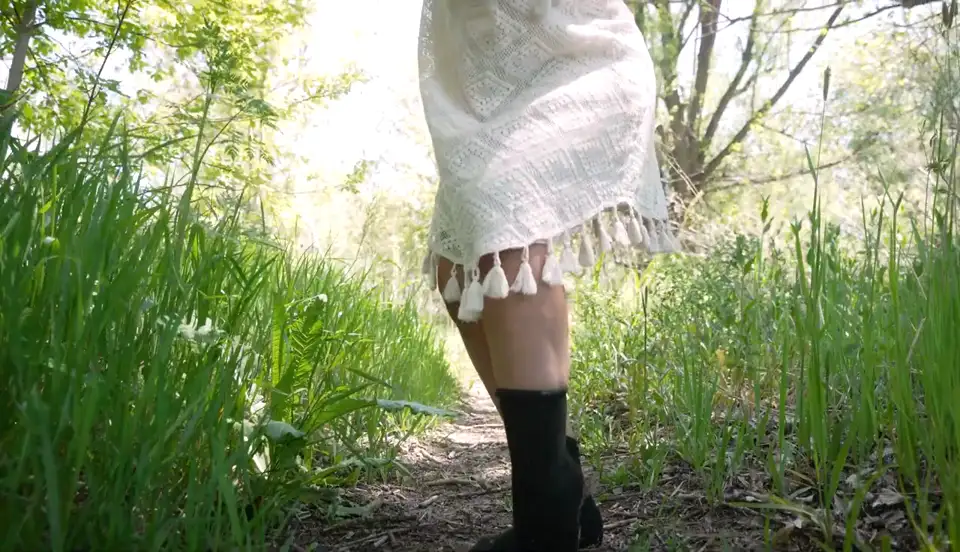
Remake your own footageFour Viggle Remake outputs, each laid over its source clip. The first runs 40.5 seconds, past Genjutsu's 30-second limit.
One 40-second take, recast
- Changed
- The dancer in the white dress becomes a patchwork scarecrow with straw hair.
- Kept
- Every move of the 40.5-second take, the creek, the trees and the handheld camera.
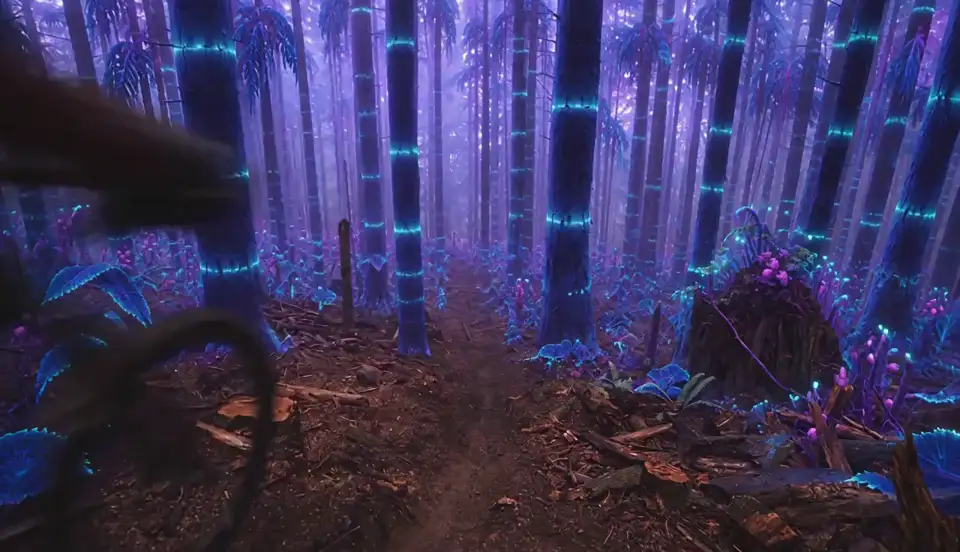
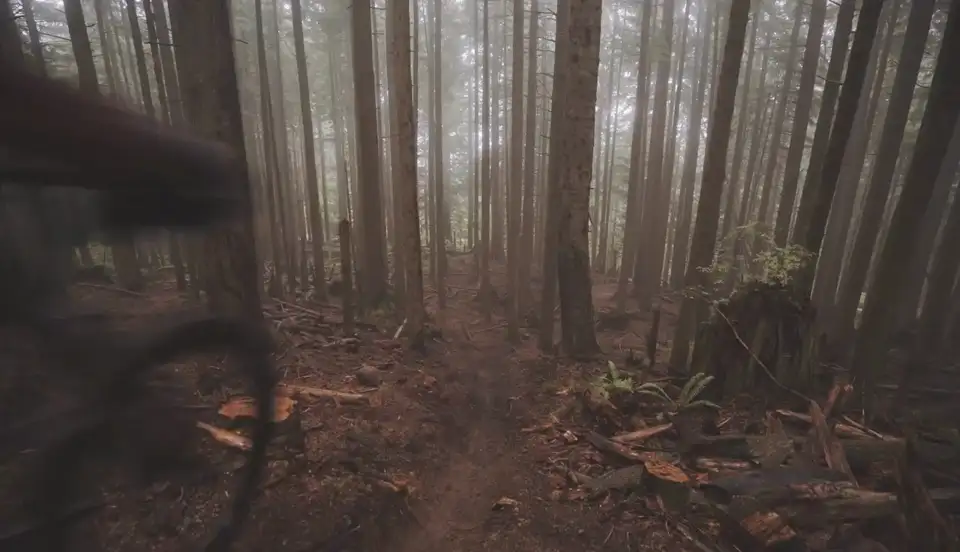
Same trail, new planet
- Changed
- The pine forest becomes a violet alien forest with glowing trunks and plants.
- Kept
- The mountain biker, every jump and turn, and the cuts across 29.7 seconds of shots.
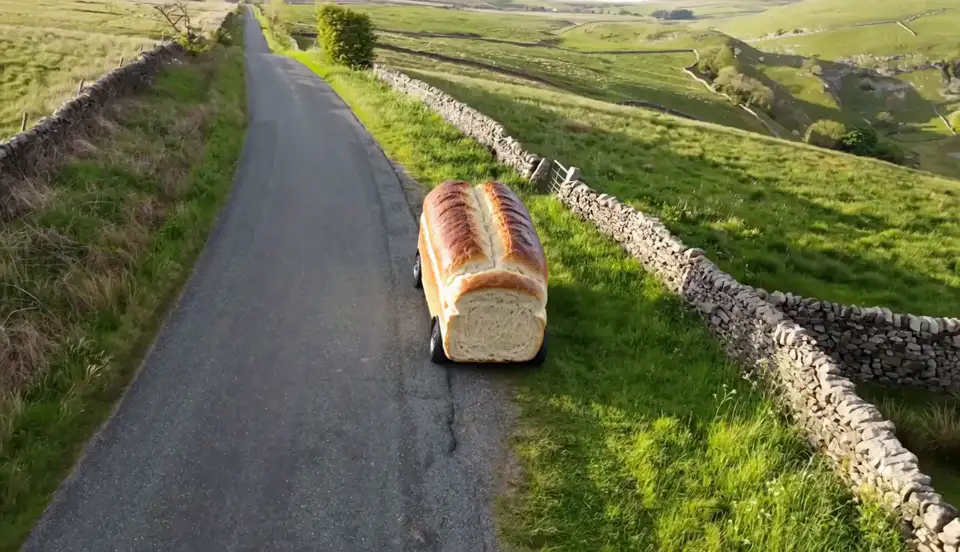
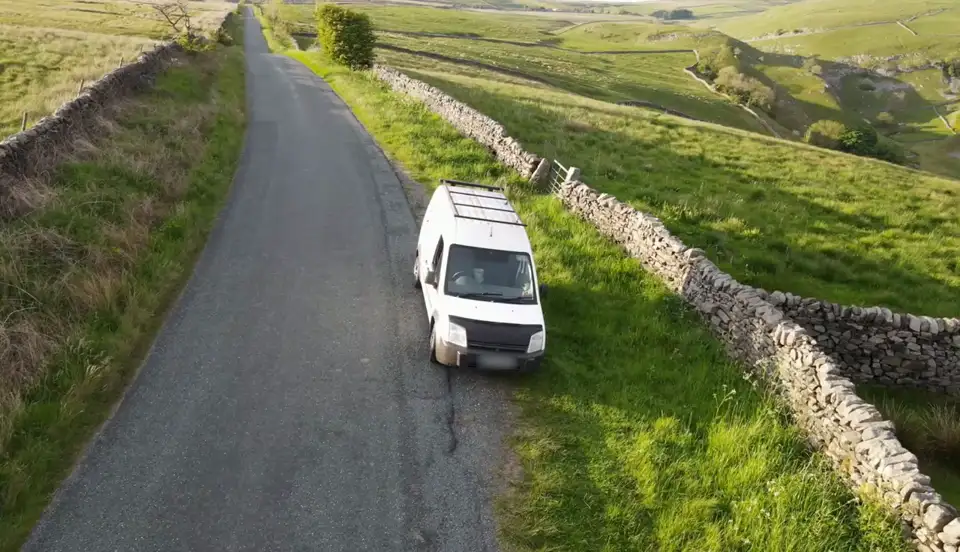
Swap one object, keep the drive
- Changed
- The white van on the country lane becomes a giant loaf of bread on wheels.
- Kept
- The road, the stone walls, the drone's path and the evening light.
Add something that was never there
- Changed
- A sea serpent swims across the empty loch, wake and all.
- Kept
- The water, the hills and the drone move.
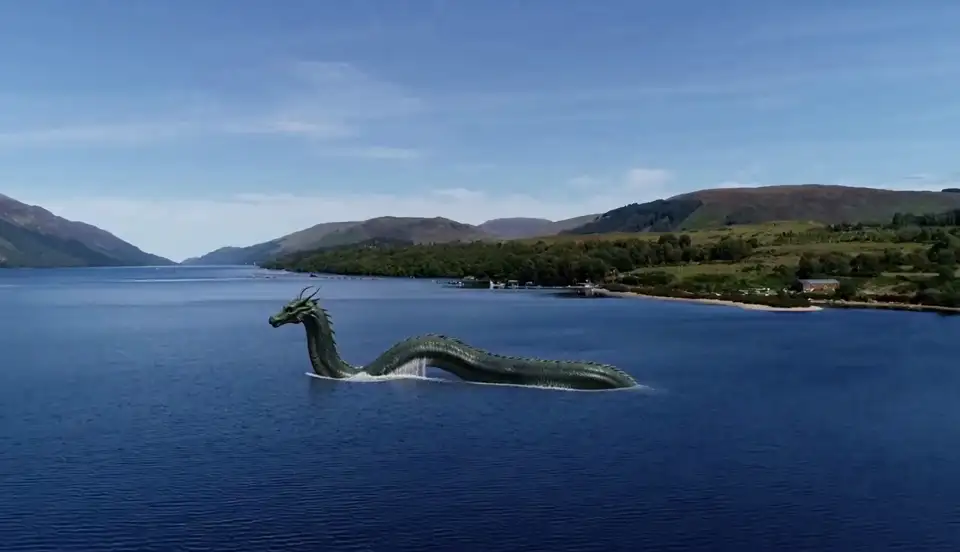
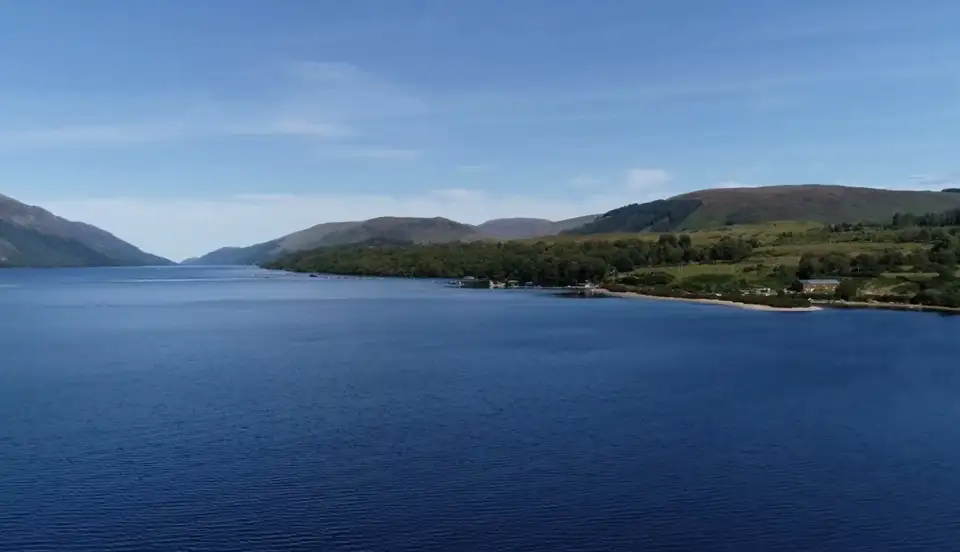
Genjutsu's 20 ready-made styles and 30+ presets are quicker when you want a stock look without writing a prompt (higgsfield.ai/blog/higgsfield-genjutsu, checked November 21, 2026).
Higgsfield Genjutsu vs Viggle Remake pricing
See your clip's price firstGenjutsu spends Higgsfield credits on every run. Viggle Remake comes with a paid Viggle plan.
Higgsfield Genjutsu
Priced in credits by clip length and resolution. Higgsfield's own figures for one 15-second clip:
| Mode | 720p | 1080p |
|---|---|---|
| Motion Transfer | 105 credits | 300 credits |
| Object Swap | 112 credits | 320 credits |
| Genjutsu Lite | 96 credits | 192 credits |
Higgsfield prices dated November 2, 2026, on higgsfield.ai/blog/higgsfield-genjutsu (checked November 21, 2026). 480p costs 45 credits for Motion Transfer and 48 for Object Swap; Higgsfield notes your account may show a lower price.
Viggle Remake
Included in every paid Viggle plan, from $7.99/mo billed yearly, with credits shared across Viggle tools. In Ask first mode, Remake shows each job’s price and waits for your go-ahead.
What our own jobs cost: four 6-second background changes on November 21, 2026 cost 6 credits each in Ask first, rendered in 7 to 12 minutes, and none failed.
Viggle Remake plans
Remake is in every paid plan: Pro, Live and Max. Pick one by how many credits a month you use.
Pro
Was $9.99
$7.99
/month
For creators who make more.
Upgrade- Viggle Remake agent
- 80 credits/month
- Faster video generation
- Up to 4 video generations at once
- Limited Real-Time Swap sessions
- Permanent asset storage
- No watermark
- Unlimited Multi-Track sessions
- Larger motion video uploads
- All models except Seedance
Live
PopularWas $19.99
$15.99
/month
For faster workflows.
Upgrade- Viggle Remake agent
- 200 credits/month
- Faster video generation
- Up to 6 video generations at once
- Stream 6+ hours in Real-Time Swap
- Permanent asset storage
- No watermark
- Unlimited Multi-Track sessions
- Larger motion video uploads
- Access to all models
Max
Best valueWas $79.99
$63.99
/month
For video production at scale.
Upgrade- Viggle Remake agent
- 800 credits/month
- Faster video generation
- Up to 10 video generations at once
- Unlimited Real-Time Swap sessions
- Permanent asset storage
- No watermark
- Unlimited Multi-Track sessions
- Larger motion video uploads
- Access to all models
When to stay with Genjutsu
Start a RemakeChoose by the clip in front of you. Genjutsu facts from higgsfield.ai, checked November 21, 2026.
Stay with Genjutsu if
- You need 1080p files straight out of the tool.
- You steer the result with many references, up to 30 images.
- You want a preset look without writing a prompt.
- You test ad creative with many variants from one setup.
- Your API or MCP pipeline already runs on Higgsfield.
Pick Viggle Remake if
- Your clip runs past 30 seconds, up to 5 minutes.
- You want to keep revising the same remake, with every version kept.
- You want to name exactly what changes and what stays, then chain new changes in the same chat.
A Higgsfield alternative for editing video you already shot
Open the Viggle appHiggsfield is the broader platform: image, video and voice tools, with models such as Kling 4.0, Veo 3.1 and Seedance 2.5, plus Cinema Studio’s 30+ camera presets (higgsfield.ai, checked November 23, 2026). Viggle fits better when the job starts from footage you already shot.
Change what you filmed
Viggle Remake recasts people, swaps objects and moves the set in clips up to 5 minutes.
Swap people in a short clip
Remake Flash in Mix swaps up to 5 people in a 5 to 15 second video, each from a photo.
Make a clip from a prompt
Video generation in the same app runs MiniMax H3, Veo 3.1 and Wan 2.7, plus Seedance where it is offered.
When Higgsfield fits better
You want more models to choose from, Kling included, or detailed camera and color presets for new shots.
How to remake your Genjutsu clip in Viggle Remake
Upload your clipThree steps for any clip up to 5 minutes. The shots come from one real job on November 21, 2026: a man walking across a salt flat, moved onto a rainy neon street from an attached photo.
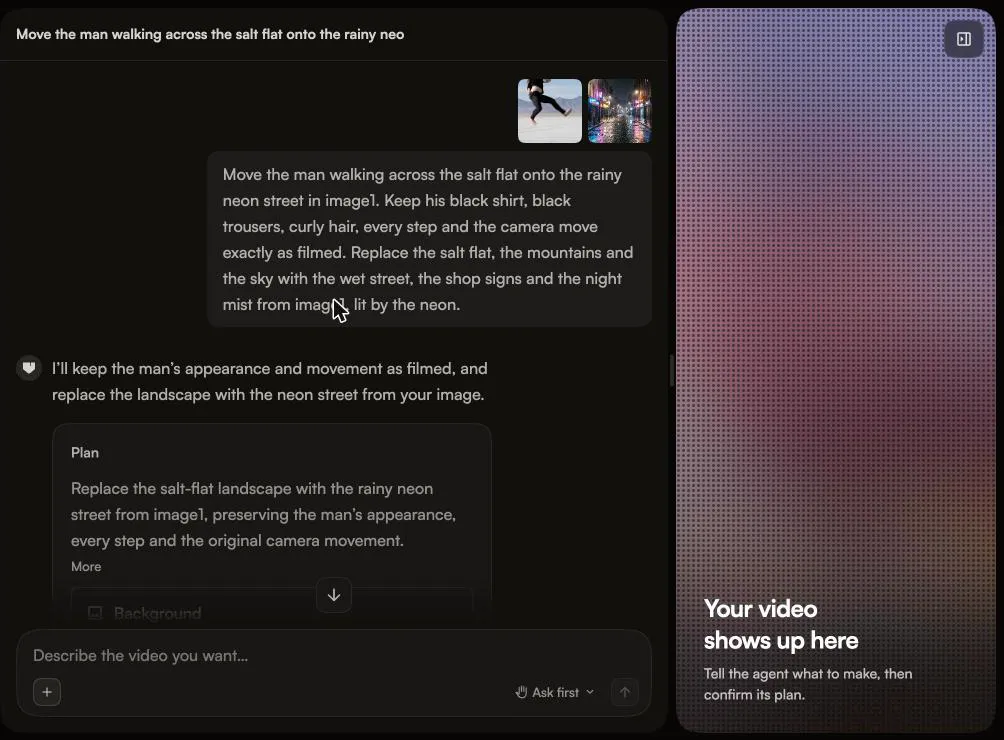
1. Upload the clip and say what to change
Attach the video, up to 5 minutes, and any photo to use. Here: the 6-second salt-flat clip, a photo of a wet neon street, and "keep his black shirt, curly hair, every step and the camera move".
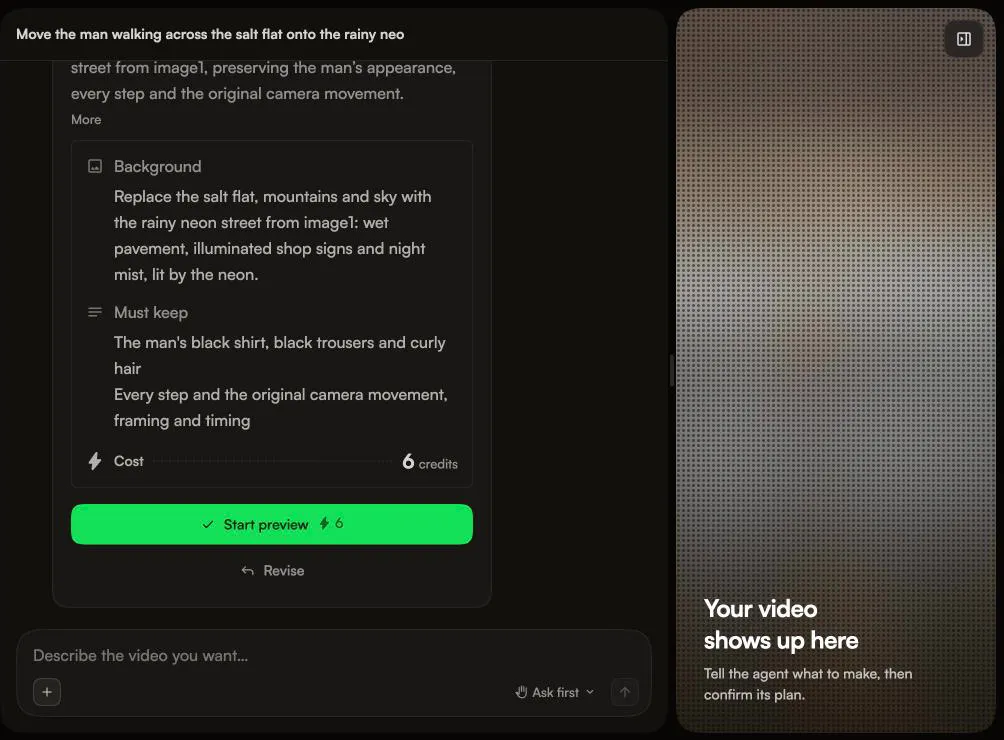
2. Check the plan and its price
In Ask first mode, Remake shows its plan: Background (what replaces the salt flat), Must keep (the clothes, every step, the camera) and Cost, 6 credits here, then waits. In Auto it starts right away.
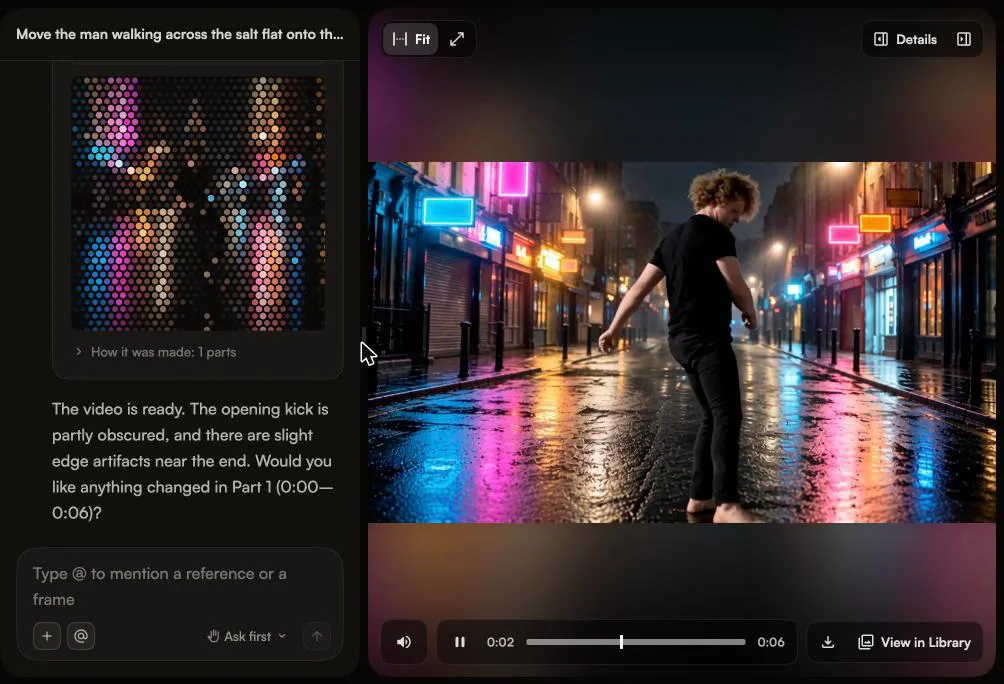
3. Read its note, then ask for changes
About 12 minutes later the remake played, with Remake's own note: the opening kick is partly obscured and the edges show slight artifacts near the end. Ask for a fix and it renders a new version; earlier ones stay in the chat.
Higgsfield Genjutsu alternative FAQ
Try Viggle RemakeIs Viggle Remake a good Higgsfield Genjutsu alternative?
Yes for clips longer than 30 seconds and for chaining changes on the same result in one chat, every version kept. Genjutsu outputs up to 1080p and takes up to 30 reference images, so it fits sharp, reference-heavy shots better (higgsfield.ai/genjutsu and higgsfield.ai/blog/higgsfield-genjutsu, checked November 21, 2026).
Is there a free Higgsfield Genjutsu alternative?
Not in the app: Viggle Remake needs a paid Viggle plan, from $7.99/mo billed yearly. Genjutsu runs on Higgsfield credits (higgsfield.ai/genjutsu, checked November 21, 2026).
How long can the video be in Genjutsu and in Viggle Remake?
Genjutsu takes 4 to 30 seconds (higgsfield.ai/genjutsu, checked November 21, 2026). Viggle Remake takes up to 5 minutes in the app, rendered in windows of about 15 seconds that stay consistent.
Which one outputs higher resolution?
Genjutsu, at up to 1080p (higgsfield.ai/blog/higgsfield-genjutsu, checked November 21, 2026). Viggle Remake outputs 720p class at 24 fps and passes the source audio through unchanged.
How much does Genjutsu cost compared with Viggle Remake?
Higgsfield lists 105 credits for a 15-second Motion Transfer at 720p and 300 at 1080p (higgsfield.ai/blog/higgsfield-genjutsu, checked November 21, 2026). Viggle Remake is included in every paid Viggle plan, and Ask first shows each job’s price before it runs.
Can I revise a remake after it renders?
Yes. Keep asking in the same chat and Remake renders a new version of the same remake; each version stays, so you can switch back. Higgsfield's Genjutsu guide describes generating, comparing and exporting the version you keep, not revising one (higgsfield.ai/blog/higgsfield-genjutsu, dated August 31, 2026, updated November 2, 2026, checked November 21, 2026).
Can I recast real people?
Only people who agreed to it, and label what you post as AI-generated.