Change video background with AI
Move the whole set behind your performers, no green screen needed.
Viggle Remake replaces the location, lighting, weather, or season in footage you already shot while keeping the movement, camera cuts, and audio.

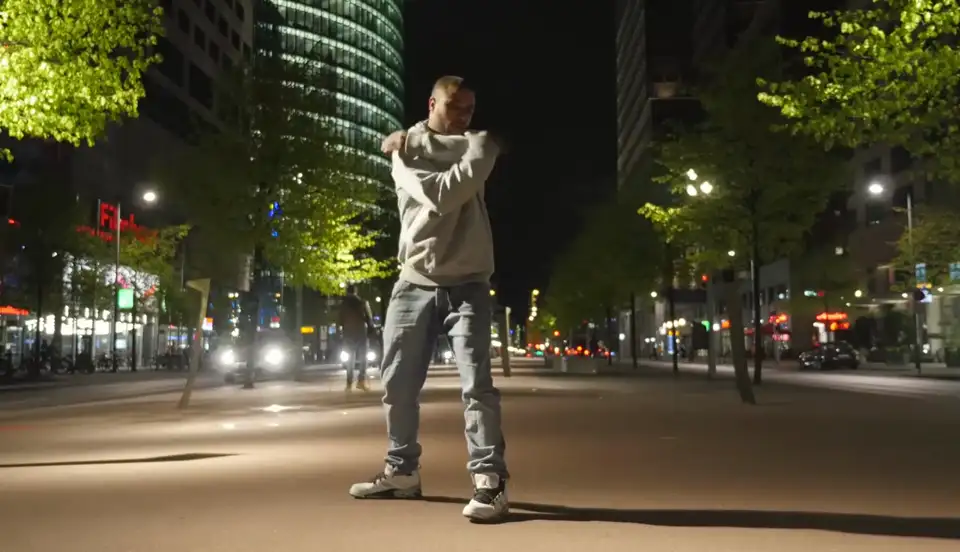
How to change the background in a video
Upload your clipRemake runs as a chat in Viggle; turn on Ask first to check the plan and credit cost before rendering. Screenshots show the same Ask first flow on an object-removal edit.
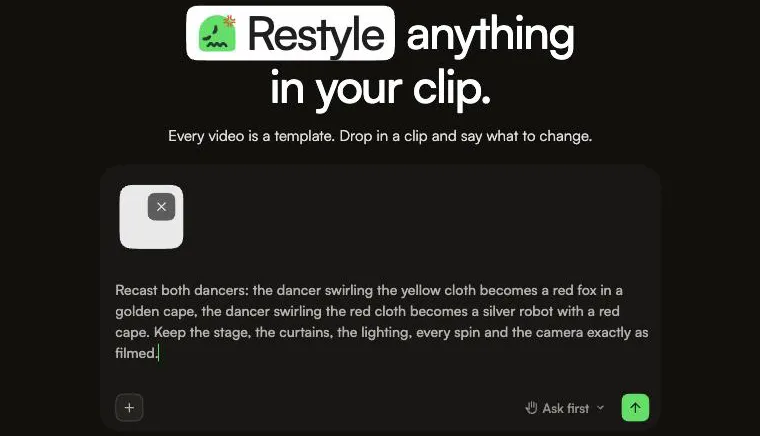
1. Upload your video and describe the new set
Upload 5 to 60 seconds of filmed footage (landscape or 9:16 vertical). Describe the new location, weather, or lighting in plain words, or attach a reference photo for the set.
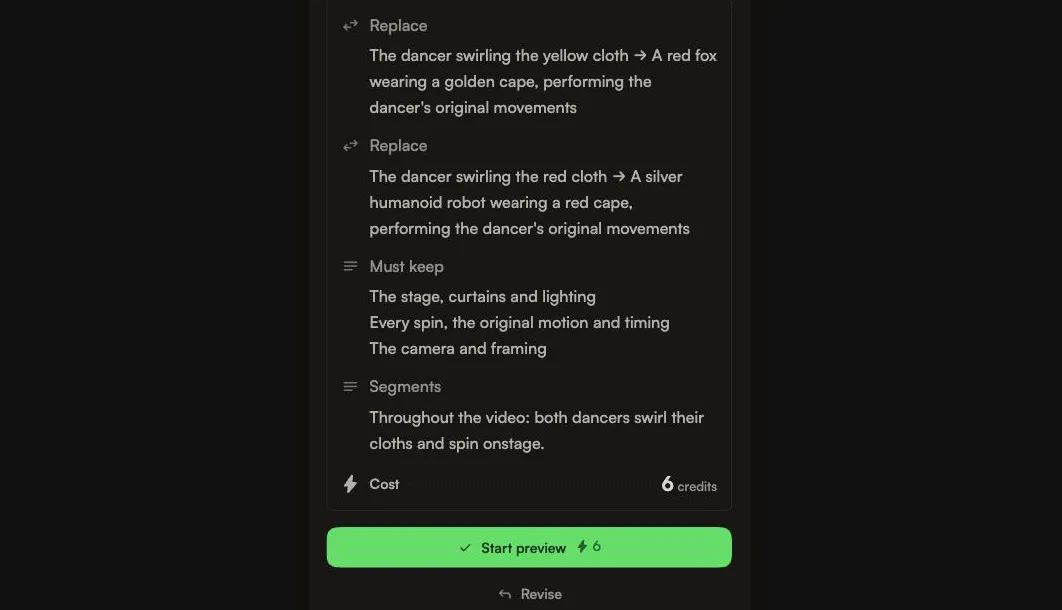
2. Check the plan and credit cost
In Ask first mode, Remake confirms what stays untouched (the performers, camera motion, and audio) and what background elements it will rebuild, along with the exact credit cost.
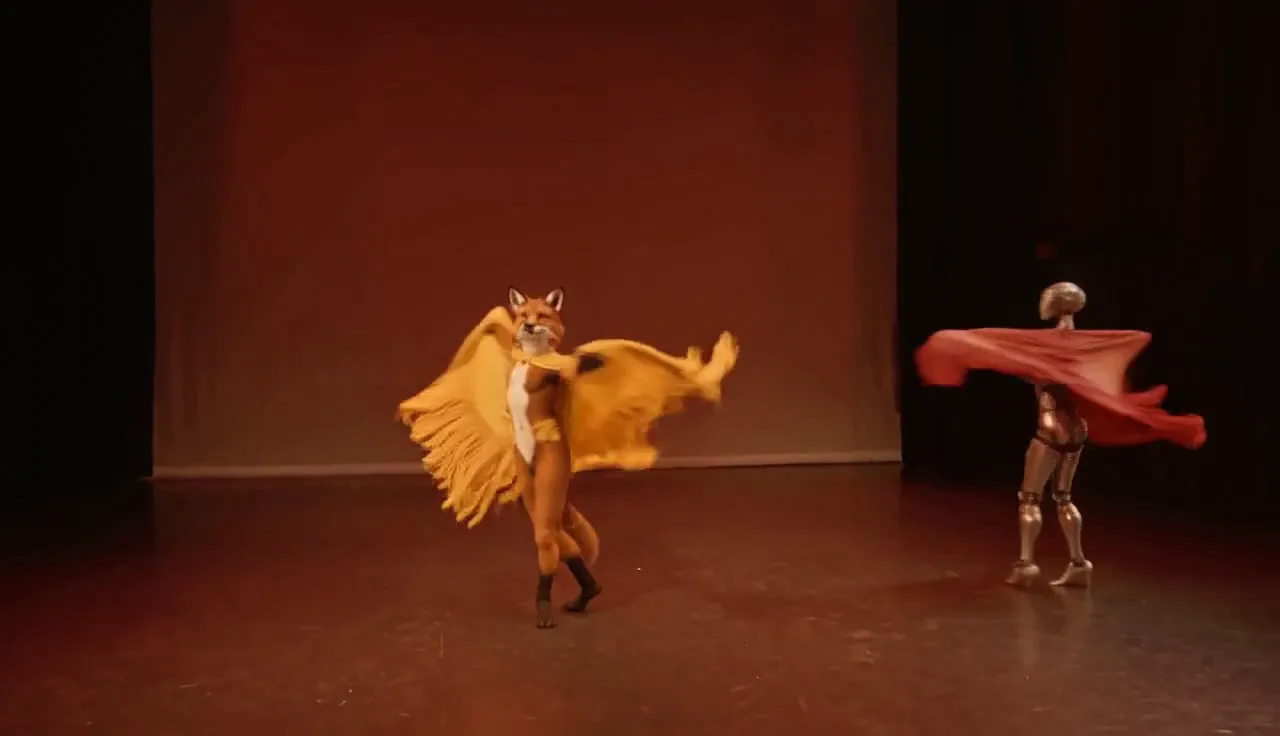
3. Review the result and refine in chat
Compare the new background against your source clip. Want warmer light, dusk sky, or a cleaner floor? Ask in the same chat and every version stays saved.
Replace the whole location without a green screen
Swap a video backdrop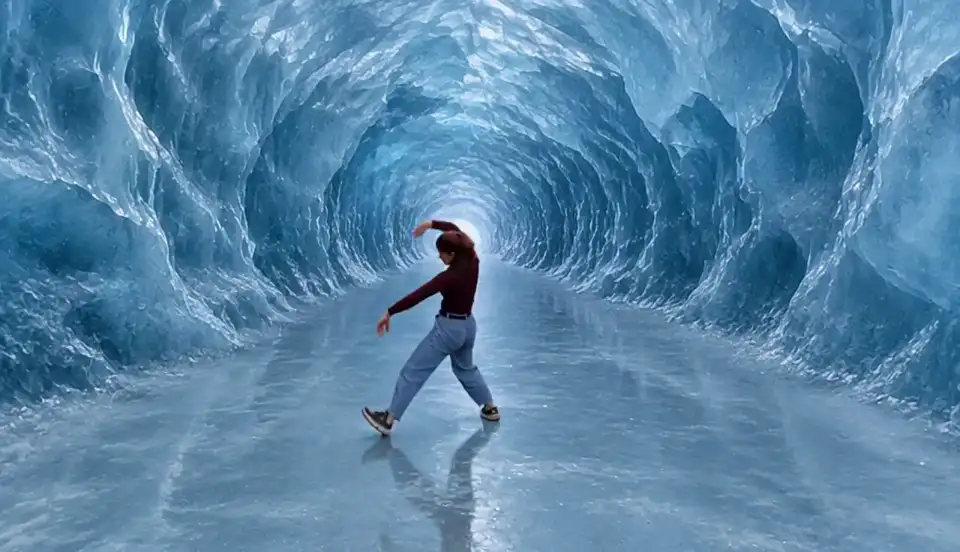
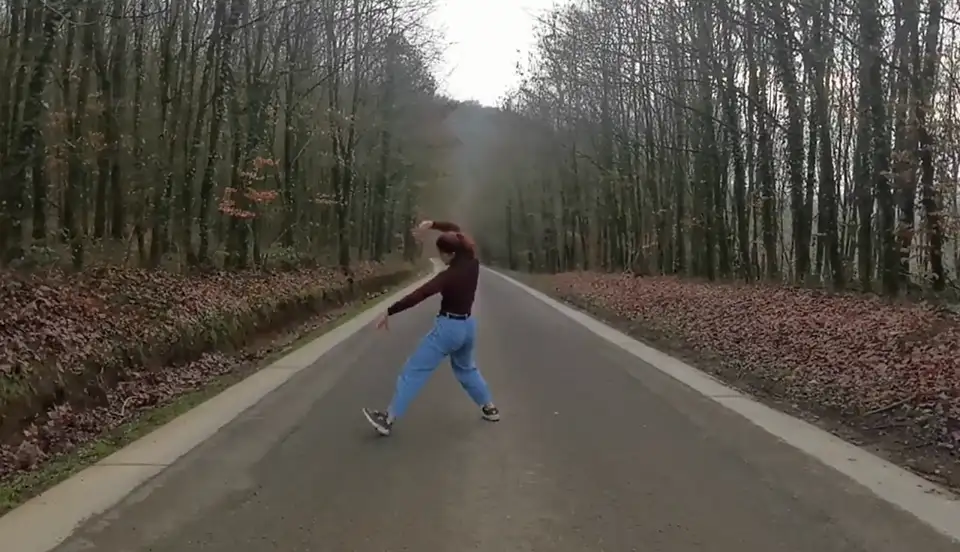
Unlike flat chroma-key cutouts that leave harsh edges and mismatched light, Remake relights the subject to sit naturally inside the new room, ice cave, or outdoor backdrop.
Change weather, season, and time of day
Change weather or season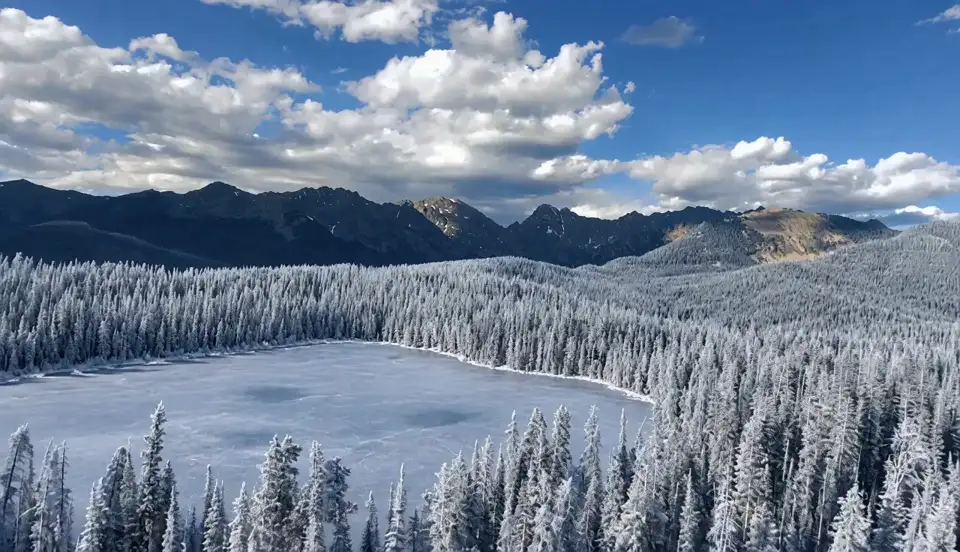
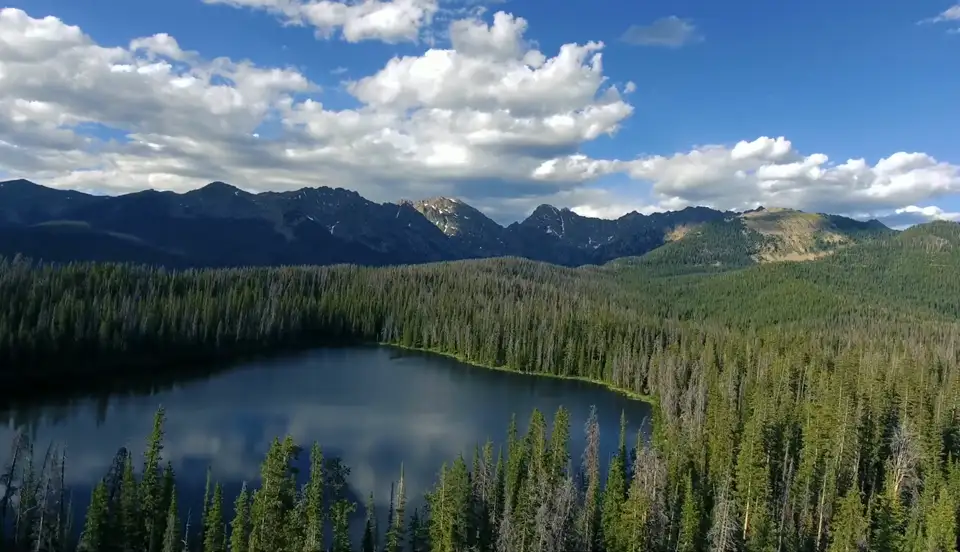
Keep the exact filming location and camera move, and turn a summer lake into winter ice or cover bare hills in spring superbloom.
Plans for AI video background replacement
Viggle Remake is included in Pro, Live, and Max plans (not on Free). Credits are shared across all Viggle tools.
Pro
Was $9.99
$7.99
/month
For creators who make more.
Upgrade- Viggle Remake
- 80 credits/month
- Faster video generation
- Up to 4 video generations at once
- Limited Real-Time Swap sessions
- Permanent asset storage
- No watermark
- Unlimited Multi-Track sessions
- Larger motion video uploads
- All models except Seedance
Live
PopularWas $19.99
$15.99
/month
For faster workflows.
Upgrade- Viggle Remake
- 200 credits/month
- Faster video generation
- Up to 6 video generations at once
- Stream 6+ hours in Real-Time Swap
- Permanent asset storage
- No watermark
- Unlimited Multi-Track sessions
- Larger motion video uploads
- Access to all models
Max
Best valueWas $79.99
$63.99
/month
For video production at scale.
Upgrade- Viggle Remake
- 800 credits/month
- Faster video generation
- Up to 10 video generations at once
- Unlimited Real-Time Swap sessions
- Permanent asset storage
- No watermark
- Unlimited Multi-Track sessions
- Larger motion video uploads
- Access to all models
Exact credit price is shown before rendering when Ask first mode is on. Pro starts at $7.99/mo billed yearly.
When creators change video backgrounds with Remake
Try it on your footageDance, music, and performance clips
Film in a practice studio or living room, then place the choreography in a ballroom, rooftop, or stage without booking a venue.
Talking-head videos and creator vlogs
Replace a cluttered room behind a speaker with a clean studio, cafe, or outdoor scene while keeping eye contact and original voice.
Travel, drone, and seasonal variations
Turn overcast skies into golden hour, snow, or spring bloom without reshooting the location.
Keep refining the same shot in chat
Open Viggle RemakeChanging the background is only the first turn. Stay in the same Remake chat to adjust lighting, clean up props, or swap outfits.
Match lighting and reflections
Ask for softer dusk light, neon reflections, or fog so the performer blends into the new environment.
Clean up distractions too
Remove extra bystanders, wires, or signs in a follow-up message without starting over.
Every version stays saved
Compare v1, v2, and v3 side by side and download whichever background matches your edit best.
Why change video backgrounds with Viggle Remake
Remake your backgroundNo green screen or manual rotoscoping
Works on ordinary phone and camera footage with moving backgrounds and handheld camera motion.
Scene-matched lighting and shadows
Generates a 3D-consistent world that tracks your camera and matches light on the performer.
Clips up to 60 seconds with original sound
Handles 5 to 60-second clips in landscape or 9:16 vertical, keeping dialogue and music synced.
Video background changer specs
Start in Remake| Spec | What it means for your clip | |
|---|---|---|
| Clip length | 5 to 60 seconds | Full dance takes, Reels, TikToks, and multi-cut shots |
| Output format | 720p, 24 fps, landscape or 9:16 | Matches standard social vertical and widescreen aspect ratios |
| Audio | Original track preserved | Speech, music, and ambient timing stay locked to the video |
| Before rendering | Ask first plan and price | See what changes and the exact credit cost before spending credits |
| Plans | Pro, Live, or Max | Included in every paid Viggle plan from $7.99/mo billed yearly |
Change video background FAQ
Change your backgroundHow can I change a video background without a green screen?
Upload a 5 to 60-second clip to Viggle Remake and describe the new location, weather, or lighting in chat (or attach a reference image). Remake replaces the background in every frame while keeping the people, camera movement, and original sound.
Does the new background move with a handheld or panning camera?
Yes. Remake tracks the original camera motion and perspective across every frame so the replacement set moves naturally with pans, walks, and drone shots.
What is the difference between Change Video Background (Remake) and AI Green Screen?
AI Green Screen pairs a character photo with a motion template on a clean green background so you can composite it yourself (free to start). Viggle Remake edits footage you already filmed, replacing the real-world set and relighting the scene automatically on paid plans.
Can I change only the weather or time of day without changing the location?
Yes. Ask Remake to keep the buildings, road, or landscape intact and change only the season, sky, snow, rain, or golden-hour lighting.
Is AI video background replacement free on Viggle?
Viggle Remake requires a paid plan (Pro, Live, or Max, starting at $7.99/mo billed yearly). In Ask first mode, Remake displays the exact credit price before rendering.