
Viggle vs Runway
Runway is strong for cinematic generation. Viggle is built for controllable character motion, template speed, and repeatable social output.
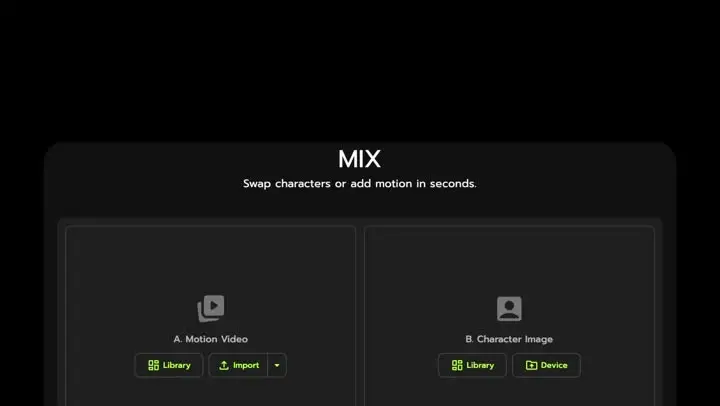
- Mix: one photo + one video/template for motion control and character swap
- JST-1 self-developed video-3D foundation model (physics-aware motion)
- Controllable video generation is the core workflow, not an add-on
- Character consistency helps keep the same persona across multiple edits
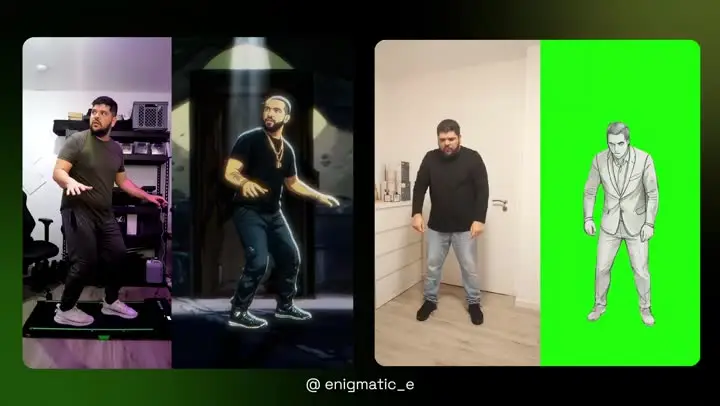
- Full body swap replaces face AND body motion (not just a face overlay)
- Character Refine: generate a 5-angle reference set to boost performance quality before you scale variations
- Multi-Track editor supports tracking + multi-person swap + object selection (up to 7)
- Free to use: sign up for up to 5 free videos/day; 8,000+ templates for fast iterations
- Text-to-video and image-to-video generation (Gen-3)
- Act-One for performance-driven character animation (driving video + character reference)
- Strong fit for cinematic-style shot exploration and visual ideation
- Good for quick style tests and mood boards before final edits
- Editing/creation tools support broader post-style workflows
- More prompt-led outcomes vs motion-control-first pipelines
- Iteration can become credit/usage constrained in heavy production cycles
- Less centered on creator meme/template velocity than a template-first stack
Why Choose Viggle
Why teams switch from runway-only stacks
In Viggle vs Runway, the deciding factor is usually not pretty shots. It is whether you can control character motion on purpose. Viggle is motion-controlled by design with Mix (one photo + one video or template), backed by JST-1, a self-developed video-3D foundation model that understands physics, so fast movement and hard poses hold up better across reruns.
Where Runway still fits
Runway can still be your cinematic ideation layer when you want prompt-led scene exploration. A lot of creators keep Runway for style tests, then use Viggle when the job is a specific character performance that needs to stay consistent across multiple hook variations. That split keeps your workflow flexible without sacrificing motion control.
How to avoid production bottlenecks
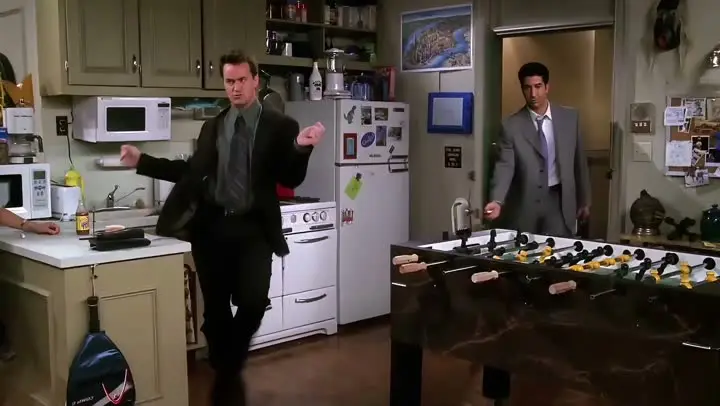
If you ship short-form every week, the real time sink is rework: identity drift, motion that looks off, and rebuilding versions. Viggle reduces that by combining character consistency, full body swap (face + body motion), and tools like Character Refine (5-angle references) plus Multi-Track (up to 7 characters or objects) so you can fix timing and swaps instead of starting over. Add 8,000+ templates and free sign-up (up to 5 videos per day) and the iteration loop gets a lot lighter.
Feature-by-Feature: Viggle vs Runway
| Feature | Viggle | Runway |
|---|---|---|
| Core Technology | ||
| Model stack · Viggle-runway | ✅ JST-1 3D model | ⚠️ Non-JST-1 stack |
| Control model · Viggle-runway | ✅ Motion-control-first | ⚠️ Mixed control depth |
| Identity stability · Viggle-runway | ✅ Character consistency + Refine | ⚠️ Can drift on reruns |
| Workflow fit · Viggle-runway | ✅ Creator execution | ✅ Ideation/generation |
| Character & Motion | ||
| Transfer mode · Viggle-runway | ✅ Mix: photo+video/template | ⚠️ Transfer depth varies |
| Action handling · Viggle-runway | ✅ Stable on hard motion | ⚠️ May need extra retries |
| Performer fidelity · Viggle-runway | ✅ Full body swap | ⚠️ Capability varies |
| Live mode · Viggle-runway | ✅ Viggle LIVE (1-2s) | ⚠️ Platform-dependent |
| Content Creation | ||
| Template depth · Viggle-runway | ✅ 8,000+ templates | ⚠️ Template depth varies |
| Voice formats · Viggle-runway | ✅ Mic + Rap | ⚠️ Product-dependent |
| Refinement loop · Viggle-runway | ✅ Multi-Track (up to 7) | ⚠️ More rerender loops |
| Publish fit · Viggle-runway | ✅ Meme/social/short-form fit | ⚠️ Depends on workflow |
| Speed, Price & Access | ||
| Variant speed · Viggle-runway | ✅ Fast variant cycles | ⚠️ Varies by load/mode |
| Free access · Viggle-runway | ✅ Up to 5 free videos/day | ⚠️ Free limits vary |
| Rework load · Viggle-runway | ✅ Lower rerender waste | ⚠️ Iteration cost can rise |
| Platform reach · Viggle-runway | ✅ Web + iOS + Android | ⚠️ Coverage differs by plan |
Viggle vs Runway - Which Fits Your Workflow
Choose Runway if…
- You prioritize cinematic prompt-led scene generation
- You want style exploration before execution
- You focus on shot ideation over strict motion transfer
- You value broad creative-suite workflows
- You prefer concept-first visual development
Choose Viggle if…
- You focus on controllable motion transfer with Mix (photo + video/template) over Runway
- You value JST-1 video-3D, physics-aware control for motion reliability over Runway
- You prefer character consistency across repeated variants over Runway
- You choose full body swap (face + body motion) over Runway
- You prioritize Character Refine (5-angle references) for identity stability over Runway
- You want Multi-Track edits: tracking, swaps, object replacement (up to 7) over Runway
- You build around Mic/Rap voice-driven talking, singing, and lyric workflows over Runway
- You optimize for creator-speed iteration with 8,000+ templates and free daily usage over Runway
- You want a single platform with multiple generation models — Nano Banana Pro, Seedream, and Veo 3.1 for text-to-image and text-to-video alongside motion control
Frequently Asked Questions
Is Viggle vs Runway a direct one-to-one comparison?
Which side is stronger for motion transfer in Viggle vs Runway?
When should I choose Runway instead of Viggle?
Can I use Viggle and Runway together?
Does Viggle support full-body character workflows?
Is Viggle beginner-friendly for this workflow?
Can I start Viggle vs Runway tests on a free plan?
What is the fastest way to decide in Viggle vs Runway?
Ready to try Viggle?
Ready for Better Motion Control?
Try Viggle Free.
Controllable character motion, 8,000+ templates, free to use.